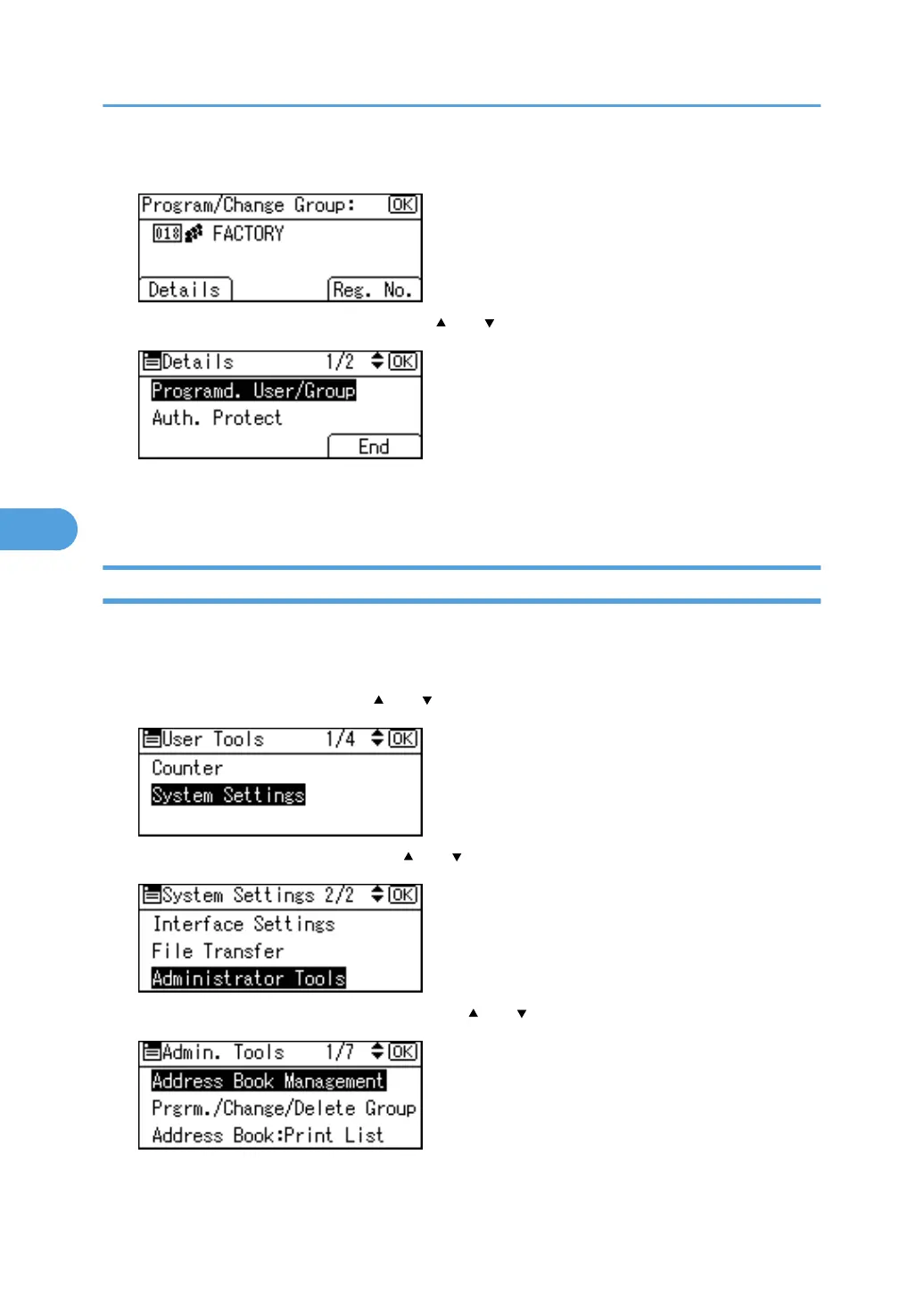
8. Press [Details].
9. Select [Programd. User/Group] using [ ] or [ ], and then press the [OK] key.
All the user (destination) names in the specified group appear.
10. Press the [User Tools/Counter] key.
Removing a Name from a Group
This section describes how to remove a name from a group.
1. Press the [User Tools/Counter] key.
2. Select [System Settings] using [ ] or [ ], and then press the [OK] key.
3. Select [Administrator Tools] using [ ] or [ ], and then press the [OK] key.
4. Select [Address Book Management] using [ ] or [ ], and then press the [OK] key.
5. Registering Addresses and Users for Facsimile/Scanner Functions
324



 To Next Page