EasyManua.ls Logo

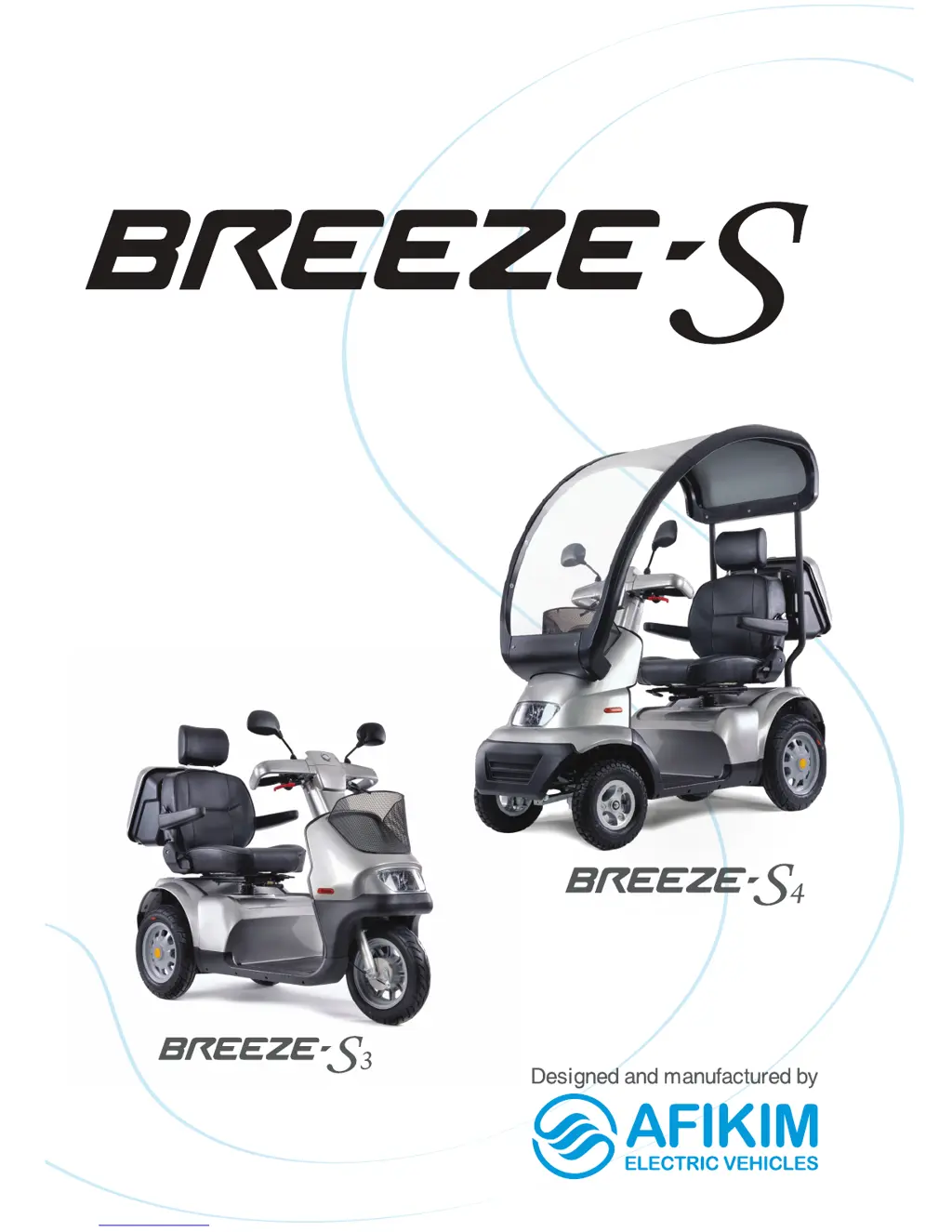
Afikim Breeze-S3 - User Manual

Afikim Breeze-S3
40 pages
Print Icon
To Next Page IconTo Next Page
Loading...
The Senior Class Lifestyler
User Manual

Questions and Answers

  • D
    dkeithAug 18, 2025
    What to do if Afikim Breeze-S3 doesn't move?
    • Y
      Yolanda RodriguezAug 18, 2025
      If your Afikim Scooter Breeze S doesn't move when you squeeze the throttle, first, ensure the key switch is turned ON. Next, check if the charger is connected and disconnect it. Also, verify that the EMB lever is engaged. If a panic brake was activated, turn the key switch OFF and then ON again. If the issue persists, it may indicate a control system failure, and you should call for technical support.
  • N
    Nathan ShawAug 20, 2025
    Why Afikim Breeze-S3 Scooter ON light does not come on?
    • A
      Ashlee WalkerAug 20, 2025
      If the key switch is turned ON, but the ON light doesn't illuminate on your Afikim Scooter, it could be due to a popped 70A main fuse or an electrical fault. Try resetting the fuse. If the issue continues after resetting the fuse twice, contact your authorized dealer for support.
  • S
    Steven GrayAug 22, 2025
    Why Afikim Breeze-S3 Scooter has intermittent drive?
    • M
      Melanie StewartAug 22, 2025
      If you experience intermittent drive with your Afikim Scooter, it might be due to a few reasons. First, the battery capacity could be low, so charge the batteries for at least 18 hours. Second, there may be faulty connections; remove the battery cover and check the battery connections, cleaning any corroded terminals with a damp cloth. Lastly, a faulty battery could be the cause; if the red LEDs are still on, contact your dealer for a replacement battery.
  • P
    Patricia PerezAug 26, 2025
    What to do if Afikim Breeze-S3 takes too long to stop?
    • M
      Michael GomezAug 26, 2025
      If your Afikim Scooter takes longer than 3 meters to stop after releasing the throttle on a level surface, the controller might be faulty or out of adjustment. In this case, you should call for technical support.
  • I
    idavisAug 27, 2025
    Why Afikim Breeze-S3 doesn't stop when handbrake is engaged?
    • M
      Mrs. Connie CookAug 28, 2025
      If your Afikim Scooter's handbrake is fully engaged but the vehicle does not stop, it is likely because the handbrake mechanism is loose. The brake cable needs to be tightened by an authorized technician.
  • B
    Brooke WuAug 30, 2025
    Why Afikim Scooter speed reduces when driving uphill?
    • J
      Judith KentAug 30, 2025
      When driving uphill or carrying heavy loads, if the speed of your Afikim Scooter reduces gradually (but the scooter still moves), it indicates that the controller has become overheated. Stop driving and allow the controller to cool down.
  • A
    Alexis CarterSep 1, 2025
    Why Afikim Scooter lights are inoperative?
    • B
      Brenda ParksSep 1, 2025
      If the main, rear, or indicator lights on your Afikim Scooter are inoperative, it is likely due to a faulty LED light board or an electronics fault. You should call a technician for assistance.
  • J
    Jillian KimSep 4, 2025
    What to do if my Afikim Scooter Breeze S doesn't move when squeezing the operating lever?
    • H
      hsmithSep 4, 2025
      If your Afikim Scooter Breeze S doesn't move when you squeeze the operating lever, there are several possible reasons. First, ensure the main key switch is in the 'ON' position. If it's off, turn the key to 'ON'. Next, check if the charging plug is installed in the charging socket; if so, disconnect it. Also, verify that the mechanical release lever of the electromagnetic brake is not operated; if it is, remove the lever to the engaged position. A panic brake may also inhibit movement; reset it by switching the scooter OFF and then ON again. Finally, control system failure can also cause this issue.
  • C
    caroline42Sep 6, 2025
    Why is my Afikim Scooter having intermittent drive?
    • E
      Erica DrakeSep 6, 2025
      Intermittent drive in your Afikim Scooter can be caused by a few things. One possibility is low battery capacity, in which case you should charge the batteries for at least 18 hours. Another cause could be failed connections; remove the batteries cover and check the battery cables connection. If you notice corrosion on the terminals, clean them with a damp cloth. Lastly, a faulty battery could be the issue. If, after recharging, the red LEDs are still ON, the battery may be faulty.
  • K
    Kristen AustinSep 9, 2025
    What to do if the 'ON' light doesn't come on when the key is turned on in my Afikim Scooter?
    • Y
      yrussoSep 9, 2025
      If the 'ON' light does not illuminate when you turn the key switch to 'ON' on your Afikim Scooter, it could be due to a popped main fuse (70A) or an electrical fault. Try resetting the fuse. Note: Do not reset the fuse more than twice. If the problem continues after the second reset, seek support from an authorized dealer.

Summary

Overview of the Breeze S Features

Breeze S Safety Instructions and Precautions

General Safety Guidelines

General safety precautions for operating the Breeze S scooter.

Modifications and Accessories

Warnings against modifying the scooter or using unapproved accessories.

Pre-Ride Safety Check

Essential checks to perform before operating the Breeze S scooter.

Weight Limitations

Information on the maximum weight capacity and its importance.

Incline Information

Guidance on safely navigating inclines and ramps with the Breeze S scooter.

Cornering Information

Advice on safe cornering techniques to prevent tipping.

Stationary Obstacles Handling

Warnings and instructions for handling stationary obstacles like steps and curbs.

Inclement Weather Precautions

Precautions to take when operating the scooter in adverse weather conditions.

Freewheel Mode

Explanation of the freewheel mode and its associated warnings.

Stairs and Escalators

Prohibition of using the scooter on stairs or escalators and recommendation to use elevators.

Batteries Safety and Handling

Important safety and handling information for the scooter's batteries.

Motor Vehicle Transport

Instructions for safely transporting the Breeze S scooter in a motor vehicle.

Getting Onto and Off of the Scooter

Safety tips and procedures for safely mounting and dismounting the scooter.

Prescription Drugs and Physical Limitations

User's responsibility regarding medications and physical limitations affecting safe operation.

Alcohol and Smoking Precautions

Warnings against operating the scooter under the influence of alcohol or while smoking.

General Description of the Breeze S

Breeze S Adjustments and Customization

Adjusting the Tiller Angle

How to adjust the angle of the tiller for optimal user positioning.

Adjusting Tiller Height

Information regarding tiller height adjustment, noting it's done by a technician.

Seating into the Breeze S

Procedures and notes for safely getting into and operating the scooter seat.

Adjust Shock Absorbers

Guidance on adjusting shock absorbers, recommending technician assistance.

Operating the Breeze S Scooter

LCD Display Usage

Guide to understanding and using the scooter's LCD display indicators.

Driving and General Use

Practical advice and procedures for driving the Breeze S scooter in various situations.

Motor Vehicle Transportation

Detailed instructions on securing the scooter for motor vehicle transport.

Breeze S Charging Procedures

Breeze S Maintenance Guide

Periodic Maintenance Check

A table outlining routine maintenance checks and their frequencies.

Removing Seat and Battery Cover

Step-by-step instructions for removing the seat and battery cover.

Batteries

Information on battery weight and safe lifting techniques.

Tires

Guidance on checking and inflating tire pressure for optimal performance.

Replace Batteries

Detailed instructions on how to safely replace the scooter's batteries.

Breeze S Troubleshooting and Fault Repair

EMI Warning for Breeze S

Breeze S Specifications

Afikim Breeze-S3 Specifications

General IconGeneral
RangeUp to 28 miles (45 km)
Tire Size10 inches
Turning Radius2.5 m
Overall Length66 in (167 cm)
Overall Width27 in (68 cm)
Overall Height1200 mm
Max Load450 lbs (205 kg)
BrakesElectromagnetic

Related product manuals