EasyManua.ls Logo

AG Neovo HX-32 - User Manual

AG Neovo HX-32
46 pages
Print Icon
To Next Page IconTo Next Page
Loading...
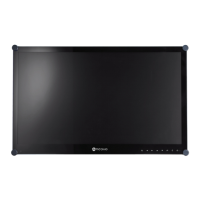
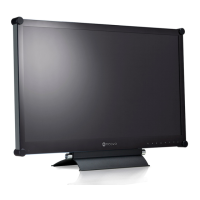
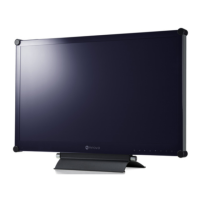
HX-32 & HX-42 Security LED-Backlit Display

Other manuals for AG Neovo HX-32

Questions and Answers

  • J
    John JohnsonAug 10, 2025
    What to do if my AG Neovo HX-32 has no picture?
    • A
      Angela McclureAug 10, 2025
      If your AG Neovo monitor displays no picture, verify the following: Ensure the display and signal source device are turned on, checking the display's power indicator. Confirm all cable connections are secure. If using a computer, DVD, or Blu-ray player, ensure the output resolution is supported.
  • P
    Patricia LeAug 15, 2025
    Why is my AG Neovo HX-32 Monitor remote control not working?
    • T
      thompsonmichaelAug 16, 2025
      If the remote control for your AG Neovo monitor isn't working, consider these possibilities: Ensure the remote control function isn't locked. Verify the batteries are correctly oriented and not dead. Check your distance and angle from the display, ensuring the remote is pointed at the sensor window without obstructions. Strong fluorescent lighting or direct sunlight on the sensor, or nearby devices transmitting infrared signals, can also interfere.
  • L
    Larry GuerreroAug 22, 2025
    What to do if my AG Neovo HX-32 Monitor has no sound?
    • J
      Joshua MosleyAug 22, 2025
      If your AG Neovo monitor has no sound, check if the mute function is enabled on the display or input source device. If it is, turn it off or increase the volume. Also, ensure all cable connections are firmly connected.
  • A
    Anthony KleinAug 28, 2025
    How to fix a strange computer input image on my AG Neovo Monitor?
    • J
      Julie WellsAug 28, 2025
      If the computer input image on your AG Neovo monitor looks strange, first, ensure you've selected a supported output resolution. If the issue persists, use the Auto Adjustment function to automatically optimize the display. If the result is still unsatisfactory, manually adjust the image using the Clock Frequency, Phase, H. Position, and V. Position functions.
  • O
    Olivia GreenSep 3, 2025
    What to do if the control panel buttons do not work on my AG Neovo HX-32?
    • C
      Christopher MartinSep 3, 2025
      If the control panel buttons on your AG Neovo monitor aren't working, check if the control panel buttons are locked. If they are, unlock them and try again.

Summary

Safety and General Information

General Safety Guidelines

Covers electrical safety, proper placement, installation, and user serviceability.

Important Safety Instructions

Lists 14 key safety instructions to follow during operation and installation.

LCD Panel and Remote Handling

Advises careful handling of the LCD screen and remote control, including battery safety.

Getting Started: Setup and Connections

Package Contents

Lists all standard items included in the product box.

Display Setup and Mounting

Provides instructions for wall mounting and installing optional desktop stands.

Display Components and Ports

Identifies panel elements, buttons, and all available input/output connection ports.

Remote Control Operation and Usage

Explains button functions, battery installation, and effective remote operation tips.

Connecting Video, Audio, and External Devices

Covers all signal inputs (VGA, Digital, Analog), speaker output, and multi-display connections.

Power Cord Installation

Provides steps for connecting the power cord to the display and the power outlet.

Operations and Advanced Features

Basic Display Operations

Covers powering on/off, control panel lock, input switching, and volume adjustment.

Network Connectivity and Remote Control

Details setup for LAN connection and remote display control via a web interface.

On-Screen Display (OSD) Menu

Provides an overview and detailed configuration options for picture, sound, screen, and system settings.

Specifications and Troubleshooting

Product Specifications Overview

Summarizes key technical details like resolution, brightness, contrast, and power consumption.

Dimensions and Signal Compatibility

Includes physical dimensions, supported input resolutions, and Picture-in-Picture (PAP) signal combinations.

Troubleshooting Common Issues

Offers solutions for common problems like no picture/sound, image quality, and control/remote malfunctions.

AG Neovo HX-32 Specifications

General IconGeneral
Resolution1920 x 1080
Panel TypeVA
Brightness300 cd/m²
Response Time5 ms
Aspect Ratio16:9
Viewing Angle (H/V)178°/178°
Built-in SpeakersYes
Screen Size32 inches
Contrast Ratio3000:1
ConnectivityHDMI, DisplayPort
Color Support16.7 million colors

Related product manuals