EasyManua.ls Logo

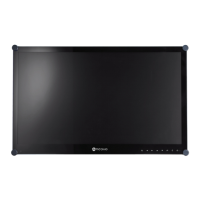
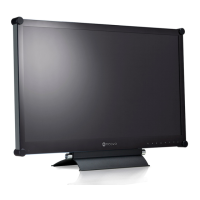
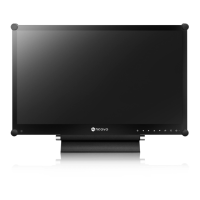
AG Neovo HX-24E - User Manual

AG Neovo HX-24E
44 pages
Print Icon
To Next Page IconTo Next Page
Loading...
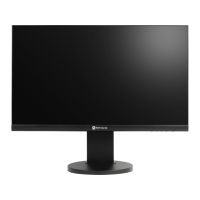
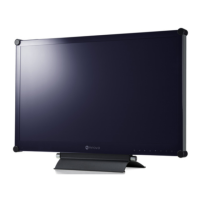
HX-24E Security LED-Backlit Display
User Manual

Questions and Answers

  • S
    Sheila TapiaAug 16, 2025
    How to fix AG Neovo Monitor when there is no picture and LED indicator is off?
    • A
      Anthony CraigAug 16, 2025
      If your AG Neovo monitor shows no picture and the LED indicator is off, please verify the following: Ensure the LCD display is turned on, check that the power adapter is properly connected to the LCD display, and confirm that the power cord is securely plugged into the power outlet.
  • T
    Tyler BradleyAug 19, 2025
    What to do if there is no audio output from my AG Neovo Monitor?
    • F
      Frederick KingAug 19, 2025
      If you're experiencing no audio output from your AG Neovo monitor, here are a few things to check: * First, make sure the volume isn't set to 0. * Next, verify that the AUDIO SETTING is not set to OFF. * For VGA or DVI input, check the audio setting of the computer. * For HDMI or DP input, select the correct audio input source.
  • L
    lmoralesAug 22, 2025
    Why is the LED indicator on my AG Neovo HX-24E amber?
    • S
      Shawn SosaAug 22, 2025
      If the LED indicator on your AG Neovo monitor is amber, check if the computer is turned on. Also, check if the computer is in standby mode; if so, move the mouse or press any key to wake up the computer.
  • J
    Jennifer MartinezAug 25, 2025
    How to fix blurry text on AG Neovo HX-24E Monitor?
    • A
      Andrea WebbAug 26, 2025
      If the displayed texts on your AG Neovo monitor are blurry, try the following: For VGA input, touch the keypad to auto-adjust the display. You can also adjust the IMAGE SETTING.
  • C
    Christine BellAug 28, 2025
    How to adjust the image position on an AG Neovo HX-24E Monitor?
    • J
      johnsonbrandonAug 28, 2025
      To correct an incorrect image position on your AG Neovo monitor, adjust the H. POSITION and V. POSITION values.
  • C
    Candace SimsAug 31, 2025
    What causes a distorted picture on an AG Neovo HX-24E?
    • C
      Charles JacksonAug 31, 2025
      If the displayed picture on your AG Neovo monitor looks distorted, try adjusting the aspect ratio.
  • B
    Brian OrtizSep 3, 2025
    Why can't I adjust the backlight setting on my AG Neovo Monitor?
    • G
      gouldannaSep 3, 2025
      If you cannot adjust the backlight setting on your AG Neovo monitor, the Eco Smart feature may be enabled. Set the ECO SMART > ENABLE setting to OFF to disable the Eco Smart feature.
  • O
    owilliamsSep 6, 2025
    How to prevent faint shadows on AG Neovo Monitor screen?
    • T
      Tracy LopezSep 6, 2025
      To address faint shadows from a static image appearing on your AG Neovo monitor screen, turn off the LCD display for extended periods of time. Alternatively, use a screen saver or a black and white image and run it for extended periods of time.
  • O
    Omar HernandezSep 8, 2025
    Why is there dew formed on my AG Neovo HX-24E Monitor?
    • M
      Matthew RobertsonSep 9, 2025
      Dew forming on or inside the LCD display normally happens when the LCD display is moved from a cold room to a hot room temperature. Do not turn ON the LCD display; wait for the dew condensation to disappear.
  • H
    Heather BeckSep 12, 2025
    Why is there mist inside the glass surface of my AG Neovo Monitor?
    • L
      Lisa ReevesSep 12, 2025
      Mist forming inside the glass surface happens due to humid weather conditions. This is a normal occurrence. The mist will disappear after a few days or as soon as the weather stabilizes.

AG Neovo HX-24E Specifications

General IconGeneral
Screen Size23.8 inches
Panel TypeIPS
Brightness250 cd/m²
Contrast Ratio1000:1
Response Time5 ms
Viewing Angle178° (H) / 178° (V)
ConnectivityVGA, DVI, HDMI
Aspect Ratio16:9
Resolution1920 x 1080

Related product manuals