EasyManua.ls Logo

AG Neovo RX-24 - User Manual

AG Neovo RX-24
48 pages
Print Icon
To Next Page IconTo Next Page
Loading...
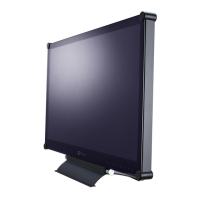
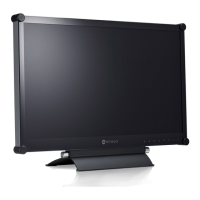
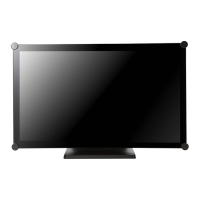
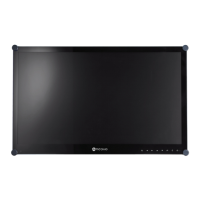
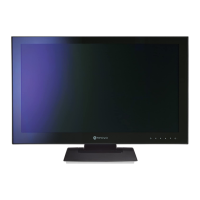
RX-22 & RX-24 Security LED-Backlit Display
User Manual

Other manuals for AG Neovo RX-24

Questions and Answers

  • T
    Tyler MurrayAug 17, 2025
    What to do if AG Neovo Monitor has no picture and LED is off?
    • J
      Jennifer RobinsonAug 17, 2025
      First, ensure the AG Neovo LCD display is turned on. Then, verify that the power cord is correctly connected to the LCD display and plugged into the power outlet.
  • J
    Jamie FieldsAug 20, 2025
    What to do if AG Neovo Monitor has no audio output?
    • W
      William ThompsonAug 20, 2025
      First, check if the volume is set to 0. Next, ensure that AUDIO is not set to OFF. Also, for VGA or DVI input, verify the audio setting of the computer.
  • B
    brittanyrobertsAug 23, 2025
    Why is AG Neovo RX-24 Monitor LED indicator AMBER?
    • N
      Nathan DavisAug 23, 2025
      Check if the computer is turned ON. If the computer is in standby mode, move the mouse or press any key to wake it up.
  • D
    David MooreAug 26, 2025
    What to do if AG Neovo RX-24 displays blurry texts?
    • S
      steven06Aug 26, 2025
      If you are using VGA input, touch the keypad to auto-adjust the AG Neovo Monitor display. Alternatively, adjust the IMAGE SETTING.
  • C
    Carol RayAug 28, 2025
    What to do if AG Neovo Monitor OSD menu can’t be called out?
    • M
      Melissa RuizAug 28, 2025
      The OSD might be locked. Unlock the OSD of your AG Neovo Monitor.
  • N
    Nicholas Frazier DDSAug 30, 2025
    What to do if AG Neovo RX-24 image position is incorrect?
    • A
      andrea78Aug 30, 2025
      Adjust the H. POSITION and V. POSITION values in the image settings of your AG Neovo Monitor.
  • C
    Cynthia FoxSep 2, 2025
    Why can't I adjust Backlight setting on AG Neovo Monitor?
    • S
      Seth SmithSep 3, 2025
      The AUTO BRIGHTNESS setting is likely ON. Disable AUTO BRIGHTNESS on your AG Neovo Monitor.
  • T
    Timothy BrownSep 5, 2025
    What to do if AG Neovo RX-24 Monitor PIP mode does not work?
    • S
      Steven NguyenSep 5, 2025
      The main and sub input source signals may not be compatible to be displayed together in PIP mode.
  • K
    Kenneth JosephSep 8, 2025
    Why does dew form on or inside AG Neovo RX-24 LCD display?
    • D
      Donald JensenSep 8, 2025
      This usually occurs when the AG Neovo LCD display is moved from a cold to a hot room. Do not turn on the LCD display. Wait for the dew condensation to disappear.
  • J
    Julia RodriguezSep 12, 2025
    Why do red, blue, green, white dots appear on AG Neovo Monitor screen?
    • K
      kturnerSep 12, 2025
      The AG Neovo LCD display contains millions of micro transistors. It is normal for a few to be damaged and produce spots. This is acceptable and not considered a failure.

Summary

Safety Information

FCC Declaimers

Compliance statement for radio frequency interference from the FCC.

Precautions

Product Description

Wall Mounting Installation Preparation

Steps to prepare the LCD display for wall mounting.

Front View and Keypad Buttons

Details of the front panel layout and button functions.

Rear View

Identification of rear panel connectors for input and output.

Making Connections

Connecting the Power

Procedure for connecting the LCD display to a power source.

Connecting Input Source Signals

How to connect video and audio sources to the display.

Using the LCD Display

Turning on the Power

Steps to power the LCD display on and off.

Selecting the Input Source Signal

How to select the active input source for the display.

On Screen Display Menu

Using the OSD Menu

Guide to navigating and operating the On-Screen Display menu.

Adjusting the LCD Display

Brightness Setting

Adjusting the screen's brightness level for optimal viewing.

Input Select

Selecting the active input source for the display.

Appendix

Troubleshooting

Common problems and their possible causes and solutions.

Specifications

Display Specifications

Technical specifications for the RX-22 and RX-24 models.

AG Neovo RX-24 Specifications

General IconGeneral
BrandAG Neovo
ModelRX-24
CategoryMonitor
LanguageEnglish

Related product manuals