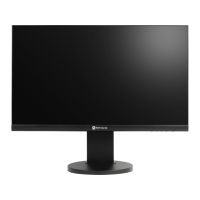
EasyManua.ls Logo

AG Neovo RX-W32 - User Manual

AG Neovo RX-W32
49 pages
Print Icon
To Next Page IconTo Next Page
Loading...
RX-W32 & RX-W42 LCD Display

Table of Contents

Questions and Answers

  • D
    Dean ArmstrongAug 15, 2025
    What to do if AG Neovo Monitor has no picture and LED indicator is off?
    • M
      Mario CallahanAug 15, 2025
      If your AG Neovo monitor displays no picture and the LED indicator is off, ensure that the LCD display is turned on. Also, verify that the power cord is properly connected to both the LCD display and the power outlet.
  • S
    shallAug 18, 2025
    What to do if my AG Neovo Monitor has no audio output?
    • J
      Jacob AllenAug 18, 2025
      If there is no audio output from your AG Neovo monitor, first check if the volume is set to 0 or if the audio is set to OFF. For VGA or DVI input, also check the audio setting of the computer.
  • K
    Katrina FarrellAug 21, 2025
    Why is the LED indicator AMBER on my AG Neovo Monitor?
    • K
      Katherine BarkerAug 22, 2025
      If the LED indicator on your AG Neovo monitor is amber, ensure that your computer is turned on. If the computer is in standby mode, try moving the mouse or pressing any key to wake it up.
  • S
    Steven McintoshAug 25, 2025
    What to do if displayed texts are blurry on AG Neovo Monitor?
    • M
      martindiamondAug 26, 2025
      If the displayed texts are blurry on your AG Neovo monitor when using VGA input, use the keypad to auto-adjust the display. You can also adjust the IMAGE SETTING.
  • R
    Ronald HughesAug 29, 2025
    What to do if faint shadows from a static image appear on the screen of AG Neovo Monitor?
    • R
      rchambersAug 29, 2025
      If you notice faint shadows from a static image appearing on your AG Neovo monitor's screen, try turning off the LCD display for extended periods. Alternatively, run the Anti-Burn-In function or use a screen saver with a black and white image for extended periods.
  • J
    Jon NewmanSep 1, 2025
    What to do if dew formed on or inside the LCD display of AG Neovo Monitor?
    • T
      Timothy BrownSep 1, 2025
      This situation normally happens when the AG Neovo LCD display is moved a cold room to a hot room temperature. Do not turn on the LCD display, wait for the dew condensation to disappear.
  • R
    Ryan HaasSep 4, 2025
    What to do if the OSD menu can’t be called out on AG Neovo Monitor?
    • M
      Mary GarciaSep 4, 2025
      If the OSD menu can’t be called out on your AG Neovo monitor, the OSD is likely locked; unlock the OSD.
  • R
    Robert HerreraSep 7, 2025
    What does it mean if red, blue, green, white dots appear on screen of AG Neovo Monitor?
    • K
      karen82Sep 8, 2025
      The appearance of red, blue, green, or white dots on the screen of your AG Neovo monitor is normal. The LCD display contains millions of micro transistors, and it's common for a few to be damaged, producing these spots. This is acceptable and not considered a failure.
  • M
    Michael LunaSep 12, 2025
    What to do if mist formed inside the glass surface of AG Neovo Monitor?
    • R
      roger73Sep 12, 2025
      This happens due to humid weather conditions. This is a normal occurrence. The mist will disappear after a few days or as soon as the weather stabilizes.

AG Neovo RX-W32 Specifications

General IconGeneral
Screen Size31.5 inches
Panel TypeIPS
Brightness350 cd/m²
Response Time5ms
Refresh Rate60 Hz
Aspect Ratio16:9
Viewing Angle (H/V)178°/178°
Color Support16.7 million colors
VESA Mount100 x 100 mm
Resolution1920 x 1080
Contrast Ratio1000:1
ConnectivityHDMI, VGA, DisplayPort
Power Consumption45W
Built-in SpeakersYes

Related product manuals