EasyManua.ls Logo

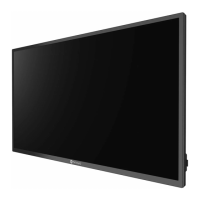
AG Neovo RX-W42 - User Manual

AG Neovo RX-W42
49 pages
Print Icon
To Next Page IconTo Next Page
Loading...
RX-W32 & RX-W42 LCD Display

Table of Contents

Other manuals for AG Neovo RX-W42

Questions and Answers

  • G
    gmooreAug 14, 2025
    What to do if AG Neovo Monitor has no picture and LED indicator is off?
    • S
      Shelly FosterAug 14, 2025
      If your AG Neovo monitor displays no picture and the LED indicator is off, ensure that the LCD display is turned on. Also, verify that the power cord is properly connected to both the LCD display and the power outlet.
  • K
    kennedyjasonAug 18, 2025
    What to do if my AG Neovo Monitor has no audio output?
    • J
      jennifer17Aug 18, 2025
      If there is no audio output from your AG Neovo monitor, first check if the volume is set to 0 or if the audio is set to OFF. For VGA or DVI input, also check the audio setting of the computer.
  • L
    laura94Aug 21, 2025
    Why is the LED indicator AMBER on my AG Neovo Monitor?
    • K
      Katherine LiuAug 21, 2025
      If the LED indicator on your AG Neovo monitor is amber, ensure that your computer is turned on. If the computer is in standby mode, try moving the mouse or pressing any key to wake it up.
  • E
    Edward BrownAug 25, 2025
    What to do if displayed texts are blurry on AG Neovo Monitor?
    • K
      Kimberly CookAug 25, 2025
      If the displayed texts are blurry on your AG Neovo monitor when using VGA input, use the keypad to auto-adjust the display. You can also adjust the IMAGE SETTING.
  • J
    John WilsonAug 28, 2025
    What to do if faint shadows from a static image appear on the screen of AG Neovo Monitor?
    • L
      Lori RhodesAug 28, 2025
      If you notice faint shadows from a static image appearing on your AG Neovo monitor's screen, try turning off the LCD display for extended periods. Alternatively, run the Anti-Burn-In function or use a screen saver with a black and white image for extended periods.
  • J
    Jaime NavarroAug 31, 2025
    What to do if dew formed on or inside the LCD display of AG Neovo Monitor?
    • M
      Mr. Joel HubbardAug 31, 2025
      This situation normally happens when the AG Neovo LCD display is moved a cold room to a hot room temperature. Do not turn on the LCD display, wait for the dew condensation to disappear.
  • C
    Courtney DunnSep 3, 2025
    What to do if the OSD menu can’t be called out on AG Neovo Monitor?
    • J
      James HaleSep 3, 2025
      If the OSD menu can’t be called out on your AG Neovo monitor, the OSD is likely locked; unlock the OSD.
  • B
    Barbara BrownSep 7, 2025
    What does it mean if red, blue, green, white dots appear on screen of AG Neovo Monitor?
    • M
      Madison RoySep 7, 2025
      The appearance of red, blue, green, or white dots on the screen of your AG Neovo monitor is normal. The LCD display contains millions of micro transistors, and it's common for a few to be damaged, producing these spots. This is acceptable and not considered a failure.
  • H
    hillterriSep 10, 2025
    What to do if mist formed inside the glass surface of AG Neovo Monitor?
    • B
      Belinda DunnSep 12, 2025
      This happens due to humid weather conditions. This is a normal occurrence. The mist will disappear after a few days or as soon as the weather stabilizes.

Summary

Preface

FCC Declaimers

Details FCC compliance and potential interference issues for digital devices.

Precautions

Cautions When Setting Up

Guidelines for safe placement and environment to avoid damage and hazards.

Cautions When Using

Safety advice regarding power cord usage, outlet accessibility, and handling the device.

1. Product Description

1.2 Wall Mounting Installation Preparation

Steps for preparing the display for wall mounting, including removing the base stand.

1.4 Remote Control

Information about the remote control unit and its functionality.

2. Making Connections

2.1 Connecting the AC Power

Instructions for connecting the LCD display to a power outlet or power supply.

2.2 Connecting Input Source Signals

Guides for connecting various input sources like computers and video devices.

2.2.1 Connecting a Computer

Guides for connecting a PC via VGA or DVI cables for signal input.

2.2.2 Connecting a Camera or Video Device

Instructions for connecting video sources using CVBS and YPbPr cables with audio.

2.4 Connecting Multiple LCD Displays

Guide for daisy-chaining multiple displays using RS-232 connection for expanded viewing.

3. Using the LCD Display

3.2 Selecting the Input Source Signal

Methods for selecting the desired input source signal using the keypad or remote control.

5. Adjusting the LCD Display

5.11 Input Select

Selecting the desired input source signal from VGA, DVI, CVBS, S-Video, YPbPr.

6. Appendix

6.2 Troubleshooting

Common problems with the LCD display and their possible causes and solutions.

AG Neovo RX-W42 Specifications

General IconGeneral
Screen Size42 inches
Resolution1920 x 1080
Aspect Ratio16:9
Brightness500 cd/m²
Response Time8ms
Viewing Angle178°/178°
ConnectivityVGA, DVI, HDMI, DisplayPort

Related product manuals