EasyManua.ls Logo

AG Neovo RX-22G - User Manual

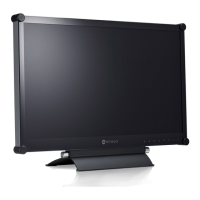
AG Neovo RX-22G
58 pages
Print Icon
To Next Page IconTo Next Page
Loading...
RX-22G & RX-24G LCD Monitor
User Manual
displays.agneovo.com

Table of Contents

Questions and Answers

  • S
    sean49Aug 20, 2025
    How to fix AG Neovo Monitor when there is no picture and the LED indicator is off?
    • A
      April BellAug 20, 2025
      If your AG Neovo monitor shows no picture and the LED indicator is off: * Ensure the LCD display is turned on. * Verify the power cord is properly connected to the LCD display. * Confirm the power cord is plugged into the power outlet.
  • L
    levyannetteAug 22, 2025
    What to do if there is no audio output from my AG Neovo RX-22G Monitor?
    • J
      jordanreedAug 22, 2025
      If you're experiencing no audio output from your AG Neovo monitor, here are a few things to check: * Ensure the volume isn't set to 0. * Check that the AUDIO setting isn't set to OFF. * For VGA or DVI input, verify the audio setting of your computer. * For HDMI or DisplayPort input, select the correct audio input source.
  • E
    Emily MooreAug 25, 2025
    Why does the picture on my AG Neovo Monitor look distorted?
    • K
      Kelly MayAug 25, 2025
      If the displayed picture on your AG Neovo monitor looks distorted, try adjusting the aspect ratio.
  • P
    Pamela MacdonaldAug 27, 2025
    Why is the LED indicator on my AG Neovo RX-22G Monitor AMBER?
    • C
      Cassandra AllenAug 27, 2025
      If the LED indicator on your AG Neovo monitor is amber: * Ensure that the computer is turned on. * Check if the computer is in standby mode. If so, move the mouse or press any key to wake up the computer.
  • C
    Cory WrightAug 28, 2025
    How to fix blurry text on my AG Neovo Monitor?
    • J
      John GomezAug 28, 2025
      If the displayed texts on your AG Neovo monitor are blurry: * For VGA input, press the button on the keypad to auto-adjust the display. * Adjust the IMAGE SETTING.
  • A
    Amanda PalmerAug 30, 2025
    How to correct an incorrect image position on my AG Neovo Monitor?
    • H
      Heather RiosAug 30, 2025
      To correct an incorrect image position on your AG Neovo monitor, adjust the H. POSITION and V. POSITION values.
  • B
    brenda99Aug 31, 2025
    Why can't I adjust the backlight setting on my AG Neovo RX-22G Monitor?
    • S
      Stuart MartinAug 31, 2025
      If you cannot adjust the backlight setting on your AG Neovo monitor, it might be because the Eco Smart feature is enabled. To disable it, set the ECOSMART SENSOR > ENABLE setting to OFF.
  • A
    Audrey ThomasSep 2, 2025
    Why is PIP mode not working on my AG Neovo RX-22G Monitor?
    • M
      Melanie PerezSep 3, 2025
      If PIP mode is not working on your AG Neovo monitor, the main and sub input source signals may not be compatible to be displayed together in PIP mode.
  • E
    ethompsonSep 4, 2025
    Why do red, blue, green, white dots appear on my AG Neovo Monitor screen?
    • G
      Gary GarciaSep 5, 2025
      The appearance of red, blue, green, or white dots on your AG Neovo monitor screen is normal. LCD displays contain millions of micro transistors, and it's common for a few to be damaged, producing these spots. This is acceptable and not considered a failure.
  • V
    vcolonSep 6, 2025
    What should I do if dew formed on or inside the LCD display of my AG Neovo RX-22G?
    • T
      Tyler CooleySep 6, 2025
      If dew has formed on or inside the LCD display of your AG Neovo monitor, this usually occurs when the monitor is moved from a cold to a hot room. Do not turn on the LCD display and wait for the dew condensation to disappear.

AG Neovo RX-22G Specifications

General IconGeneral
Resolution1920 x 1080
Aspect Ratio16:9
Brightness250 cd/m²
Contrast Ratio1000:1
Response Time5 ms
Viewing Angle (Horizontal)170°
Viewing Angle (Vertical)160°
Screen Size21.5 inches
Input ConnectorsVGA, DVI, HDMI
Power Consumption25 W

Related product manuals