EasyManua.ls Logo

AG Neovo PS-55 - User Manual

AG Neovo PS-55
2 pages
Print Icon
To Next Page IconTo Next Page
Loading...
www.agneovo.com
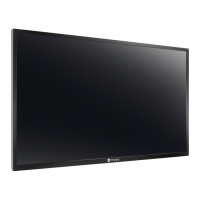
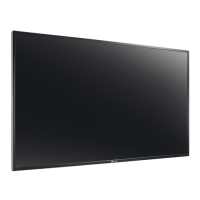
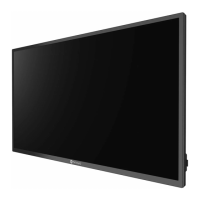
A 55” LED-backlit display designed
with high brightness panel and
OPS slot for professional digital
signage environments.
Built on an LED-backlit panel with the capacity of 700 nits high
brightness, the PS-55 reproduces life-like colours and image
details without disturbance of ambient light. Designed to suit
dierent environments, it can be displayed either landscape or
portrait. Equipped with an OPS slot and RJ45/RS-232 remote
control functions, the PS-55 is an ideal choice for easy media
integration and maintenance. e Anti-Burn- in
TM
technology and
HeatControl Sensor ensure the 24/7 round-the-clock performance
in professional digital signage settings.
> LED-backlit technology with FHD 1920 x 1080 resolution
> 700 nits high brightness
> Premium-grade panel for high reliability and long product lifetime
> Anti-Burn-in
TM
technology
> AIP technology: 3D Comb Filter/ Deinterlace/ Noise Reduction/PIP and PBP
> Versatile connectivity: VGA, DVI, HDMI, CVBS, YPbPr, DisplayPort
> Daisy chain availability: VGA, DVI, RS-232
> RS-232 and RJ45 allow programmable remote control
> 15.8 mm bezel width and tiling function for easy video wall setup
(support up to 5 x 5)
> Built-in scheduler allows dierent programme scheduling
> HeatControl Sensor automatically activates the internal cooling fan to cool down
the temperature
> OPS slot ready for easy media player integration
> Built-in speakers
> Quick switch between internal and external speakers
> Flexible display orientation: portrait and landscape
> Rigorous screening of the components for mission-critical 24/7 applications
PS-55


Questions and Answers

  • F
    francisco10Aug 15, 2025
    Why AG Neovo Monitor has no picture?
    • S
      Shane StoutAug 15, 2025
      If your AG Neovo monitor displays no picture, there might be several reasons. First, check if the power cord is properly plugged in. Also, ensure that the main power switch on the back of the display is switched on. Another cause might be that the selected input has no connection, so connect a signal connection to the display. Finally, the display may be in standby mode.
  • B
    Bianca CarpenterAug 18, 2025
    What to do if AG Neovo PS-55 Monitor has picture but no sound?
    • D
      Denise WilsonAug 18, 2025
      If you can see a picture on your AG Neovo monitor but hear no sound, there are a few things to check. First, make sure that both video and sound input cables are correctly connected. Also, verify that the volume isn't turned all the way down by pressing the [VOL UP] or [VOL DOWN] button. Ensure that [MUTE] is switched off using the [MUTE] button. Finally, if you're using external speakers, ensure they are connected and the volume is at a suitable level.
  • S
    schavezAug 22, 2025
    What to do if AG Neovo PS-55 Monitor picture is distorted?
    • S
      Sheri BlankenshipAug 22, 2025
      If the picture on your AG Neovo monitor is distorted with abnormal patterns, ensure that the signal cable is firmly attached. If the issue persists, the input signal might be beyond the display's capabilities. Check the video signal source to see if it is within the specified range, referring to the display's specification section.
  • M
    Michele CollinsAug 25, 2025
    How to fix abnormal colors on AG Neovo PS-55 Monitor?
    • A
      Andrew CollinsAug 25, 2025
      If the color on your AG Neovo monitor appears abnormal, the signal cable may not be connected properly. Make sure that the signal cable is firmly attached to the back of the display.
  • L
    Linda CruzAug 28, 2025
    What to do if AG Neovo Monitor can hear sound, but no picture?
    • C
      Chad GrantAug 28, 2025
      If you can hear sound but see no picture on your AG Neovo monitor, the source signal cable may be improperly connected. Ensure that both video inputs and sound inputs are correctly connected.
  • D
    David JohnstonAug 31, 2025
    Why AG Neovo PS-55 Monitor image doesn’t fill up the full size of the screen?
    • C
      Christy LeeSep 1, 2025
      If the display image on your AG Neovo monitor doesn’t fill the full screen, the zoom mode may not be set correctly. Use the Zoom mode or Custom zoom function in the Screen menu to fine-tune the display geometry and time frequency parameter.
  • J
    Judy FuentesSep 4, 2025
    Why AG Neovo Monitor displays interference?
    • J
      Julie McintoshSep 4, 2025
      If your AG Neovo monitor displays interference or you hear audible noise, it may be caused by surrounding electrical appliances or fluorescent lights. Try moving the display to another location to see if the interference is reduced.
  • S
    Susan DavisSep 7, 2025
    Why AG Neovo PS-55 Monitor shows after-images?
    • A
      Allison HallSep 7, 2025
      If after-images are visible on your AG Neovo monitor after it's powered off, it may be because a still picture was displayed for an extended period. Avoid displaying still images for long periods, as this can cause a permanent after-image to remain on the display.
  • H
    Henry HillSep 12, 2025
    What to do if some picture elements do not light up on AG Neovo PS-55 Monitor?
    • J
      joseph51Sep 12, 2025
      This display is manufactured using an extremely high level of precision technology: however, sometimes some pixels of the display may not display. This is not a malfunction.

AG Neovo PS-55 Specifications

General IconGeneral
Resolution1920 x 1080
Response Time8 ms
Viewing Angle178° (H) / 178° (V)
Aspect Ratio16:9
Screen Size55"
ConnectivityHDMI, VGA, DVI, DisplayPort

Related product manuals