EasyManua.ls Logo

AG Neovo PM-48 - User Manual

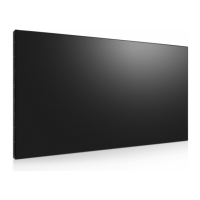
AG Neovo PM-48
65 pages
Print Icon
To Next Page IconTo Next Page
Loading...
PM-48 LED-Backlit Display
User Manualdisplays.agneovo.com

Table of Contents

Questions and Answers

  • R
    Ronald JohnsonAug 13, 2025
    How to fix no picture on my AG Neovo PM-48 Monitor?
    • A
      alexandercollierAug 13, 2025
      If your AG Neovo Monitor displays no picture, ensure the power cord is plugged in and the power switch is turned on. Also, verify that a signal connection is properly connected to the display.
  • A
    Amanda MathisAug 16, 2025
    What to do if my AG Neovo Monitor has picture but no sound?
    • N
      Nicole CurtisAug 16, 2025
      If you can see a picture but hear no sound on your AG Neovo Monitor, first ensure that both video and sound inputs are correctly connected. Check that the volume is not turned all the way down by pressing the volume buttons. Also, verify that the MUTE function is switched off using the button. Finally, make sure external speakers are connected and the volume is adjusted to a suitable level.
  • J
    Jake RogersAug 20, 2025
    Why is the picture on my AG Neovo PM-48 distorted?
    • J
      Jennifer OrtizAug 20, 2025
      If the picture on your AG Neovo Monitor is distorted with abnormal patterns, ensure that the signal cable is firmly attached. Also, check the video signal source to see if it is beyond the range of the display. Verify its specifications in the display’s specification section.
  • K
    Kristin JacobsAug 25, 2025
    How to reduce interference on AG Neovo PM-48 Monitor?
    • B
      Brandy StuartAug 25, 2025
      If you're experiencing interference or audible noise with your AG Neovo Monitor, it may be caused by surrounding electrical appliances or fluorescent lights. Try moving the display to another location to see if the interference is reduced.
  • J
    Joshua StoneAug 28, 2025
    What to do if AG Neovo PM-48 has sound but no picture?
    • M
      mariamuellerAug 28, 2025
      If you can hear sound but see no picture on your AG Neovo Monitor, the source signal cable may be improperly connected. Ensure that both video inputs and sound inputs are correctly connected.
  • S
    Shawn KellyAug 31, 2025
    How to adjust screen size on AG Neovo Monitor?
    • R
      Rodney PetersonAug 31, 2025
      If the display image on your AG Neovo Monitor doesn’t fill up the full size of the screen, the picture format may not be set correctly. Press the button and select Auto zoom.
  • K
    Kristin MckinneySep 4, 2025
    Why does my AG Neovo PM-48 have after-images?
    • R
      ronald54Sep 4, 2025
      If after-images are still visible on your AG Neovo Monitor after it's powered off, this can occur if a still picture is displayed for an extended period. Avoid displaying still images for long periods, as this can cause a permanent after-image.
  • K
    kyle04Sep 8, 2025
    What to do if some pixels don't light up on AG Neovo PM-48?
    • N
      Natalie SullivanSep 8, 2025
      This AG Neovo Monitor is manufactured using high-precision technology. If some pixels do not display, this is not a malfunction.

Summary

Safety Information

Federal Communications Commission (FCC) Notice

FCC compliance notice for US users regarding radio frequency interference.

Precautions

Cautions When Setting Up

Important safety points to follow before installing the display.

Cautions When Using

Safety guidelines to follow during the normal operation of the display.

Cleaning and Maintenance

Instructions for cleaning and maintaining the display's components.

Chapter 1: Product Description

1.3 Preparing for the Installation

Preparations and considerations before installing the display.

1.4 Wall Mounting Installation

Guide for safely mounting the display onto a wall.

1.6.1 Control Panel

Description of the physical control panel buttons on the display.

1.6.2 Input;Output Terminals

Details and functions of all available input and output ports.

1.7.1 General Functions

Explanation of the general functions of the remote control buttons.

Chapter 2: Making Connections

2.1 Connecting the Power

Step-by-step instructions for connecting the display to a power source.

2.2 Connecting a Computer

Guide for connecting a computer to the display for video output.

2.8 Connecting to Wired Network

Instructions for connecting the display to a wired network.

Chapter 3: Using the LCD Display

3.1 Turning on the Power

Step-by-step guide to powering the display on and off.

3.2 Selecting the Input Source Signal

How to choose and switch between different input signals.

3.8 Playing Multimedia Files from USB Device

How to play multimedia files from a connected USB storage device.

Chapter 4: On Screen Display Menu

4.1 Using the OSD Menu

Guide to navigating and operating the On Screen Display (OSD) menu.

Chapter 5: Adjusting the LCD Display

5.1 Picture Settings

Adjusting various parameters to optimize the picture quality.

5.2 Sound Settings

Adjusting audio output, volume, and sound profiles.

5.4 Network Settings

Configuring network connectivity, IP settings, and network name.

Chapter 6: Appendix

6.4 Cleaning

Instructions for safely cleaning the display screen and cabinet.

6.5 Troubleshooting

Common issues, their possible causes, and recommended remedies.

Chapter 7: Specifications

7.1 Display Specifications

Detailed technical specifications of the display panel and its features.

AG Neovo PM-48 Specifications

General IconGeneral
Screen Size48 inches
Resolution1920 x 1080
Panel TypeVA
Contrast Ratio4000:1
Response Time8 ms
Viewing Angle (H/V)178° / 178°
Aspect Ratio16:9
ConnectivityHDMI, VGA, DVI
Built-in SpeakersYes

Related product manuals