EasyManua.ls Logo

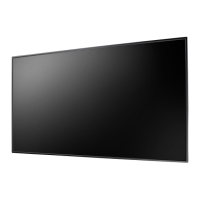
AG Neovo PN-46 - User Manual

AG Neovo PN-46
47 pages
Print Icon
To Next Page IconTo Next Page
Loading...
PN-46 LED-Backlit Display
User Manual

Other manuals for AG Neovo PN-46

Questions and Answers

  • A
    Anthony WintersAug 13, 2025
    What to do if there is picture but no sound on AG Neovo PN-46 Monitor?
    • J
      jessica39Aug 13, 2025
      If you can see the picture but no sound is coming from your AG Neovo monitor, first, ensure that both video and sound input cables are correctly connected. Then, check if the volume is turned down and press the [VOL UP] or [VOL DOWN] button. Also, verify that the [MUTE] function is off by using the [MUTE] button. Finally, make sure external speakers are connected and the volume is appropriately adjusted.
  • A
    Anthony GlassAug 16, 2025
    How to fix AG Neovo PN-46 Monitor when no picture is displayed?
    • M
      Mr. Brian Burch DVMAug 16, 2025
      If your AG Neovo monitor displays no picture, start by plugging in the power cord. Then, ensure that the main power switch on the back of the display is switched on. Check that a signal connection is connected to the display. Also ensure the monitor is not in standby mode.
  • J
    Jill MorrisAug 20, 2025
    Why is the color abnormal on my AG Neovo Monitor?
    • R
      Roger CooperAug 20, 2025
      If the color on your AG Neovo monitor is abnormal, ensure the signal cable is firmly attached to the back of the display.
  • S
    Shannon BakerAug 25, 2025
    Why is the picture distorted on my AG Neovo PN-46 Monitor?
    • S
      sbarronAug 25, 2025
      If the picture on your AG Neovo monitor is distorted with abnormal patterns, make sure that the signal cable is firmly attached. Also, check the video signal source to ensure it is within the display's capabilities, referring to the display's specification section.
  • N
    Nicole JonesAug 27, 2025
    How to adjust screen size on AG Neovo Monitor?
    • D
      Douglas ShawAug 28, 2025
      If the display image on your AG Neovo monitor doesn’t fill up the full size of the screen, use the Zoom mode or Custom zoom function in the Screen menu to fine-tune display geometry and time frequency parameter.
  • M
    Michelle EricksonAug 31, 2025
    What causes interference on AG Neovo PN-46 Monitor?
    • C
      Cristina ScottSep 1, 2025
      If you observe interference on the display or hear audible noise from your AG Neovo monitor, it may be caused by surrounding electrical appliances or fluorescent lights. Try moving the display to another location to see if the interference is reduced.
  • S
    sandersonSep 4, 2025
    What to do if some picture elements do not light up on AG Neovo Monitor?
    • D
      Daniel FrancisSep 4, 2025
      This display is manufactured using an extremely high level of precision technology; however, sometimes some pixels of the display may not display. This is not a malfunction.
  • K
    kevin29Sep 8, 2025
    Why do after-images appear on my AG Neovo PN-46 Monitor?
    • M
      Matthew WatsonSep 8, 2025
      To prevent after-images on your AG Neovo monitor, avoid displaying a still image for an extended period, as this can cause a permanent after-image to remain on the display.

Summary

Safety Information

Warnings and Precautions

General warnings and safety precautions for operating the display.

Unpacking and Installation

Unpacking and Package Contents

Procedures for unpacking the display and verifying package contents.

Installation Notes

Important considerations for installing the display safely and correctly.

Parts and Functions

Control Panel Overview

Description of the display's physical control buttons and functions.

Input;Output Terminals

Details of all connection ports on the display.

Remote Control Functions

Explanation of buttons and general functions of the remote control.

Remote Control Operation and Maintenance

Guides on inserting batteries, handling, and operating range of the remote.

Connecting External Equipment

Connecting a PC via VGA

Guides for connecting a computer via VGA input.

Connecting a PC via DVI and HDMI

Guides for connecting a computer via DVI and HDMI inputs.

OSD Menu

OSD Menu Navigation

How to navigate the On-Screen Display menus using remote or buttons.

PICTURE Menu Overview

Detailed explanation of the PICTURE menu options and settings.

SCREEN Menu Options

Details of SCREEN menu items like Auto Setup and H/V Position.

AUDIO and PIP Menus

Settings for audio balance, treble, bass, and Picture-in-Picture.

Cleaning and Troubleshooting

Troubleshooting Common Issues

Solutions for common problems like no picture, interference, or abnormal patterns.

AG Neovo PN-46 Specifications

General IconGeneral
BrandAG Neovo
ModelPN-46
CategoryMonitor
LanguageEnglish

Related product manuals