EasyManua.ls Logo

AG Neovo QD-98 - User Manual

AG Neovo QD-98
54 pages
Print Icon
To Next Page IconTo Next Page
Loading...
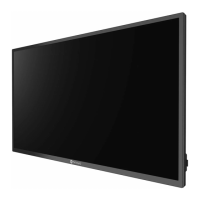
QD-98 LCD Display
User Manual
www.agneovo.com

Table of Contents

Questions and Answers

  • J
    John MonroeAug 12, 2025
    Why AG Neovo QD-98 Monitor has no picture?
    • S
      smithtraceyAug 12, 2025
      If your AG Neovo Monitor displays no picture, there might be several reasons: * The power cord could be disconnected. Ensure it is properly plugged in. * The main power switch on the back of the display might not be switched on. Check if the power switch is on. * The selected input may have no connection. Connect a signal connection to the display. * The display might be in standby mode.
  • K
    Kayla RayAug 16, 2025
    What to do if AG Neovo Monitor has picture but no sound?
    • S
      Sandy ObrienAug 16, 2025
      If you can see a picture on your AG Neovo monitor but hear no sound, consider the following: * The source signal cable may be improperly connected. Ensure that both video and sound inputs are correctly connected. * The volume might be turned all the way down. Press the volume buttons to increase the sound. * The mute function might be enabled. Disable mute by using the appropriate button. * No external speakers might be connected. Connect external speakers and adjust the volume to a suitable level.
  • K
    Karen PotterAug 19, 2025
    What to do if AG Neovo QD-98 Monitor picture is distorted?
    • I
      iwongAug 19, 2025
      If the picture on your AG Neovo monitor is distorted with abnormal patterns: * The signal cable might not be properly connected. Ensure that the signal cable is firmly attached. * The input signal may be beyond the capabilities of the display. Check the video signal source to see if it is beyond the range of the display. Please verify its specifications with this display’s specification section.
  • J
    James CampbellAug 25, 2025
    What to do if AG Neovo Monitor has sound, but no picture?
    • S
      shelley09Aug 25, 2025
      If you can hear sound from your AG Neovo monitor but there's no picture, the source signal cable may be improperly connected. Make sure that both video inputs and sound inputs are correctly connected.
  • J
    Jessica FisherAug 27, 2025
    Why AG Neovo QD-98 image doesn’t fill the screen?
    • M
      Michael RuizAug 27, 2025
      If the display image on your AG Neovo monitor doesn’t fill up the full size of the screen: * The zoom mode may not be set correctly. * Scan Mode may be set incorrectly to underscan. * If the image exceeds the screen size, Scan Mode may need to be set to Underscan. Use the Zoom mode or Custom zoom function in the Screen menu to fine tune display geometry and time frequency parameter.
  • S
    Stephen GarciaAug 31, 2025
    What causes interference on AG Neovo QD-98?
    • O
      ortegalauraAug 31, 2025
      Interference displayed on the AG Neovo display or audible noise is often caused by surrounding electrical appliances or fluorescent lights. Move the display to another location to see if the interference is reduced.
  • M
    Michelle TaylorSep 4, 2025
    Why AG Neovo Monitor has after-images?
    • B
      brendanlunaSep 4, 2025
      After-images on the AG Neovo display, even after it's powered off, can occur if a still picture is displayed for an extended period. To prevent this, do not allow a still image to be displayed for an extended period of time, as this can cause a permanent after-image to remain on the display.
  • A
    Alexa StephensSep 8, 2025
    Why some pixels do not light up on AG Neovo QD-98 Monitor?
    • H
      haley17Sep 8, 2025
      Some pixels of the AG Neovo display may not turn on because this display is manufactured using an extremely high level of precision technology: however, sometimes some pixels of the display may not display. This is not a malfunction.

AG Neovo QD-98 Specifications

General IconGeneral
BrandAG Neovo
ModelQD-98
CategoryMonitor
LanguageEnglish

Related product manuals