EasyManua.ls Logo

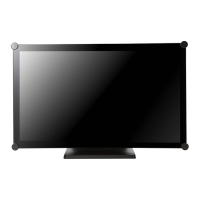
AG Neovo TX-2401 - User Manual

AG Neovo TX-2401
41 pages
Print Icon
To Next Page IconTo Next Page
Loading...
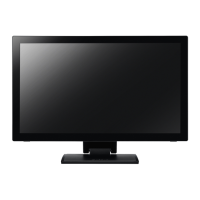
TX-2401 & TX-2401 White Touch Screen Monitor
User Manual
www.agneovo.com

Questions and Answers

  • D
    Daniel HerreraAug 7, 2025
    What to do if my AG Neovo Monitor has no picture?
    • H
      hsinghAug 7, 2025
      If your AG Neovo monitor displays no picture, ensure it is turned on and that the power adapter is correctly connected both to the monitor and the power outlet. Also, verify that the monitor is properly connected to the input source, and that the input source is powered on and not in standby mode (move the mouse or press a key). Avoid charging your laptop by connecting the USB cable to the LCD monitor, as this may prevent the monitor from waking up by touch.
  • M
    Matthew DrakeAug 11, 2025
    What to do if AG Neovo Monitor image position is incorrect?
    • J
      Jeffrey BoyerAug 11, 2025
      If the image position on your AG Neovo monitor is incorrect when using VGA input, adjust the 'H-Position (Horizontal Position)' and 'V-Position (Vertical Position)' settings within the Picture menu.
  • C
    Cheyenne CabreraAug 15, 2025
    Why does my AG Neovo Monitor display blurry texts?
    • T
      Thomas LeeAug 15, 2025
      If the texts displayed on your AG Neovo monitor appear blurry when using VGA input, run the Auto Adjust function located in the Picture menu.
  • K
    Kurt MorseAug 20, 2025
    What to do if AG Neovo Monitor has partial or incorrectly displayed image?
    • B
      Brittany PhillipsAug 20, 2025
      If your AG Neovo monitor shows a partial or incorrectly displayed image, check if your computer's resolution exceeds that of the monitor. Reconfigure your computer's resolution to be less than or equal to 1024 x 768 (for TX-1502), 1280 x 1024 (for TX-1702/1902), or 1920 x 1080 (for TX-2202).
  • B
    Brian GarciaAug 25, 2025
    What to do if faint shadows from a static image appear on the AG Neovo Monitor screen?
    • M
      marcus63Aug 25, 2025
      If you notice faint shadows from a static image on your AG Neovo monitor, try turning off the monitor for extended periods. Alternatively, use a screen saver, preferably a black and white image, and run it for extended durations.
  • J
    Justin JohnstonAug 28, 2025
    Why does my AG Neovo Monitor have red, blue, green, white dots on the screen?
    • D
      dominguezaliciaAug 28, 2025
      The appearance of red, blue, green, or white dots on the AG Neovo monitor screen is typically due to a few damaged micro transistors within the LCD. This is normal and not considered a failure, as LCD monitors contain millions of these transistors.
  • R
    Ricky RamosSep 1, 2025
    What to do if dew formed on the AG Neovo Monitor?
    • O
      olivia85Sep 2, 2025
      Dew formation on the AG Neovo monitor typically occurs when moving it from a cold to a hot room. If this happens, do not turn on the monitor. Wait for the dew condensation to disappear before use.

AG Neovo TX-2401 Specifications

General IconGeneral
Resolution1920 x 1080 (Full HD)
Aspect Ratio16:9
Brightness250 cd/m²
Contrast Ratio1000:1
Response Time5 ms
Refresh Rate60 Hz
Viewing Angle (H/V)178°/178°
Screen Size24 inch
ConnectivityVGA
Built-in SpeakersYes
VESA MountYes

Related product manuals