INFORMATION (MAIN MENU) SCREEN
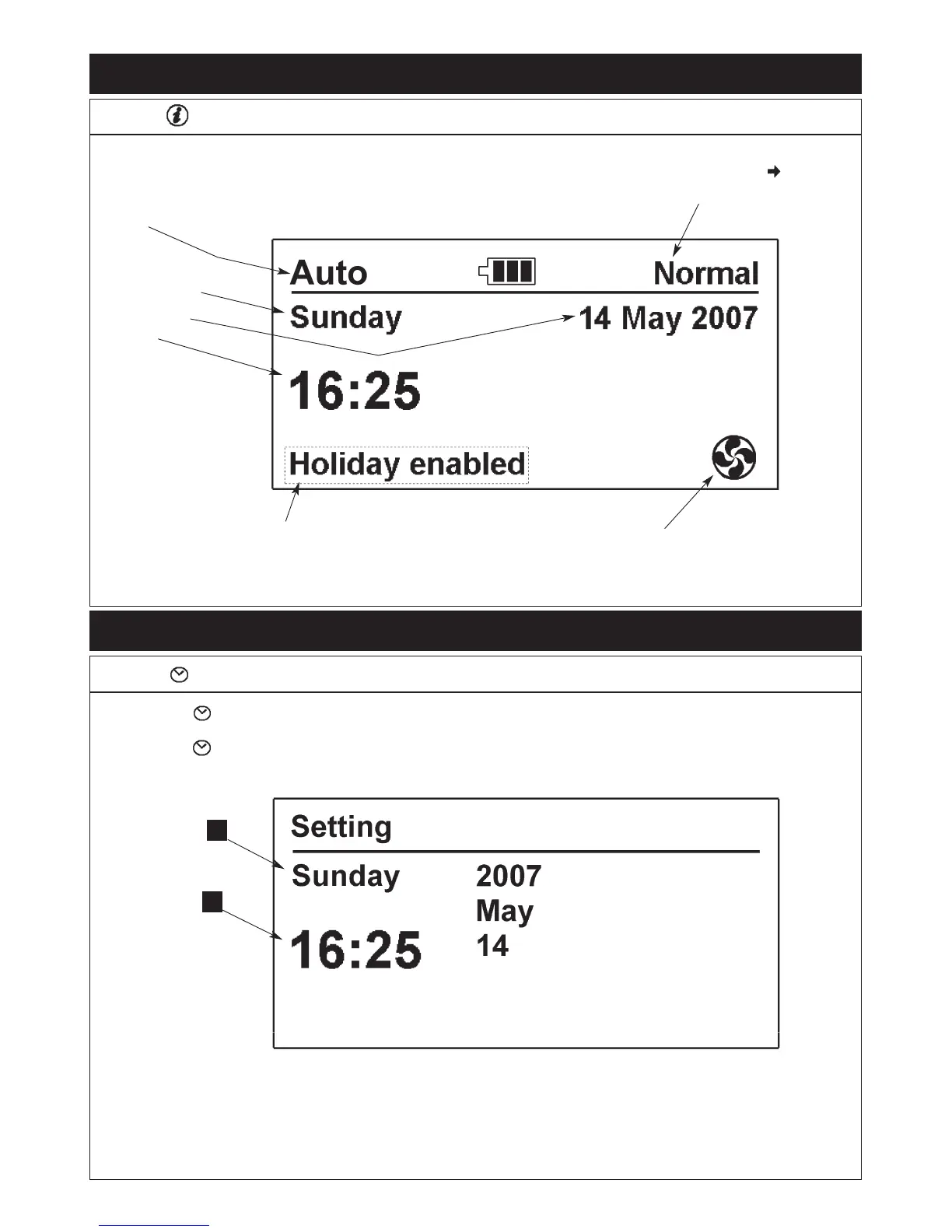
Fig. 18
Indicates that the cooker is operating
automatically (AIMS) or manually (according
to switch position on main Aga control panel)
Icons indicating
the current time
and day
This icon shows if
the vent fan is
on or off
19
DESN 515272
This will only show if
the Holiday mode has
been set
Fig. 19
THE SETTINGS DATE/TIME SCREEN
DESN 515273
Press the button to move between the date and time.
Press + or - to alter date and time settings.
Press the button to confirm the settings and move to the
next action
Press the button to activate this screen
Press the button to activate this screen
1.
2.
3.
This indicates the current cooker mode (Normal,
Low or Slumber). If an arrow is showing ; this
indicates the cooker is heating up from Low or
Slumber to reach Normal
1
2


 To Next Page