13
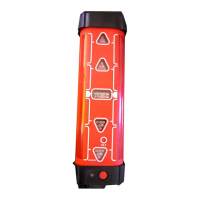
• Press a UP/DOWN Key {C-4 or C-5} to adjust the beam up or down. Five
presses of the key will move the beam approximately 0.75 mm at 30 meters
(1/32" at 100 feet).
After completing the changes to the X-axis, do one of the following steps:
• Press the Right key {C-2} after completing adjustment to switch to the Y-axis.
• Press the Left key {C-1} to exit adjustment mode, save changes and turn
off the laser.
• Press the ON/OFF key {B-1} at any time to turn off the laser without
saving any changes.
Adjusting level accuracy -
The Y-axis
After checking the accuracy of your laser, perform the following steps to
adjust the accuracy of the Y-axis.
• If already in adjustment mode for the X-axis, press the Right key {C-2}
to switch to the adjustment of the Y-axis.
• If not in adjustment mode, follow the steps above for entering adjust-
ment mode, then press the Right key {C-2} to switch to the adjustment of
the Y-axis.
- The Y-axis LED will flash rapidly (red) while leveling
- The Y-axis LED will flash slowly (red) when ready for adjustment.
- The head will not be rotating.
- Press the Scan/Rotation key {B-5} to start rotation mode.
• Press a UP/DOWN Key {C-4 or C-5} to adjust the beam up or down.
Five presses of the key will move the beam approximately 0.75 mm at
30 meters (1/32" at 100 feet).
After completing the changes to the Y-axis, do one of the following steps:
• Press the Left key {C-1} to exit adjustment mode, save changes and turn
off the laser.
• Press the ON/OFF key {B-1} at any time to turn off the laser without
saving any changes.


 To Next Page