14
Adjusting level accuracy -
The Z-axis
After checking the accuracy of your laser, perform the following steps to
adjust the accuracy of the Z-axis.
• Turn off the laser.
• Place the laser in the laydown position approximately 6 meters (20 feet)
from a plumb line on a wall.
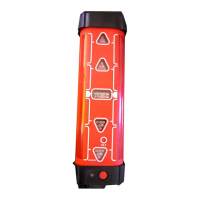
• Press and hold the H.I. Alert key {B-2}, then press the ON/OFF key
{B-1}.
• After the three LEDs blink three times simultaneously, release the H.I. key.
- The Z-axis (Y-axis) LED will flash rapidly (red) while leveling
- The Z-axis (Y-axis) LED will flash slowly (red) when ready
for adjustment.
- The head will not be rotating.
- Press the Scan/Rotation key {C-3} to start rotation mode.
• Press a UP/DOWN Key {C-4 or C-5} to adjust the beam to the
plumb line.
After completing the changes to the Z-axis, do one of the following steps:
• Press the Left key {C-1} to exit adjustment mode, save changes and turn
off the laser.
• Press the ON/OFF key {B-1} at any time to turn off the laser without
saving any changes.
CHECK YOUR WORK
After any accuracy adjustments always double check your
work, by making a final check of the laser.


 To Next Page