Appendix B — Using the document feeder option 41
Connecting the document feeder option
You install the document feeder option as follows:
1. Check if your scanner is properly unlocked.
2. Turn off your scanner.
3. Turn off your computer.
4. If the transparency option is installed, disconnect it from your scanner, for it uses the same
connector.
5. Lift off the scanner's document cover.
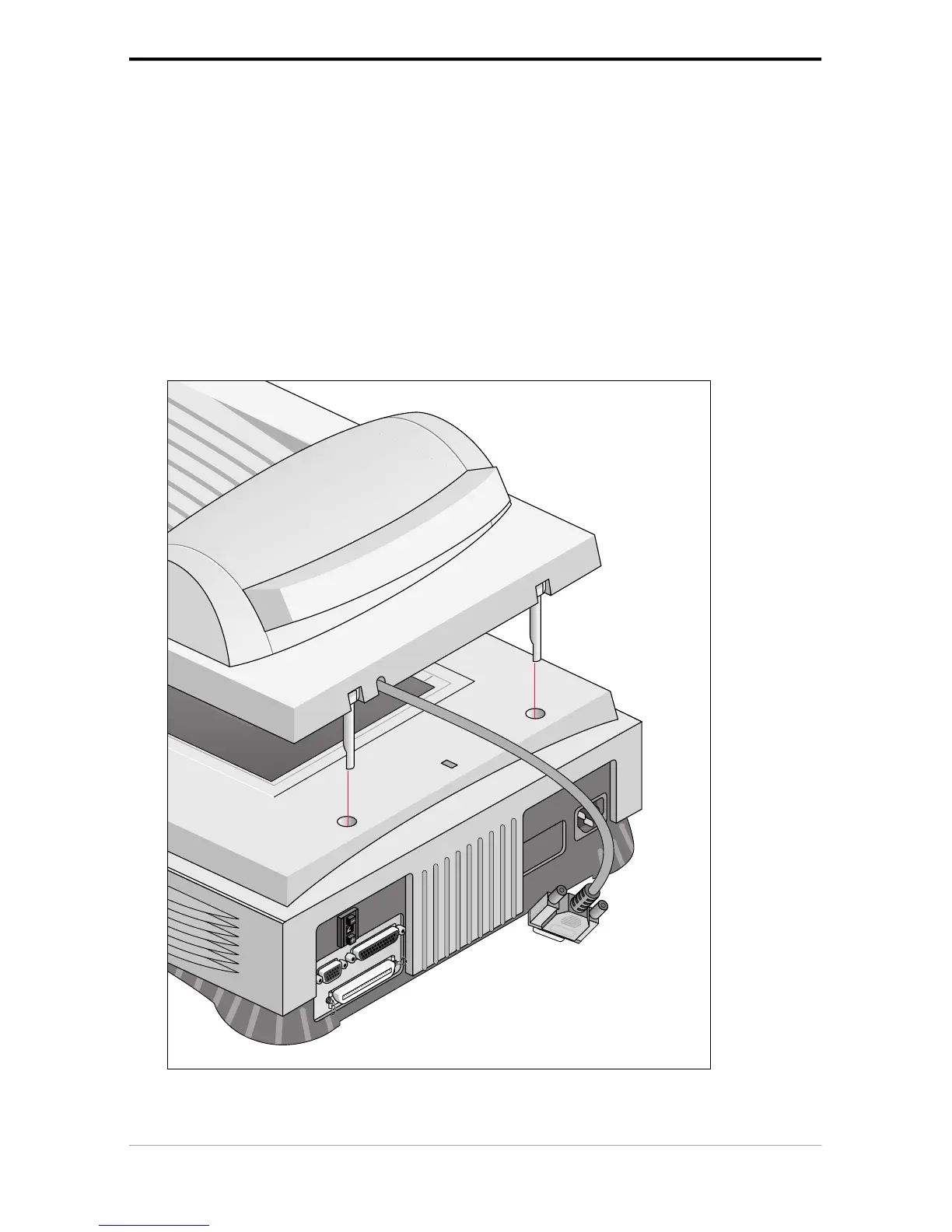
6. Place the ADF on top of the scanner. Insert the guide pins into the holes originally used by the
scanner's document cover.



 To Next Page