ʳ
21
White Balance
The camera adjusts the color balance of images automatically. Three manual white balance
settings are available:
1. Auto (Default): The camera automatically adjusts white balance.
2. Daylight: Under outdoors
3. Fluorescent: Under fluorescent light condition.
4. Tungsten: Under tungsten light condition.
To change White Balance Setting:
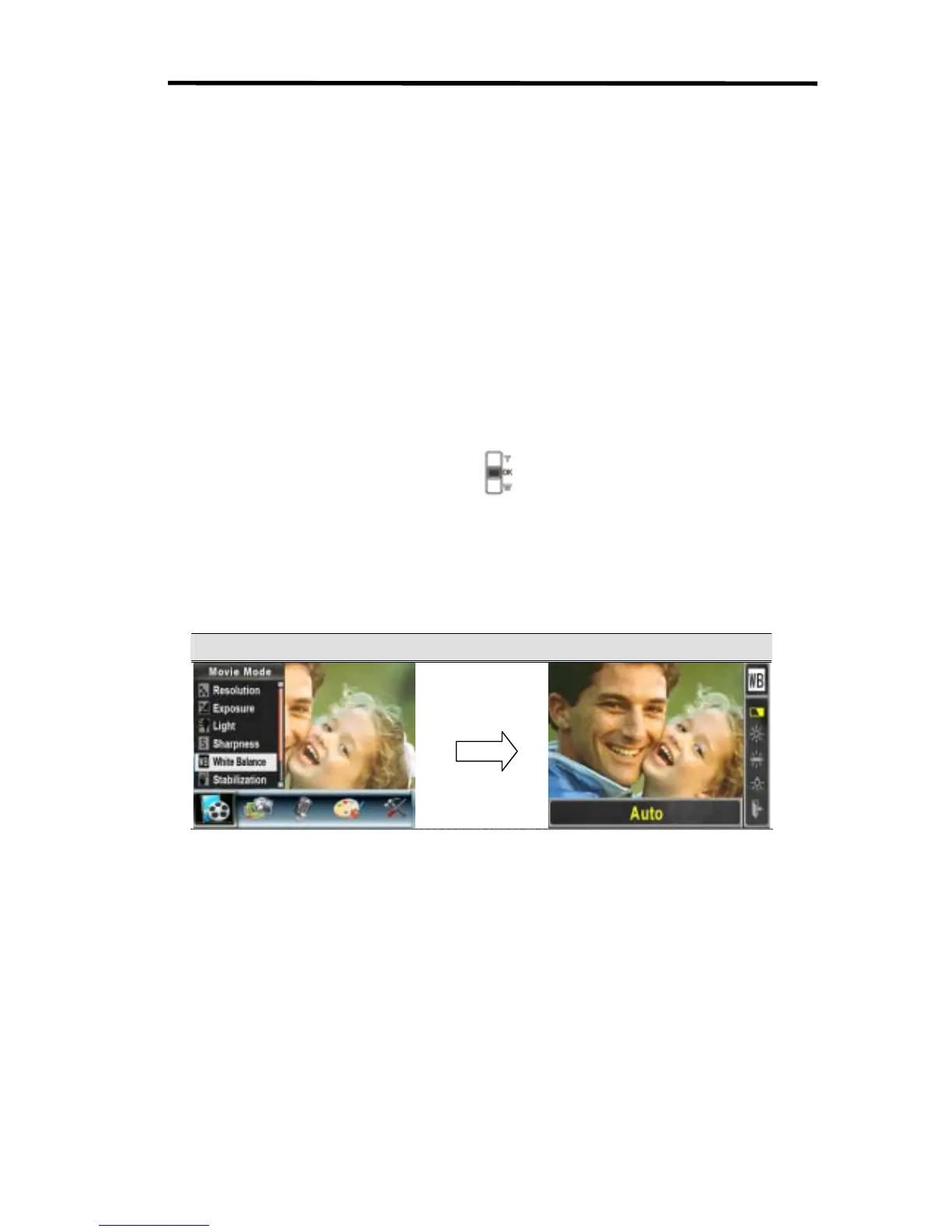
1. In Movie/Picture Record Mode, press OK Button to switch to record menu screen.
2. Use Right/Left Buttons to select Movie Mode. Submenu of Movie Mode will pop out on the
screen.
3. Use Up/Down Buttons (Tele-Wide Buttons) (
) to select White Balance, and then press
OK Button to switch to White Balance submenu.
4. Use Up/Down Buttons to move between four settings. The change can be previewed
immediately.
5. Press OK Button to validate the setting and exit.
Display Screen W/B Option
OK Button



 To Next Page