ʳ
27
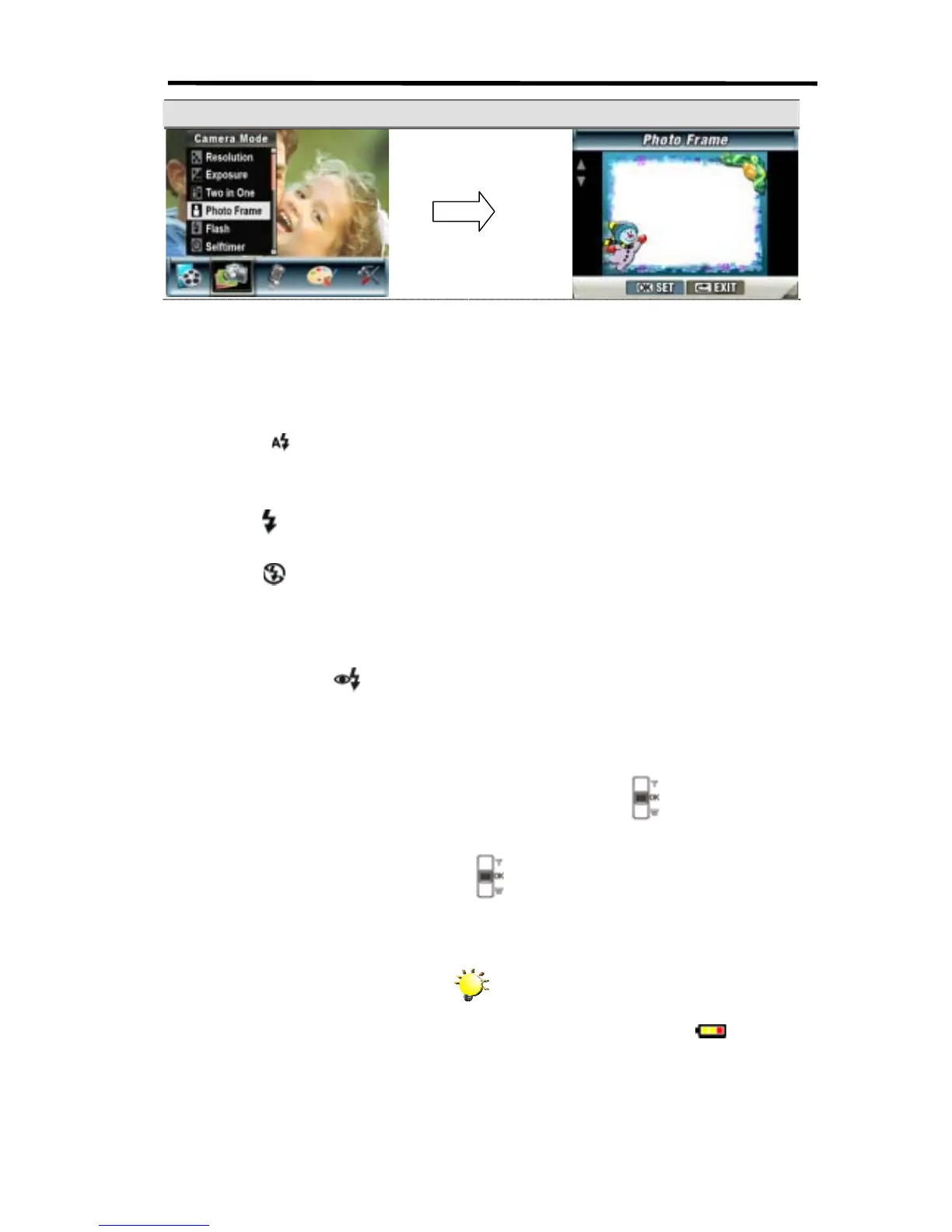
Display Screen Photo Frame Option
Flash (Picture Record Mode Only)
This camera has four flash settings. To change flash setting by either hot key (Right Button) or
Option Setting.
1. Auto-flash (
): the flash flashes automatically according to light conditions. Use this mode
for general photography.
2. Flash On (
): the flash will flash in every shot.
3. Flash Off (
): the flash will not flash under any circumstances. Use this mode when taking
images in a place where flash photography is prohibited, or when the subject is distant
(beyond the range of the flash).
4. Red-Eye Reduction (
): The flash flashes twice right before the picture is taken
To change Flash setting:
1. When in Camera Mode, use Up/Down Buttons (Tele-Wide Buttons) (
) to select Flash
Option, then press OK Button to switch to Flash submenu.
2. Use Up/Down Buttons (Tele-Wide Buttons) (
) to move between 4 settings.
3. Press OK Button to validate the setting and exit.
Note
z The flash will be disabled automatically
when battery power is low (
)
OK Button



 To Next Page