
 Need help?
Do you have a question about the Agilent Technologies ADM1000 and is the answer not in the manual?
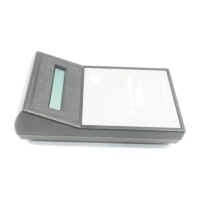
The Agilent Flowmeter ADM1000 is a sophisticated instrument designed for precise, real-time measurement of gas flows. Unlike traditional bubble flowmeters, the ADM1000 operates without the need for liquids, bubbles, or fragile glass components, making it a more robust and convenient solution for laboratory and industrial applications. Its primary function is to provide continuous and accurate readings of non-corrosive and non-flammable gas flows.
The core principle of operation for the ADM1000 involves a solenoid-actuated valve that momentarily interrupts the gas flow. This interruption causes the gas flow to move a diaphragm, and the extent of this movement is directly proportional to the flow rate. A sophisticated microprocessor then transforms this mechanical movement into a digital value, which is instantly displayed to the user. This method ensures quick and reliable measurements without the inherent inaccuracies associated with water vapor in bubble-type flowmeters.
The ADM1000 is designed to provide continuous, real-time measurements, which is crucial for monitoring dynamic gas systems. Its ability to operate without liquids eliminates the mess and potential contamination associated with older flowmeter technologies. Furthermore, the absence of glass parts enhances the device's durability and reduces the risk of breakage, making it suitable for various working environments.
The ADM1000 is designed with user convenience in mind, incorporating several features to enhance its usability:
Packing List: Upon unpacking, users should ensure the box contains the ADM1000 Flowmeter (with battery included) and the Instruction Manual. This ensures that all necessary components are present for immediate use.
Adjusting the Viewing Angle: For optimal viewing, especially when the flowmeter is placed above bench level, the ADM1000 features a flip-down wire stand. Users can simply pull the stand down until it locks into position, providing a better viewing angle for the display.
Taking a Flow Measurement: Before taking a measurement, it is crucial to ensure that the gas flow to be measured falls within the flowmeter's specified range. Over-ranging the device can potentially damage the transducer, leading to inaccurate readings or device failure. To initiate a measurement, the user briefly presses the "on/split" button. The display will then flash "WARMUP" as the microprocessor performs a self-diagnostic test. This test ensures that the system is functioning correctly before any measurements are taken. It is important to always turn the flowmeter on before connecting it to a flow source. Once the self-diagnostic is complete, the flexible tubing can be connected to the gas source. Users should wait 1-2 seconds for the reading to stabilize before recording the measurement. For very low flows (less than 1 mL/min), stabilization may take up to 5 seconds.
Autoranging Display: The ADM1000 features an intelligent autoranging display. The microprocessor automatically adjusts the resolution of the displayed flow rate based on the magnitude of the gas flow. This ensures that readings are always presented with appropriate precision, whether measuring very low or high flow rates.
Auto/Manual Power Off: To conserve battery power, the ADM1000 incorporates an automatic power-off feature. Every time the unit is activated, a 10-minute power-off cycle begins. If the flowmeter is not used within this period, it will automatically turn off. For immediate power conservation, users can manually turn off the instrument by pressing and holding the "on/split" button until a "sign off" message appears on the display.
Reading and Setting a Split Ratio: The ADM1000 can also be used to read and set split ratios, a common requirement in gas chromatography (GC) applications. To do this, the unit is turned on by briefly pressing the "on/split" button. The flexible tubing from the ADM1000 is then connected to the GC column gas flow. After the reading stabilizes (1-2 seconds), the "on/split" button is briefly pressed again. The current reading is stored in memory, and the display will show "1:1". At this point, the flexible tubing is disconnected from the GC column flow and connected to the split vent. The display will then show the split ratio directly. Users can adjust the flow of the split vent until the desired ratio is displayed. It's important to note that accurate column flow rates can only be determined when detector gases have been turned off. If the flow being measured is less than 0.5 mL/min, an error message will be displayed.
Returning to Single Flow: After setting a split ratio, users can return to single flow operation by briefly pressing the "on/split" button.
The ADM1000 is designed for ease of maintenance, with clear instructions for common procedures:
Low Battery Indicator: The device includes a "LOWBAT" symbol on the display to indicate when the battery needs replacement. When this symbol appears, users should replace the battery with a standard 9V alkaline battery. The battery is accessed by removing the battery cover on the back of the case. After replacing the battery, the cover should be reinstalled.
Recalibration and Repair Service: For recalibration or repair of the ADM1000, users are directed to the Agilent website (www.chem.agilent.com). A quick search for "ADM Flowmeters" on the site will lead to the Technical Support section, which provides detailed information on recalibration and repair services. This ensures that the instrument maintains its accuracy and functionality over its lifespan.
Replacing Flexible Tubing: The flexible tubing is a consumable component that may need replacement. Agilent recommends ordering P/N 701-0016 for replacement tubing, which is available by the foot, with a minimum of 2 feet required. If alternative tubing is used, it should be cut to 18 inches (± 2 inches) in length. For flows less than 200 mL/min, if a tubing length greater than 18 inches is desired, users should order tubing extension kit P/N 220-1179. Using tubing longer than 18 inches without this kit for flows under 200 mL/min can lead to errors in the displayed flow value.
The manual highlights an important distinction between the ADM1000 and traditional bubble-type flowmeters. While both are temperature-sensitive due to the ideal gas law, bubble-type flowmeters introduce water vapor into the gas being measured, which can significantly affect the accuracy of flow rate measurements. Even when accurately calibrated, soap bubble meters typically read slightly higher than the ADM1000 because of the relatively high concentrations of water vapor present in the soap bubble apparatus. At room temperature, water vapor can increase readings by nearly 4%. This effect is amplified by temperature, as warming the measured gas or the flowmeter itself increases the amount of water vapor, leading to even higher readings than the true flow rate. The ADM1000, being bubble-free, eliminates this source of error, providing more accurate and reliable volumetric flow measurements.
In summary, the Agilent Flowmeter ADM1000 is a modern, user-friendly, and accurate instrument for measuring gas flows. Its design eliminates the drawbacks of older technologies, offering a durable, precise, and convenient solution for various applications requiring gas flow measurement.
 General
| Model | ADM1000 |
|---|---|
| Manufacturer | Agilent Technologies |
| Category | Measuring Instruments |
| Type | Digital Multimeter |
| Display | LCD |
| Measurement Functions | DC Voltage, AC Voltage, DC Current, AC Current, Resistance, Continuity, Diode Test |
| Continuity Test | Yes |
| Diode Test | Yes |
| Power Supply | 9V Battery |
| DC Current Range | 200 μA to 10 A |
| AC Current Range | 200 μA to 10 A |







 To Next Page