ASP-MICRO USER MANUAL 9
When the monocular is turned on, the OSD (on-screen display) shows the
battery status. When you see the Low Battery status, charge the monocular
and ensure it’s working properly.
TABLE 2-1. BATTERY LED INDICATOR STATUS
INDICATORS FUNCTIONS
Flashing Red & Green Error occurred.
Solid Red Battery is properly charged.
Solid Green Battery is fully charged.
Off Battery is not charged.
2.1.3 CONTROL BUTTONS
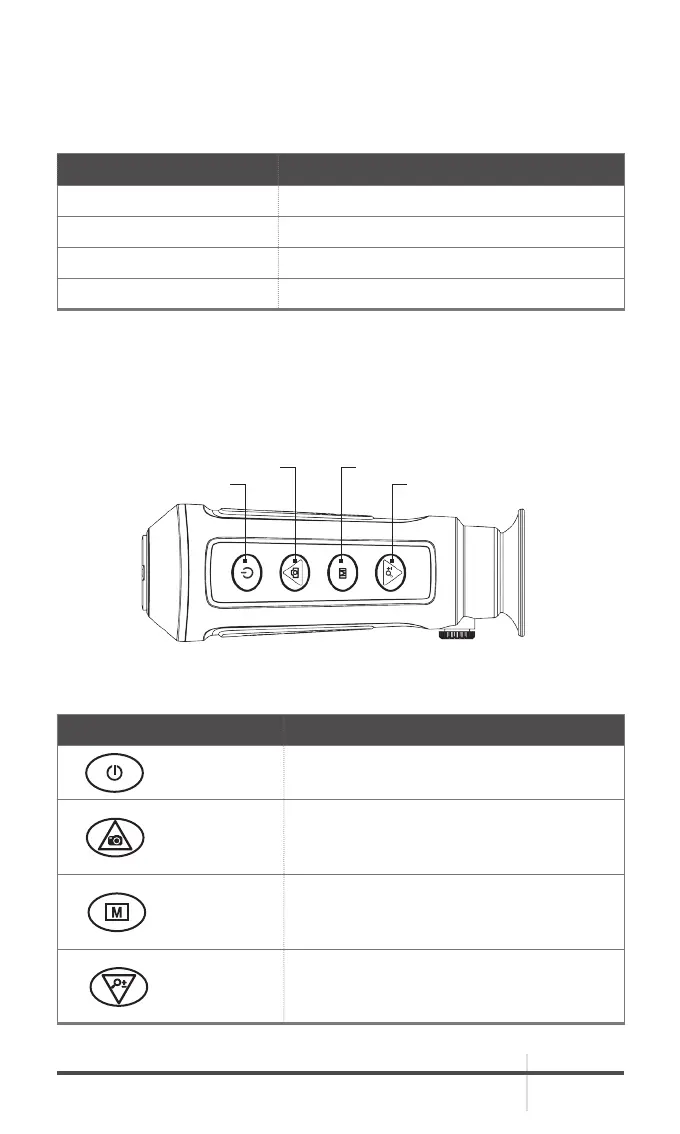
The Asp-Micro controls are shown in Figures 2-2 and are defined in Tables 2-2.
Each button is responsible for some functions selected by short press or long
press the button. Pushing a button for 2+ second is considered “long press/
hold.”
FIGURE 2-2. CONTROL BUTTONS
POWER ZOOM
CAPTURE MODE
TABLE 2-2. BUTTON FUNCTIONS
BUTTON FUNCTIONS
POWER
Press: Standby Mode
Hold: Power On/Off
CAPTURE
Press: Capture Snapshot
Hold: Start/Stop Record Video
Menu Navigation: Cursor Up
MODE
Press: Switch Pallet
Hold: Menu Operation
Menu Navigation: Confirm
ZOOM ±
Press: Digital Zoom
Hold: FFC
Menu Navigation: Cursor Down



 To Next Page