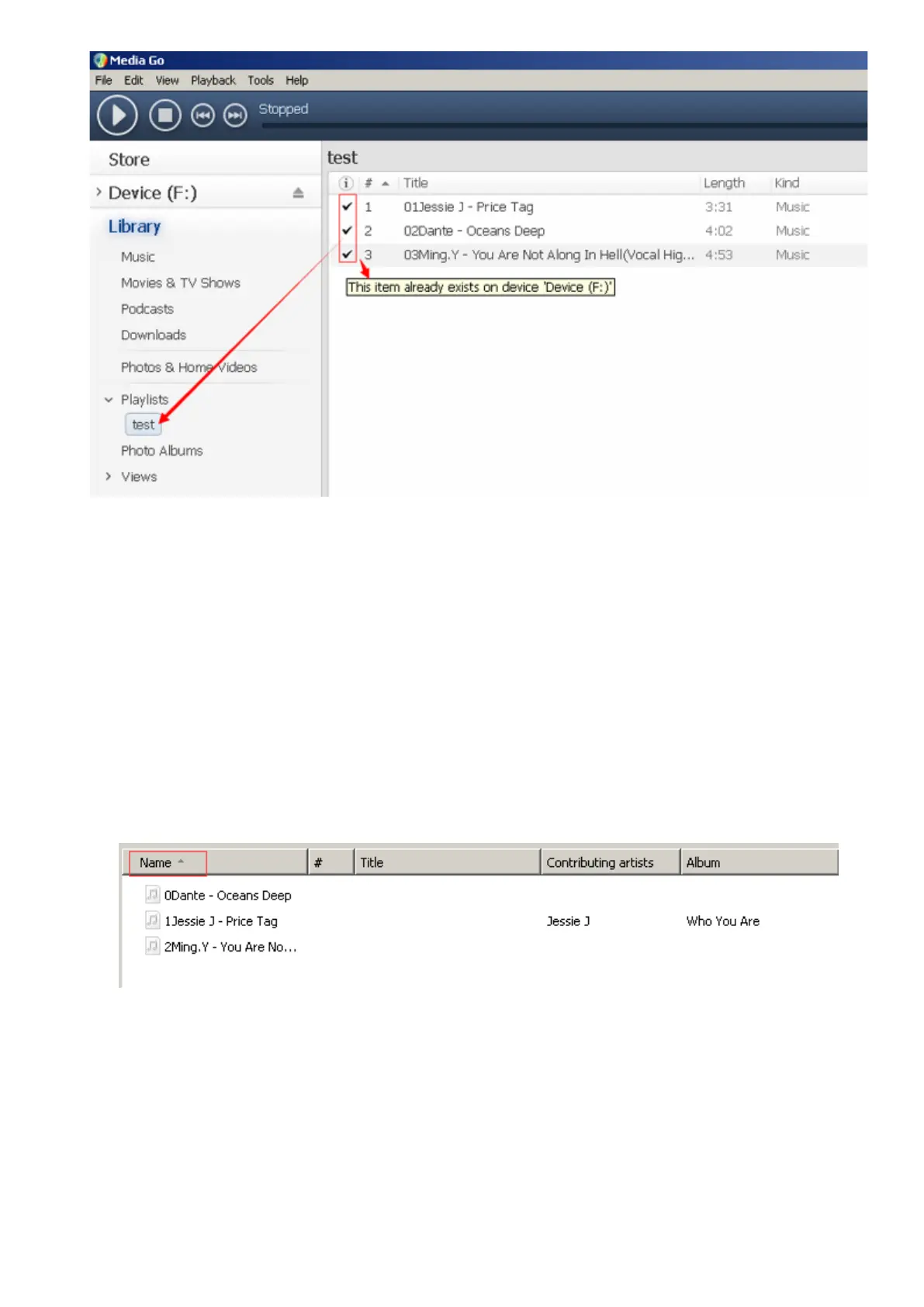
2. How to organize you music in order
1. Play from playlist, the order is the same as the playlist you created them. (Bluetooth
mode doesn’t support playlist)
2. Play from Music option, the order is sorted by alphabet (or exactly called ASCII)
3. Play from Folder option, the order is sorted by the order you copy them. Before you
copying them into the player, please arrange the files to a right sequence in computer
(by name, like the picture below. Not by #).
If the file order is sort by name before you copying them into the player, they would be
right order.
Note: To check the music you have arranged by name on your compute, you should open
the “Music” of your player, and then just enjoy it.
12



 To Next Page