4. Renamer
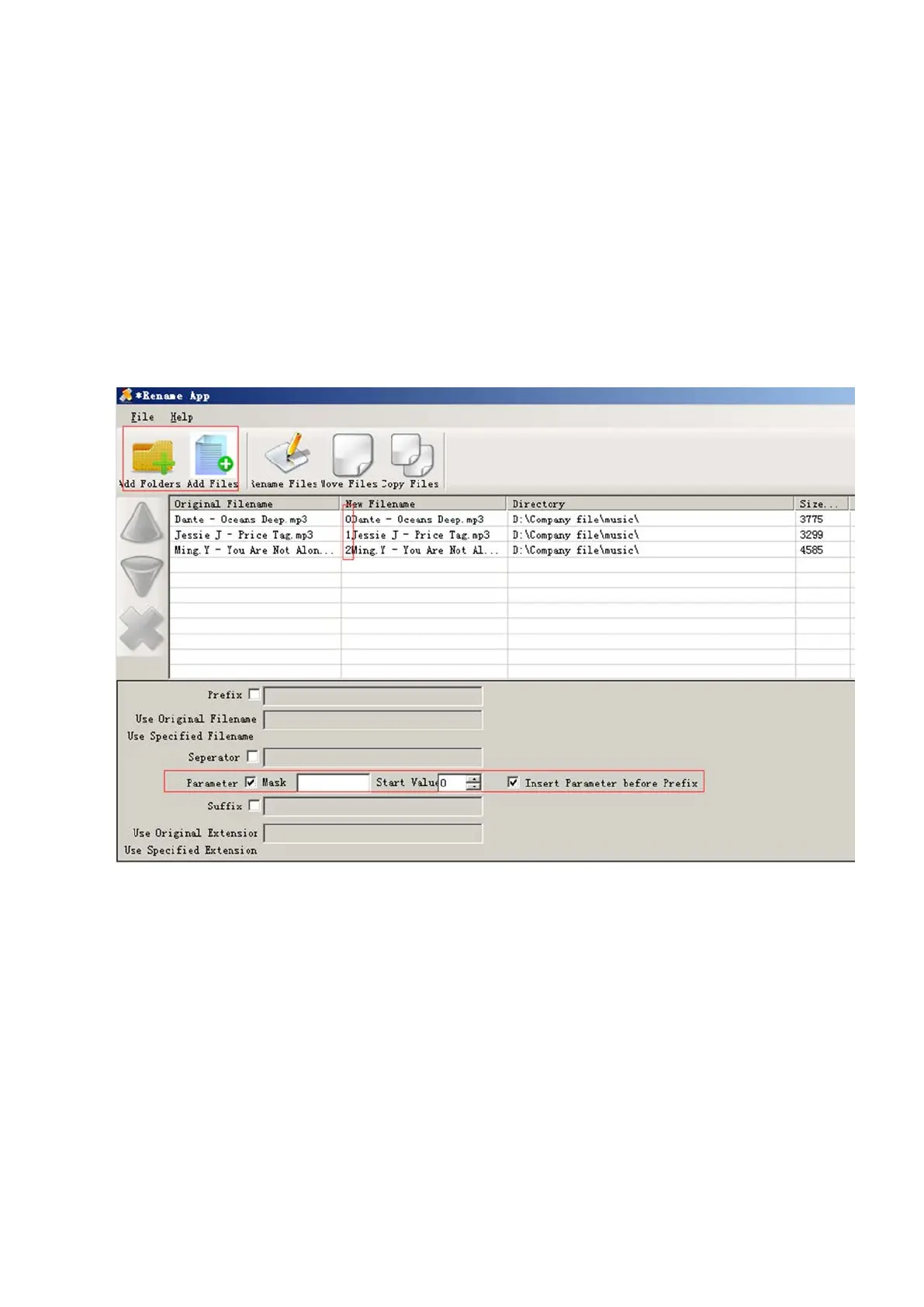
If your music is not sort by the right number, use the application “Renamer” to sort by
number. Download Renamer on the website
(http://renameapp.codeplex.com/documentation), and then choose the item “Add
folders” or “Add files” to add your music into list. You can set as the picture shows to
number your music by sequence, and then choose the item “rename files” after you
have arranged your music in right order.
Note: To check the arranged music you have done, you need to open “Folder” of your
player, and then you can enjoy your music as the arranged order.
3. How to load tons (2000 up) of Music
Make separate folders in card and drop your tracks into them. You can do this on your PC
in windows explorer.
Please kindly note that the player can only see a max of 4000 tracks!
4. How to load APE (Lossless) music
13



 To Next Page