An entire multi-track audio CD may be ripped to a single audio file and a cue sheet.
However software audio players and hardware digital audio players often treat each audio
file as a single playlist entry, which can make it difficult to select and identify the
individual tracks. A common solution is to split the original audio file into a series of
separate files, one per track.
Step 1; Download TT player via
http://images.agptek.us/image/TTPlayer.rar. And then add your
APE music into TT player.
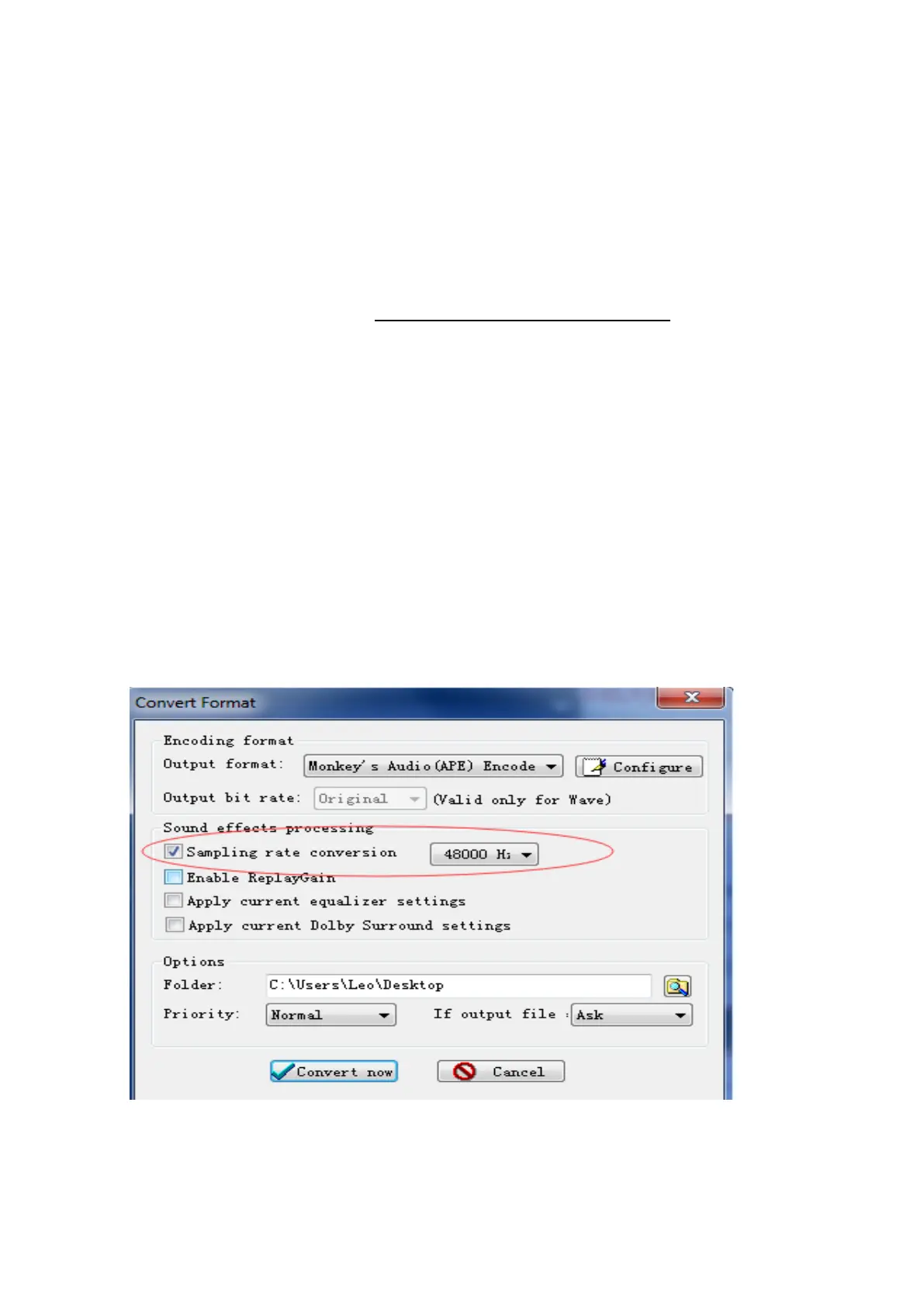
Step 2; Select the music you need to convert, and then right click, choose “Convert
Format”.
Step 3; Now Choose “Monkey’s Audio (APE)” and sampling rate conversion from 44000
or 48000 Hz, and then “Convert now”
Step 4; when the conversion is finished, put the split APE music into your MP3 player.
Now, enjoy your music!
5. Why I can’t connect it with phones
You cannot connect this player with your phones nor tablets, because most of phones or
14



 To Next Page