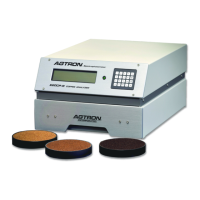
9) Place the dark sample into position in the drawer sample tray
10) Fully close the sample drawer
The display will show: -- LOW REFERENCE --
ENTER VALUE : XX.X
The Low Reference value from the previous calibration will be displayed
11) Enter the desired value for the dark sample using the numeric keypad
12) Depress the [ENTER] key on the numeric keypad to accept the new value
The display will first show: -- LOW REFERENCE --
*** MEASURING ***
Followed momentarily by: CALCULATING SCALE
Followed momentarily by: REFERENCES SAVED
The display will show: <<< COFFEE MODE >>>
Following a calibration using coffee samples of desired score, re-establish values for the two-sided
calibration disk & dish set for future calibration to that scale
a) With the analyzer in the <<< COFFEE MODE >>> fully open the sample drawer and allow the analyzer
to calibrate
b) Place the Calibration Reference disk set into the shallow side of the dish Red-Side facing up and place
it in the drawer sample tray
c) Fully close the sample drawer and allow the analyzer to read the red-side of the calibration disk
Record the new Red-Disk value: ________________
d) Fully open the sample drawer and allow the analyzer to calibrate. Turn the calibration disk over in the
sample dish so that the Black-Side is facing up.
e) Fully close the sample drawer and allow the analyzer to read the black side of the calibration disk:
Record the new Black-Disk value: ________________
● The analyzer will store these new calibration disk values in memory for all future calibrations until
they are user edited
THE E20CP-III IS NOW READY FOR OPERATION


 To Next Page
 Loading...