support@aibien.net
13
5
&
6
Connect to your Wi-Fi network (only support 2.4GHZ Wi-Fi router), Enter your
WiFi password. If your wireless network does not have a password, click on the 'No Wi-Fi
password' box. Then click 'Next'.
Check if the WiFi password is entered correctly, if it is correct, click this icon
to
confirm.
7
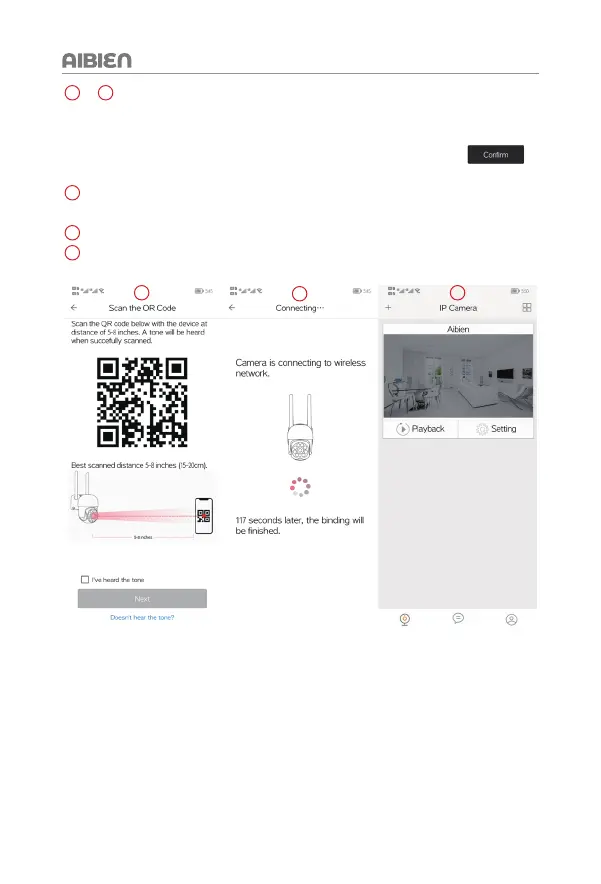
Follow the instructions on the screen and aim the QR code at the camera lens, the
distance is about 5-8 inch (15-20 cm), and keep the phone still.
8
Wait for 10-120 seconds during the binding and configuration.
9
The device is connecting to the network. After successful addition, you will hear
'binding successful'.
7
8
9


 To Next Page