support@aibien.net
32
Part 9 – SD Card
9.1 Local Storage
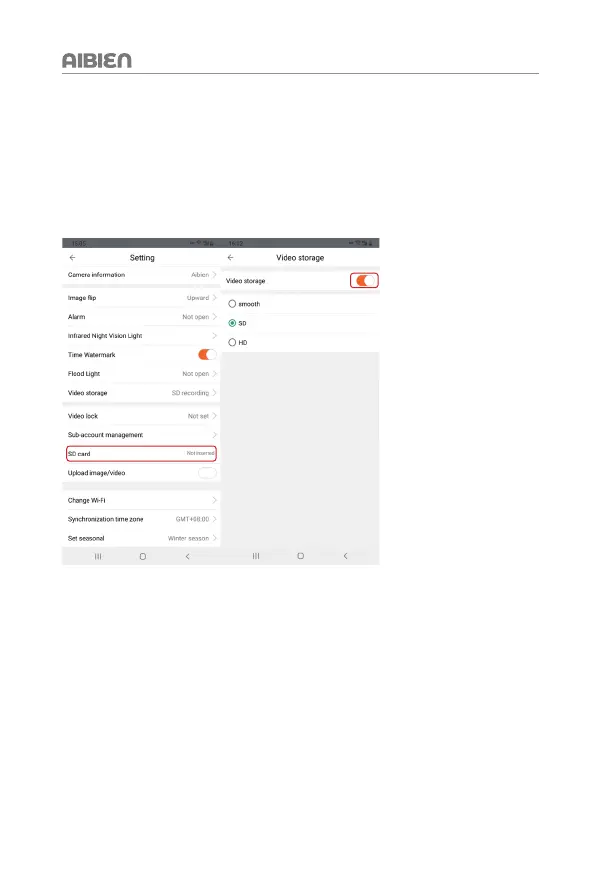
Aibien cameras support SD card storage (default 24/7 recording). If you don’t need it, you
can choose to turn off this feature. There are three emotional modes for the resolution of
locally stored videos: smooth / SD / HD, smooth is the most space-saving, and HD is the
clearest.
9.2 SD Card Statue In Setting
1. It shows "Not inserted" if the SD card is not inserted or can’t be detected.
2. It shows the memory statue if the SD card is available to recorder.
* If you want to clear the recording content in the SD card, click 'Format SD card'.
9.3 About Micro SD Card
1. Functions and requirements
(1) The camera can work without installing micro SD card, but it cannot record. Only when
the micro SD card is inserted into the camera will it record automatically, without manual
operation. After ten minutes, you can click playback to view video.


 To Next Page