support@aibien.net
18
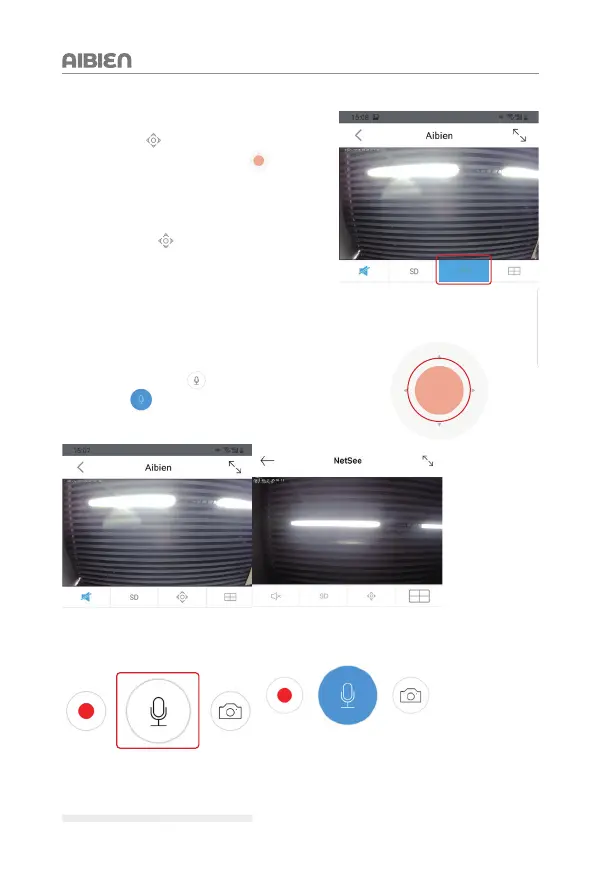
5.1 Manually Adjust The Camera Monitoring Area
1. Tap this icon
to open the operation panel.
2. Press and hold the orange area
,
drag the orange dot to the direction you want to
adjust, adjust to a suitable screen, and release
your finger.
3. Click this icon
again to return to the
live view.
5.2 Two-way Audio
Two-way audio allows you to talk and listen.
Follow the steps below to enable it:
1. Long press this icon
and wait for the icon
to turn blue
Now you can talk with the camera
2. Release your finger to end the conversation.


 To Next Page