support@aibien.net
25
Part 7 – Alarm Setting
When the system detects a movement change, it will trigger an alarm and prompt
the camera to take the following actions: sound an alarm, push a notification to your
smartphone, and record the movement to your Micro SD card.
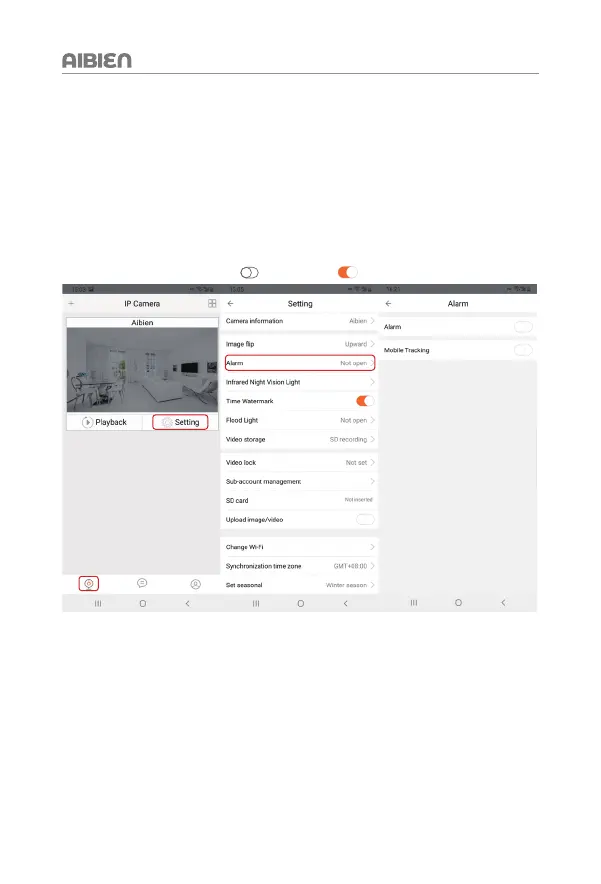
7.1 How To Turn On The Alarm
Steps: Go to 'Settings' > 'Alarm'
To enable the alarm, tap the icon
, change it to
. To disable it, tap the icon again.


 To Next Page