support@aibien.net
30
Part 8 – Video Lock
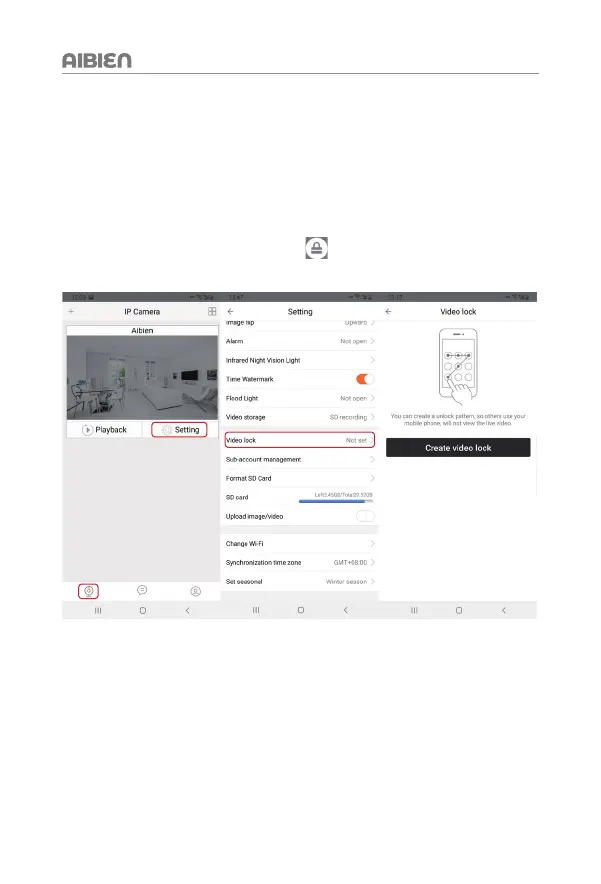
This chapter will cover how to set video lock in APP. When you turn on the camera, you
need to enter a gesture to open it to better protect your privacy.
Step: Go to 'Settings' > 'Video lock' > 'Create video lock' > Draw gesture > Draw gesture
again > Click 'OK' to save.
After the setting is completed, a lock symbol
will appear on the camera
management page.


 To Next Page