support@aibien.net
24
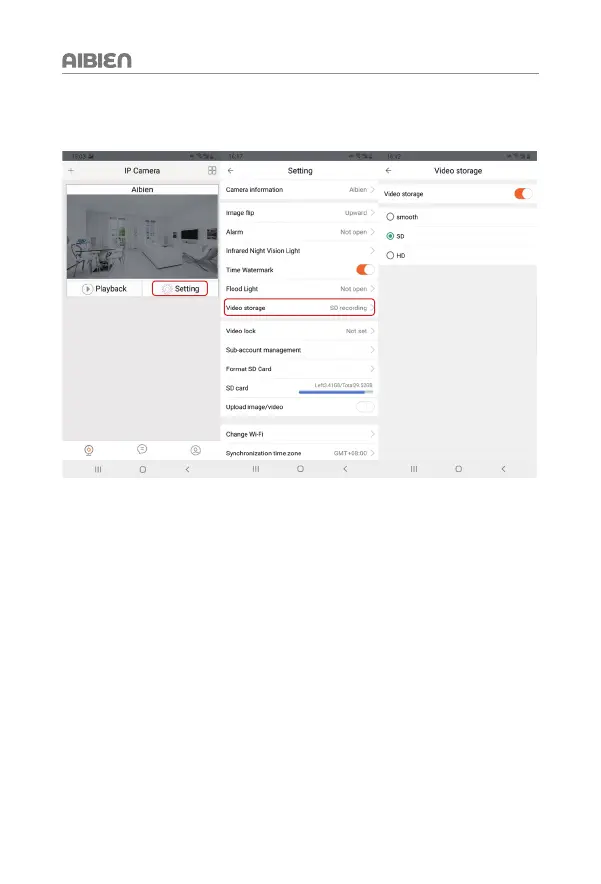
6.2 Set Recording Video Quality
You can set the quality of the recorded video in the APP. Please follow the steps below
Steps: Go to 'Settings' > 'Video storage' > Choose the picture quality you need.
Note: You can set the recording video quality and real-time image quality separately,
they are different functions. HD quality occupies the highest memory, Smooth
occupies the lowest memory


 To Next Page