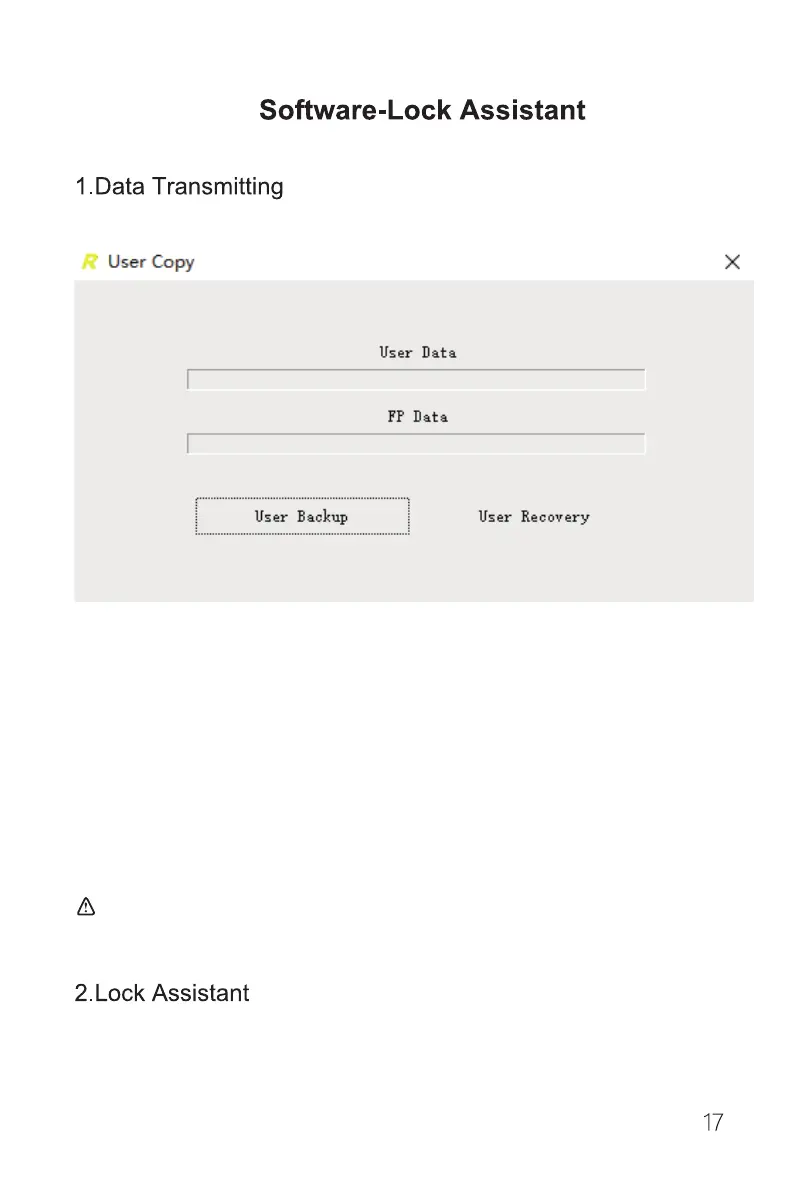
Backup and Recover User Data Under Normal Mode
a.Connect the lock to the computer through the USB cable(included).
b.Login to the lock system and go to the data transfer function and then open the lock
software on the computer.
c.To back up the user data, click "User Backup" and select the user data to save the file.
The user data will be transferred to the computer.
d.To recover the user data, click "User Recovery" and select the saved user file on the
computer. The user data will be transferred to the lock.
:Any user data in the lock will be overwritten by the recovered data!
With the “lock Assistant” software, you can set up the lock, manage the user data or unlock
records.
a.Setting


 To Next Page