22
Special Use of the +/– Key
While editing a parameter which has only positive values the +/– key may be used as a shortcut to
invert the output waveform. Alternate presses will set the output between normal and inverted. The
inverted state is indicated by
Inv appearing in the OUT field of the Parameters Box and the
waveform being shown inverted in the Graph Box. Output inversion may also be done from the
Output menu; see the Output menu section.
Square-wave Duty Cycle
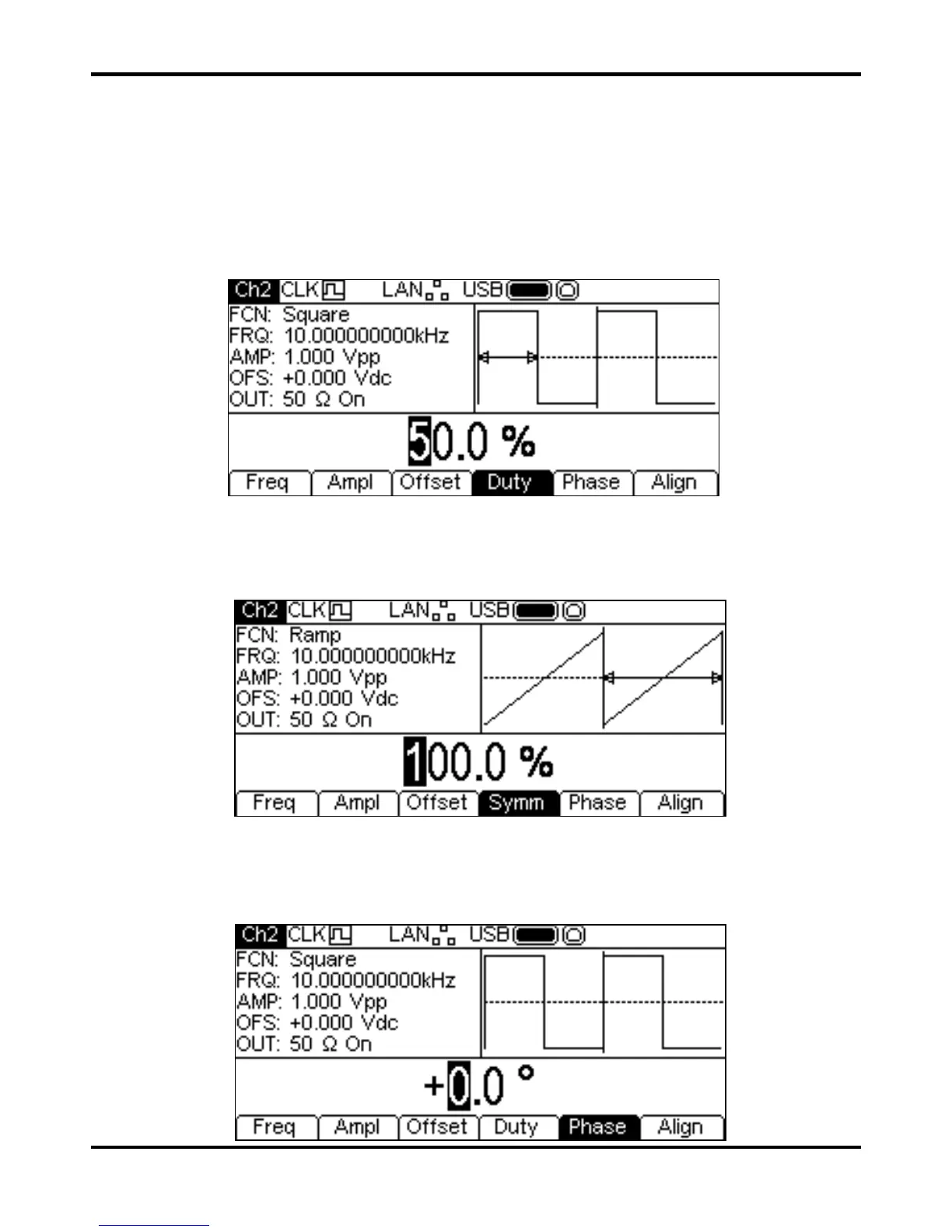
With square-wave as the selected waveform pressing the Duty soft-key shows the duty cycle
parameter in the Edit Box and the Graph Box changes to show that duty cycle is being edited.
The duty cycle may be changed in either of the ways detailed in General: Numeric Editing.
Ramp Symmetry
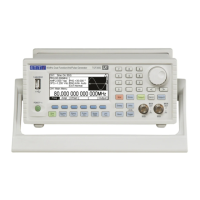
With ramp as the selected waveform pressing the Symm soft-key shows the symmetry parameter
in the Edit Box and the Graph Box changes to show that symmetry is being edited.
The symmetry may be changed in either of the ways detailed in General: Numeric Editing. To
produce a triangle waveform set the symmetry to 50%.
Phase
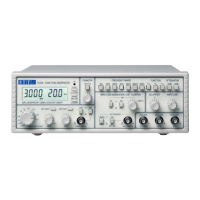
Press the Phase soft-key to change the start phase of the waveform. The phase parameter will appear in
the Edit Box.


 To Next Page