23
The phase may be changed in either of the ways detailed in General: Numeric Editing. The setting
may be used to determine the phase difference between the the channels of a two channel
instrument. The channels may be phase aligned by pressing the
Align soft-key. The Phase
parameter is also used to set Burst Phase and the phase between two generators. See the sections
on burst and phase synchronising two generators for more details.
Note that the phase of the carrier will change relative the Sync output for Arb and Ramp waveforms
but is fixed for Sine and Square.
Arb Load
The instrument contains a total of eleven arbitrary waveforms, seven fixed and four user defined.
There are more waveforms available on the supplied CD.
With arb as the selected waveform, pressing the
Params soft-key switches to the Arb Params
menu. Press the
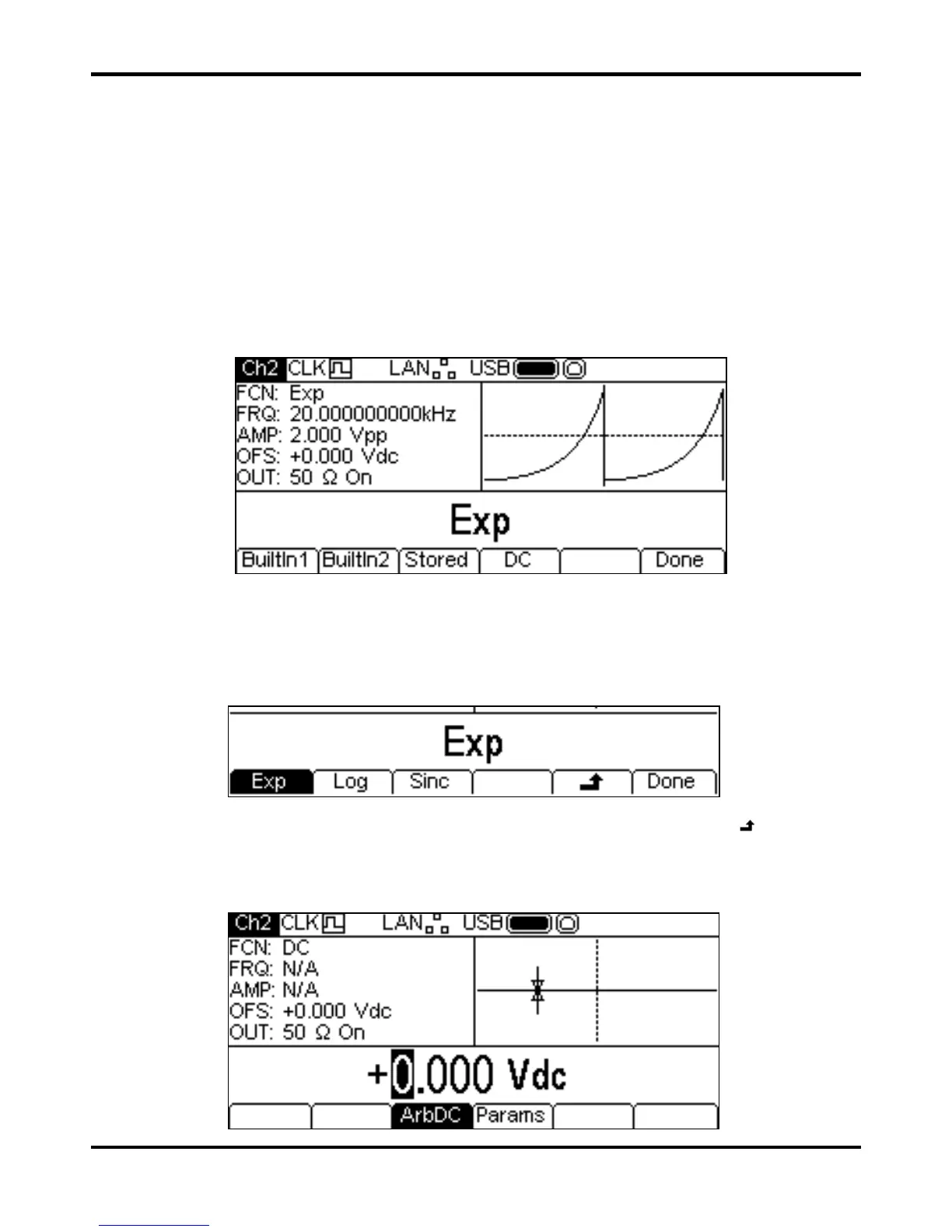
Load soft-key to enter tha Arb Load menu. This shows the name of the selected
arb in the Edit Box and the Graph Box shows the arb waveform.
The soft-keys allow access to all the arbitrary waveforms in the instrument.
BuiltIn1 and
BuiltIn2 allow access to seven fixed waveforms which are built into the instrument and may be
used like any other arb but cannot be edited. The
Stored soft-key allows access to four
waveforms which are user-defined and may be edited or loaded via any interface.
To select an arbitrary waveform press the appropriate soft-key; for example,
BuiltIn1 as shown
below.
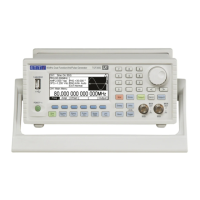
The required waveform is then selected by pressing the appropriate sofy-key. The
and Done
soft-keys function as described in General: Editing Principles.
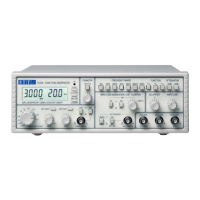
Pressing the
DC soft-key produces a dc only waveform at the MAIN OUT connector. The screen
below shows the result of pressing the ARB key with DC as the selected waveform.


 To Next Page