24
There are no Freq or Ampl soft-keys and the Offset soft-key has changed to ArbDC.
The Parameters Box shows
DC in the FCN field, the Graph Box shows a dc waveform with dc
offset arrows and the Edit Box contains the dc voltage menu. The voltage may be changed in either
of the ways detailed in General: Numeric Editing.
Arb Edit
The instrument is capable of performing simple editing of stored arbitrary waveforms. For more
complex editing and creation of waveforms see the Waveform Manager Plus Version 4 Windows
application supplied on the CD.
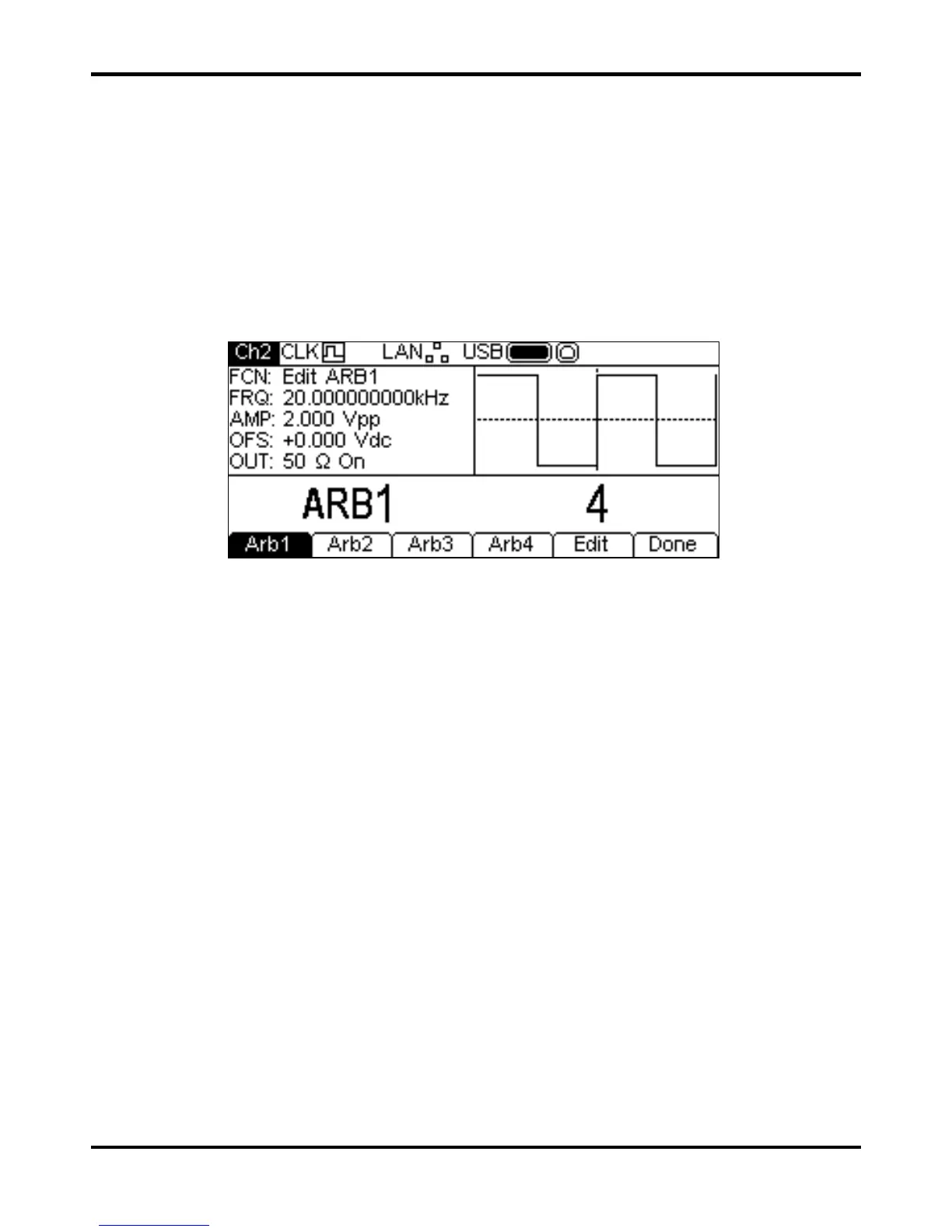
With Arb as the selected waveform, pressing the Params soft-key followed by the Edit soft-
key switches to the Arb edit menu. This shows the name of the arb selected for editing in the Edit
Box, together with its size in points, and the Graph Box shows the arb waveform.
Note that the selected arb is available at the MAIN OUT connector of the selected channel during
editing. This is shown by the
FCN field in the Parameters Box showing Edit NAME where
NAME is the name of the arb being edited. The original waveform will be output on exit from the
edit menu.
It is not possible to enter edit mode if modulation, sweep or burst are selected.
The selected waveform is edited by pressing the
Edit soft-key. For a full description of the
editing capabilities see the Editing Arbitrary Waveforms section.
Sync Output
SYNC OUT is a multifunction LVTTL level output that can be automatically or manually set to be
any of the following:
• Carrier Sync : A square wave at the same frequency and duty as the carrier
waveform. Available for all waveforms except Noise.
• Modulation Sync: A square-wave at the same frequency as the internal modulation
waveform with a duty of 50%. Not available for external modulation.
• Sweep Sync: Outputs the sweep trigger and sweep marker signals.
• Burst Sync : A square wave coincident with a burst output.
• Trigger : A buffered version of the Trigger signal .
The selection of the signals themselves is discussed in the Output menu. By default the automatic
selection is enabled which will choose the most relevant output for the instrument set-up. However,
it is possible to override the automatic setting. See the Output menu for more information. There is
a SYNC OUT connector for each channel.


 To Next Page