37
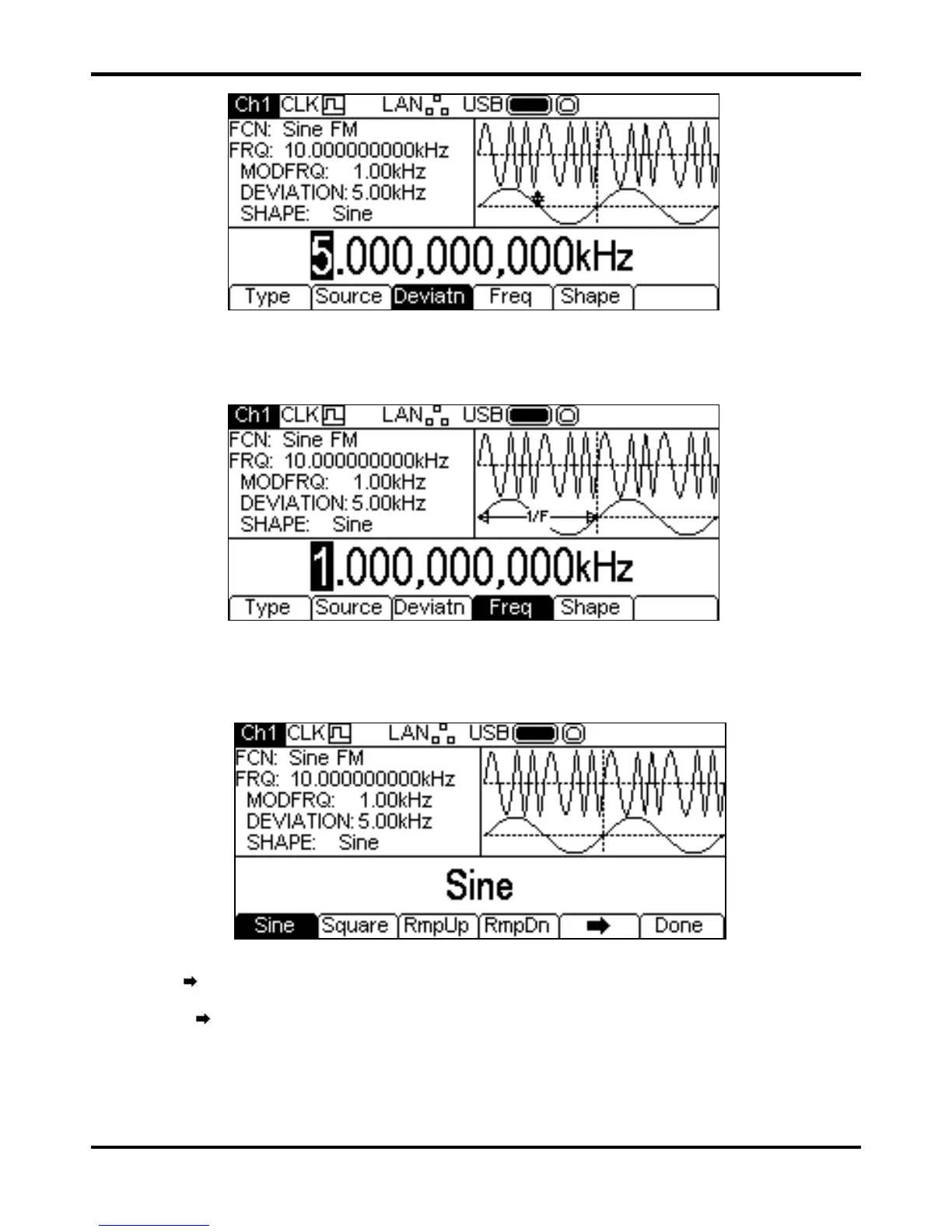
The deviation may be changed in either of the ways detailed in General: Numeric Editing. To set the
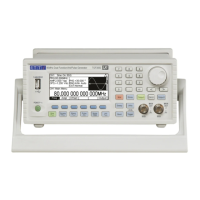
modulation frequency press the
Freq soft-key. The frequency parameter will appear in the Edit
Box and the modulating waveform in the Graph Box will show that frequency is being edited.
The frequency may be changed in either of the ways detailed in General: Numeric Editing.
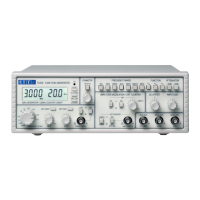
To set the modulation shape press the
Shape soft-key. The currently selected shape will appear
in the Edit Box and the soft-keys will change to a list of shapes available.
The
soft-key indicates that there are too many options to show all at once so press this key to
show more. In this case there are four more lists of shapes which will show with successive presses
of the
soft-key, see below.


 To Next Page