47
BPSK
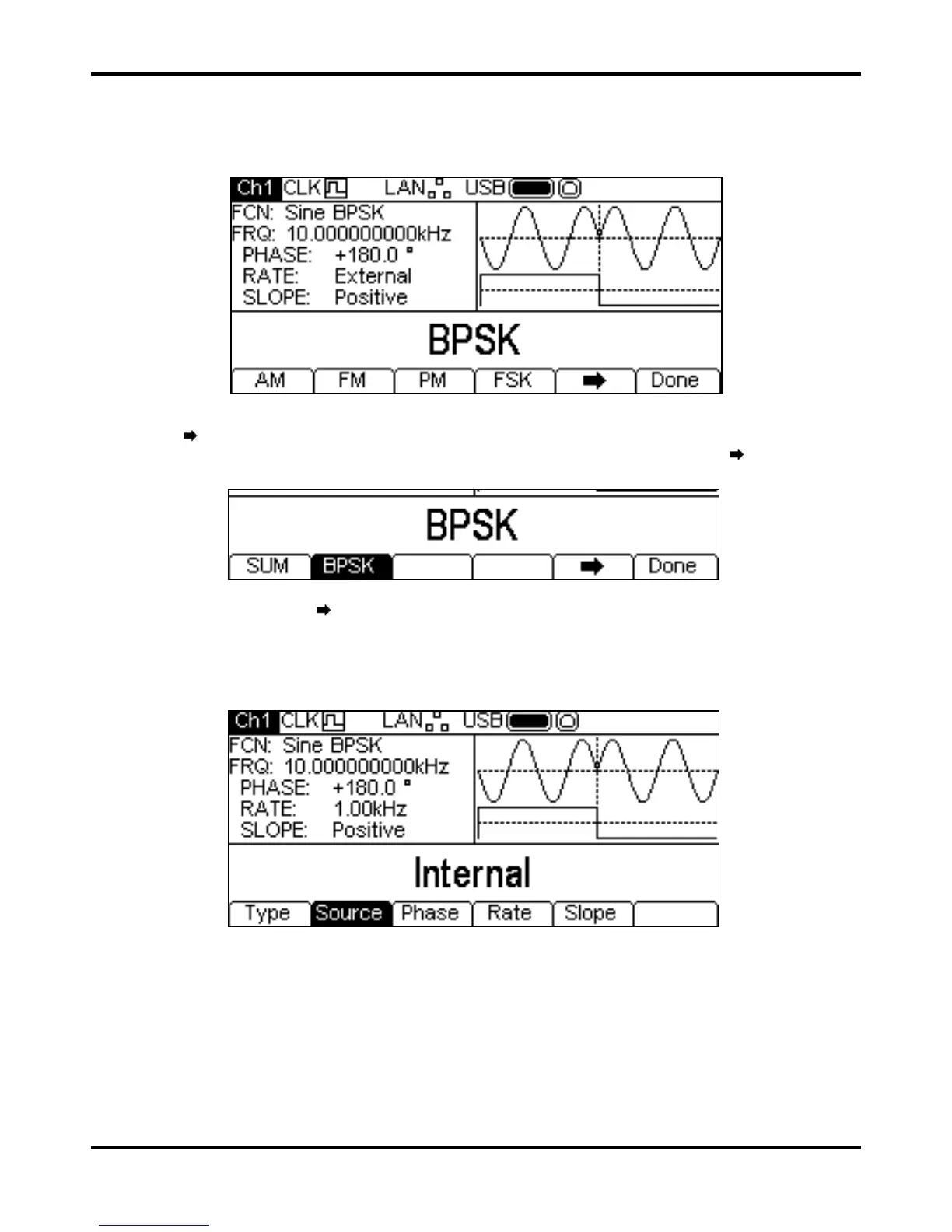
To select BPSK press the MOD key to turn on modulation and then press the Type soft key to
show the display below.
The
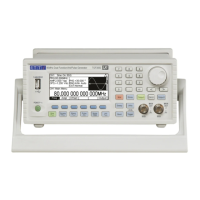
soft-key indicates that there are too many options to show all at once so press this key to
show more. In this case there is one more list of types which will show when the
soft-key is
pressed.
One more press of the
soft-key will show the first list again.
The soft-keys present all of the modulation types which may be applied to the selected carrier
waveform. If
BPSK is not already selected press the BPSK soft-key followed by the Done key
to return to the top level modulation menu.
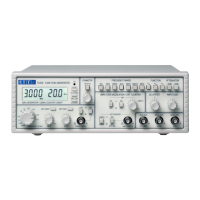
To select the modulation source press the
Source soft-key. Internal will use an internally
generated trigger signal, external will use the signal present at the TRIG IN connector and the
Rate soft-key will disappear. The Graph Box will show a switching carrier and a square-wave as
the modulating waveform irrespective of the source of the switching signal.
BPSK will generate the carrier phase while the switching signal is false and the BPSK phase while
the switching signal is true. To set the BPSK phase press the
Phase soft-key. The BPSK phase
parameter will appear in the Edit Box.


 To Next Page