82
Naming a Waveform
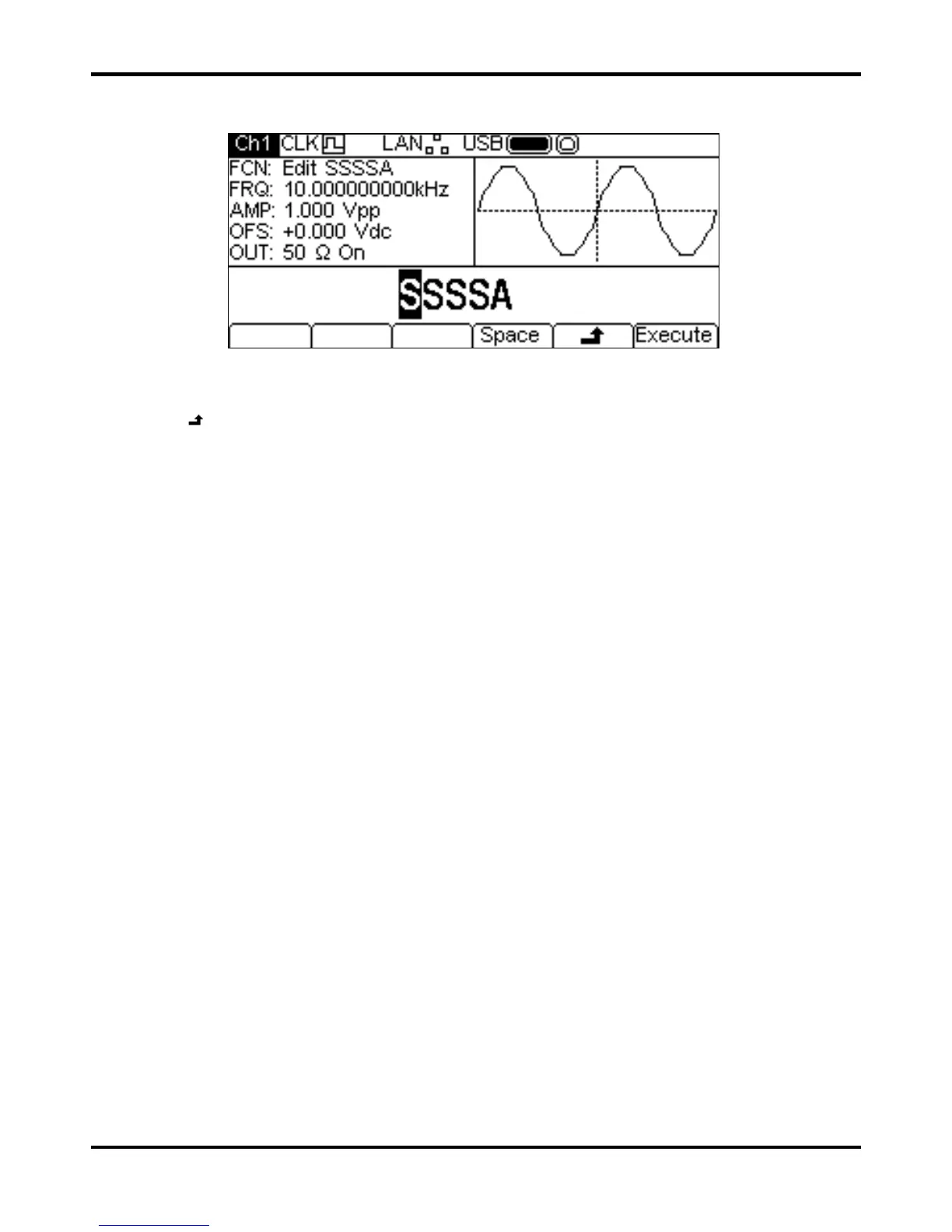
Pressing the Name soft-key shows the name edit menu in the Edit Box.
The soft-key labels, KNOB and cursor keys allow the name to be edited.
The
Space soft-key enters a space character at the cursor position.
The
soft-key cancels the operation and returns to the top level edit menu.
The
Execute soft-key changes the name and returns to the top level edit menu when complete
The cursor keys will move the edit cursor through the name and turning the KNOB will cycle
through all valid characters, numbers and symbols.



 To Next Page