EasyManua.ls Logo

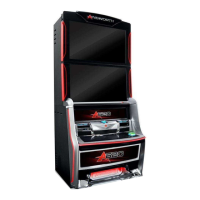
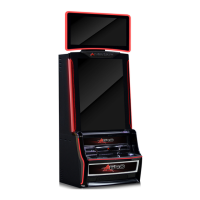
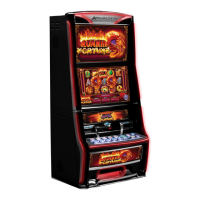
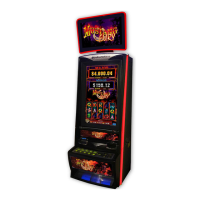
AINSWORTH A620 - User Manual

AINSWORTH A620
214 pages
Print Icon
To Next Page IconTo Next Page
Loading...
A
62
0
North America
Service Manual
985 112 – 21 Rev A

Table of Contents

Questions and Answers

  • J
    joyceowensAug 5, 2025
    Why is my AINSWORTH Arcade Game Machines terminal not operating?
    • S
      Sandy RodriguezAug 5, 2025
      If your AINSWORTH Arcade Game Machine terminal isn't operating, check the following: * Ensure the mains power lead is plugged in and turned on. * Verify the power switch on the Note Stacker is on. * Inspect the Power Supply fuses for any blown fuses. * The Power Supply might be faulty.
  • R
    Roberto MeadowsAug 10, 2025
    What to do if there is no display on AINSWORTH A620 Arcade Game Machines monitor?
    • A
      Alex WillisAug 10, 2025
      If there's no display on your AINSWORTH Arcade Game Machines monitor, consider these potential causes: * The monitor settings might be too dark. * There could be a faulty Power Save operation of the Power Supply. * The monitor itself might be faulty. * The main board could be faulty.
  • R
    Robin SantosAug 15, 2025
    Why AINSWORTH A620 Arcade Game Machines terminal does not accept bank notes?
    • J
      jessicamartinezAug 15, 2025
      If your AINSWORTH Arcade Game Machines terminal isn't accepting bank notes, it could be due to: * Contaminated or damaged Note Validator Optical Sensors. * A faulty Note Validator Unit.
  • J
    James KeithAug 20, 2025
    What to do if there is no sound from the AINSWORTH A620 Arcade Game Machines terminal?
    • S
      stephanie26Aug 20, 2025
      If you're experiencing no sound or sound from only one side of your AINSWORTH Arcade Game Machines terminal, the issue might be: * Faulty speaker(s). * Corrupted sound. * Improper connection or a faulty Main Board with an on-board sound card.
  • B
    Brittany HernandezAug 26, 2025
    How to troubleshoot a button that does not operate on AINSWORTH Arcade Game Machines?
    • J
      Jonathan ContrerasAug 26, 2025
      If a button on your AINSWORTH Arcade Game Machines is not operating, here are some possible causes: * Faulty button switches. * A jammed button. * Improper connection to the Backplane Board. * A short or open-circuited switch/wiring.
  • A
    Alexander OconnorAug 30, 2025
    Why button lamps are not illuminating on AINSWORTH Arcade Game Machines?
    • Z
      zachary90Aug 30, 2025
      If the button lamps on your AINSWORTH Arcade Game Machines are not illuminating, consider the following: * A blown button lamp (for single lights). * A disconnected connector on the button. * Improper connection to the Backplane Board (for all lights). * Open circuited wiring.

Summary

Chapter 1 Physical Components and Basic Operation

Cabinet Body Assembly

Details the main cabinet, main door, belly door, and monitor door assemblies and their locking mechanisms.

Monitor Assemblies

Describes the dual 24” LCD monitor assembly and the combined monitor door.

Main Door Assembly

Explains the main door's components like the belly door, coin validator, chip tray, and speakers.

Coin and Bill Handling Components

Covers coin validator, diverter, chute, chip tray, and bill acceptor functions.

Player Interface Components

Details button panel, door optics, speakers, and belly panel door assembly.

Internal Assemblies

Identifies major internal components: logic cage, mainboard, power supply, note validator, printer, hopper.

Basic Operation and Game Display

Covers power-up, play mode, and how game information is shown on dual LCD panels.

Game Display Details

Explains game title, win table, credit/bet windows, lines played, and game reels.

Machine Interface Elements

Details denomination window, message panel, and how to access game rules.

Technical Specifications

Covers physical, electrical, environmental specs, and compliance standards.

Chapter 2 Machine Installation and Conversions

Installation Basics

Covers machine dimensions, inspection, and mounting instructions.

Machine Installation Process

Step-by-step guide for installing and securing the EGM.

System Configuration

Configuring touch screen, machine model, location, date/time, and identification.

Peripheral Configuration

Setting up game package, player interface, coin validator, hopper, banknote validator, and printer.

Network and Host Configuration

Configuring cashout validation, poll category, multi host, cashless, and misc host interface.

Game and System Settings

Configuring win limits, progressive settings, SAP levels, hard meters, and tower lights.

Finalizing Configuration

Reviewing configuration summary and performing a game conversion.

Chapter 3 Technician Maintenance and Troubleshooting

System and Peripheral Tests

Overview of system tests and peripheral tests for diagnosing faults.

Component Function Tests

Tests for hopper, coin validator, note validator, printer, touchscreen, video, sound, doors, buttons, lamps.

Diagnostics and Verification

Covers PSD verification, resource diagnostics, and machine state history.

General Maintenance and Cleaning

Guidelines for routine servicing, cleaning of cabinet, doors, and components.

Note Validator Procedures

Covers note validator jam clearing and cleaning procedures.

Coin Handling Procedures

Details coin validator replacement and cleaning procedures.

Display and Audio Replacements

Procedures for monitor assembly, adjustment, replacement, and speaker/subwoofer replacement.

Cabinet and Input Replacements

Covers main door, belly panel, button panel, and coin diverter replacements.

Core System Replacements

Procedures for replacing hard meters, power supply, logic cage, mainboard, and backplane board.

Error Handling and Troubleshooting

Covers software assertion errors, NVRAM clearing, error messages, and troubleshooting guide.

Spare Parts List

Lists part descriptions and their corresponding part numbers for the A620.

Chapter 4 Audit Modes

Audit Mode Access and Navigation

Explains reset/audit switch functions and navigating the audit menu.

Maintenance Operations

Details hopper refill, stacker clear, and power save functions.

Meter and Statistical Data

Covers meters, statistics, wager categories, and door statistics.

Transaction Histories

Covers monetary/bonus, progressive, banknote, and ticket transaction histories.

Event Logs

Details general, error, access, power, and banknote event logs.

Machine Faults

Lists and describes all possible EGM lock-up faults.

Configuration Mode

Overview of setting operating parameters, sound, and system configurations.

Configuration Summary

Reviews EGM general, game, and peripheral configuration details before saving.

Machine Identification

Displays EGM machine information such as serial number and MAC address.

Game Configuration

Summarizes EGM game information, package, variation, lines, and denomination.

Peripheral Configuration

Summarizes available peripherals and their configuration status.

Network Configuration

Accesses menus for poll category, multi host, and AFT register settings.

System Settings Configuration

Configures date/time, sound system, progressive status, game play options, and ticket details.

AINSWORTH A620 Specifications

General IconGeneral
BrandAINSWORTH
ModelA620
CategoryArcade Game Machines
LanguageEnglish

Related product manuals