11. ATTACH PLENUM COVER
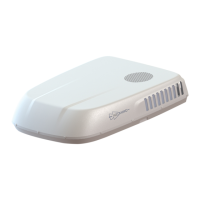
- Secure the main plenum cover to the duct
assembly with the 4 screws provided (Fig
15).
TIP: It is important that these screws are
not over tightened otherwise the plenum
may crack.
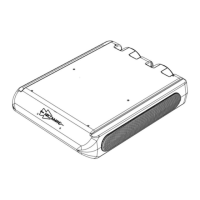
- Remove the filter elements by pulling
them out of the plenum, and use the six
self-tapping counter sunk screws to secure
the covers edges to the caravan ceiling (Fig
16). In some instances a very small pilot
hole may need to be drilled to guide the
screws into place.
- Replace the return air filters by sliding
them into the plenum until they click into
place
-Your installation is now complete.
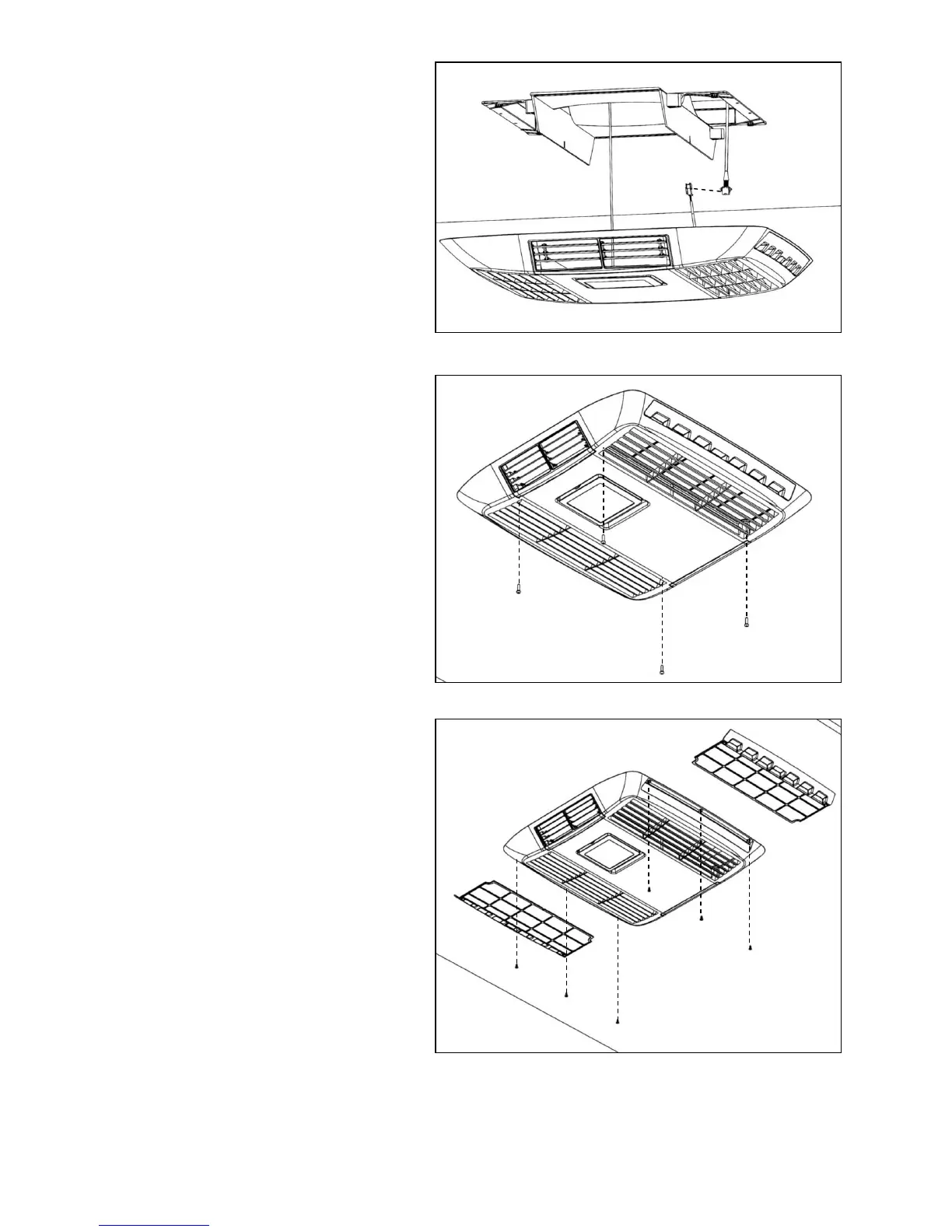
Fig 14: Attaching the suspension cord will allow two hands free to plug in
the control cable and affix the plenum
Fig 15: Secure the main plenum cover to the duct assembly with the four
screws provided
Fig 16: Remove the plenum filters and use the six self-tapping screws to
secure the plenum over to the ceiling of the caravan. Be sure not to over tighten.
INSTALLATION IS NOW COMPLETE


 To Next Page