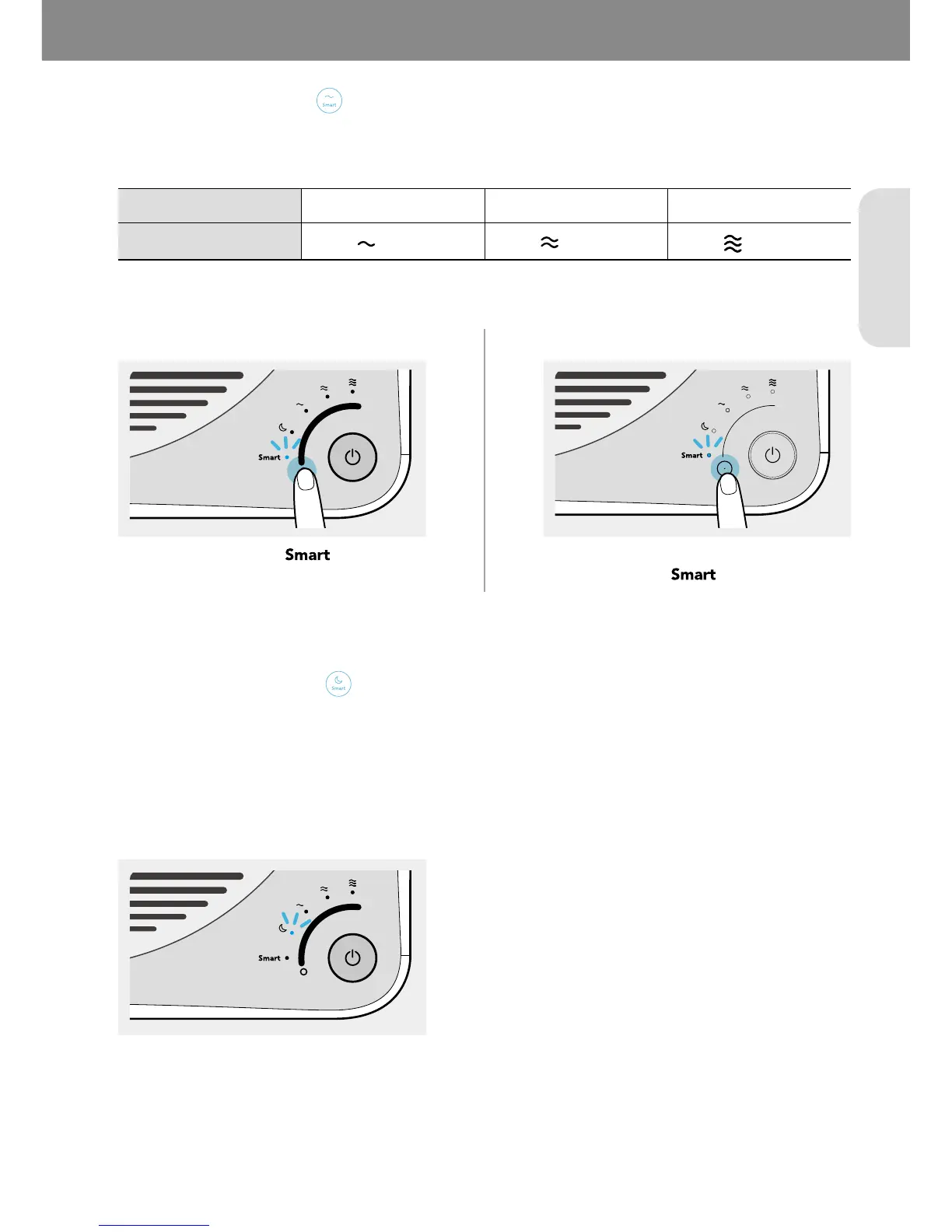
If the product is set to Smart mode, it automatically adjusts the air speed according to the current air quality around
the product. The air speed is adjusted as shown in the table below:
Good Moderate/unhealthy Very unhealthy
Level 1 (
) Level 2 (
)
Level 3 (
)
400S/400 300S/300
If the product is set to Smart mode, Sleep mode is activated automatically so that it can reduce noise and power. It
operates when the room is dark and the air quality is Good(Level 1) for 3 minutes.
If the light sensor detects the light for 5 minutes or longer and/or if the air quality level in the room is Moderate or
worse the Smart mode will not activate automatically.
400S/400



 To Next Page