A
B
**
*
4
5
6
(400S/300S only)
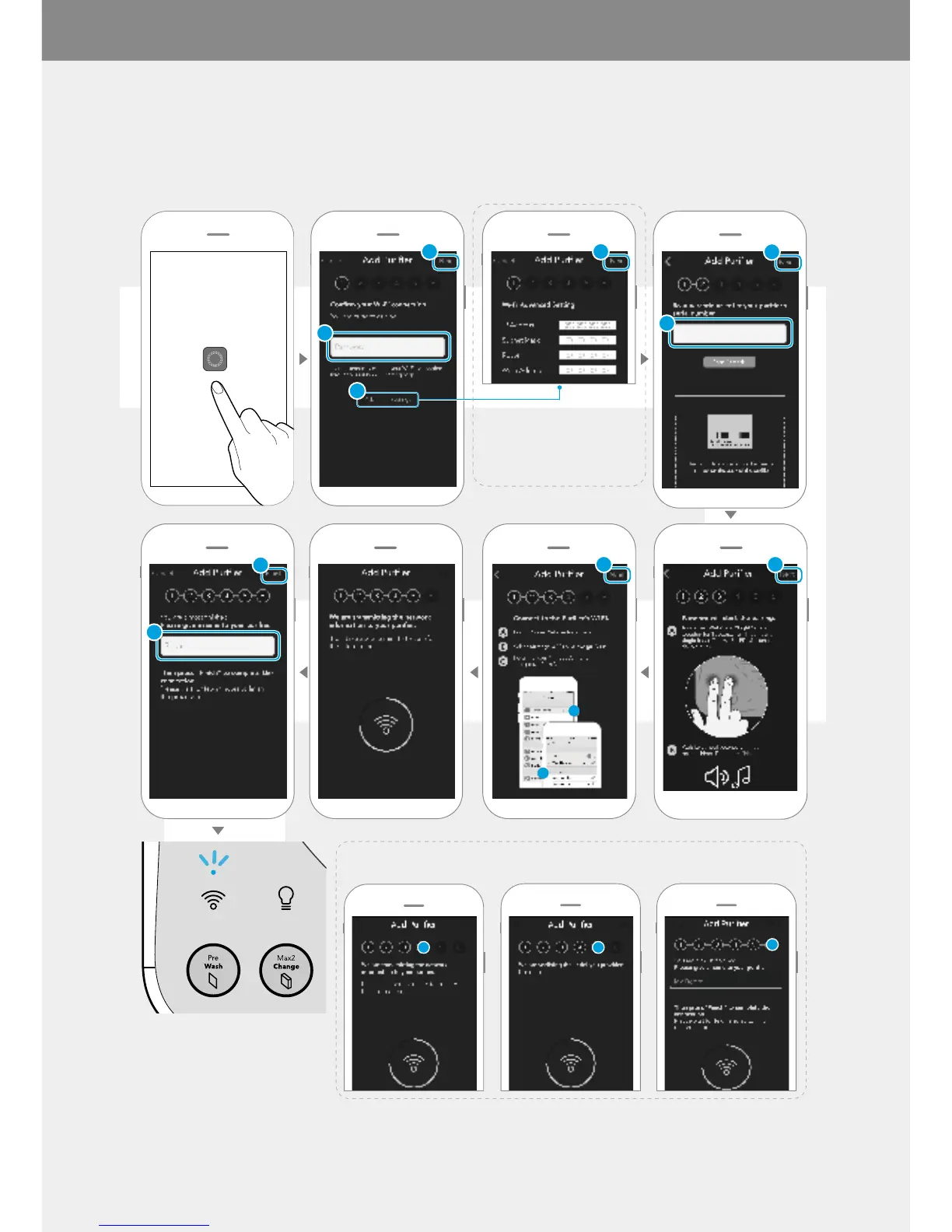
Before connecting the air purifier and your smart phone, you must first download the Airmega App from Apple App
Store or Google Play Store. For more details, see page 16.
For Android, step 4, 5, and 6 will be proceeded automatically.
If the connection is completed
successfully,
the [Wi-Fi] indicator will be on.
* Advanced Settings to enter
the static IP address



 To Next Page