EasyManua.ls Logo

Airrex AHSC-14P - User Manual

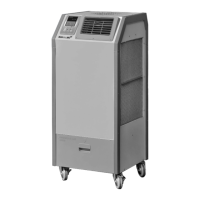
Airrex AHSC-14P
20 pages
Print Icon
To Next Page IconTo Next Page
Loading...
C
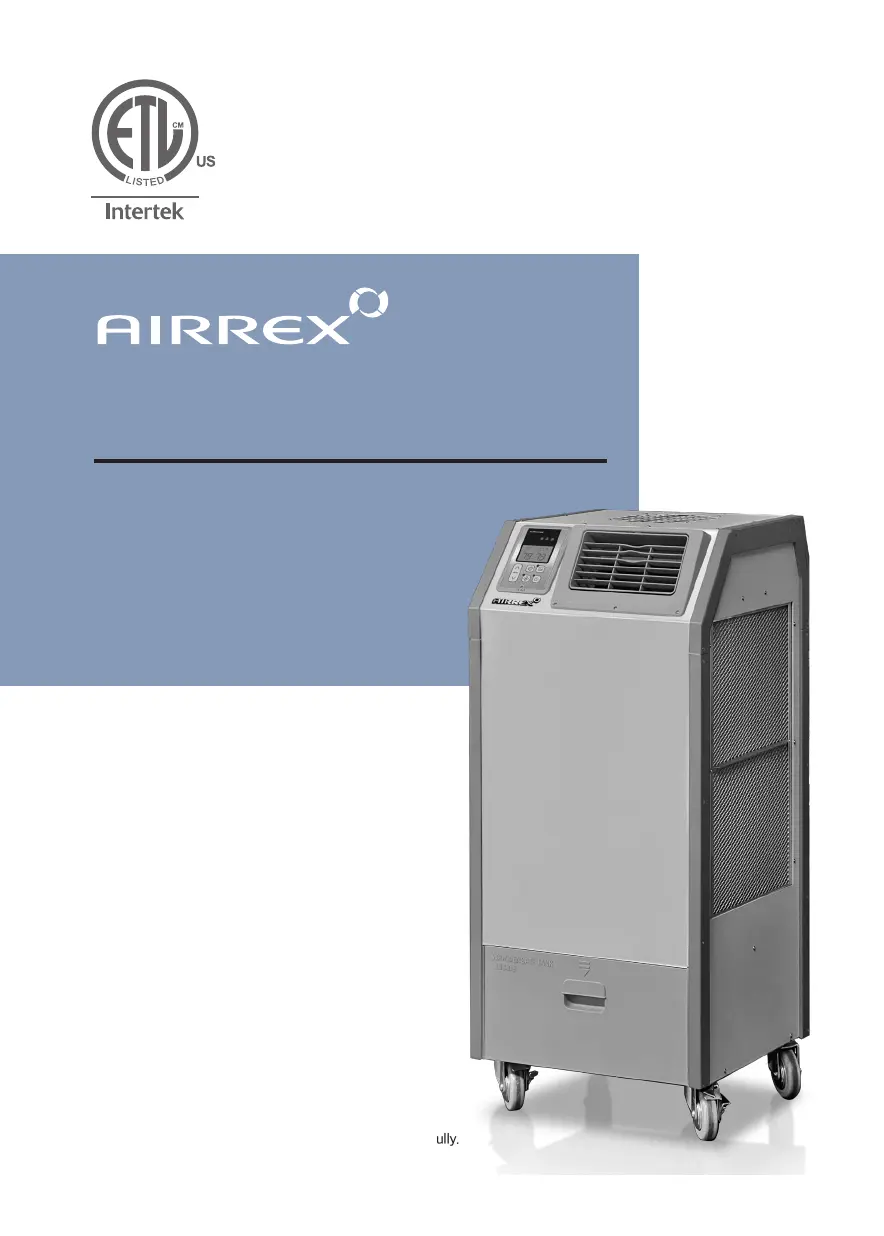
HEAT PUMP
USER'S MANUAL
AHSC-14P /18P
Thank you for purchasing the unit.
Before operation, please read this user’s manual carefully.

Questions and Answers

  • C
    Connor HernandezAug 7, 2025
    How to troubleshoot Airrex Air Conditioner not working?
    • A
      Angela PalmerAug 7, 2025
      If your Airrex Air Conditioner is not working, first ensure the power cable is correctly connected. If it isn't, connect it properly. Next, check if the power button is in the 'OFF' position and press it to 'ON'. Also, verify if the fuse (supply) has blown and exchange it in the board if needed. Check if the breaker on the switchboard tripped and reset it after checking the load capacity. Finally, ensure the ambient temperature is within the operating temperature range.
  • T
    Thomas PhelpsAug 14, 2025
    What to do if Airrex AHSC-14P Air Conditioner has poor cooling?
    • A
      Andrea AndersonAug 14, 2025
      If your Airrex Air Conditioner is providing poor cooling, start by cleaning the filter, as it may be blocked with dust. Then, clean the heat exchanger if it contains dust. Finally, check for any obstacles against the inlet side and ensure a 20" (50 cm) clearance.
  • J
    Joshua Olson IIAug 22, 2025
    What to do if my Airrex Heat Pump is not working?
    • C
      Christopher BatesAug 22, 2025
      If your Airrex Heat Pump is not working, there are several potential solutions: * Ensure the cable is correctly connected. * Make sure the POWER button is set to "ON". * Replace the fuse on the board. * Verify the load capacity and reset if necessary. * Confirm that the operating temperature is within the specified range.
  • M
    marybryantAug 29, 2025
    Why is my Airrex Heat Pump not cooling properly?
    • R
      Raven OdomAug 29, 2025
      If your Airrex Heat Pump is experiencing poor cooling, try the following: * Clean the filter. * Clean the heat exchanger. * Ensure there is at least 20 inches (50 cm) of clearance around the unit.

Summary

SAFETY INSTRUCTIONS

General Warnings

Follow safety symbols, use circuit breaker, disconnect before cleaning, avoid damaged cables.

Installation and Placement Warnings

Avoid explosive environments, flammable gas, water, corrosion, and unstable surfaces.

Unit Operation Safety

Check power cord, avoid wet hands, disconnect when not in use.

GENERAL ADVICE BEFORE USE

Site Preparation and Placement

Ensure safe location, flat floor, 20-inch clearance, locked casters, and proper incline.

Maximizing Unit Efficiency

Use vertical exhaust, vent through window/door, and ensure correct electrical supply.

EXTERIOR DESCRIPTION: FRONT VIEW

Identification of Front Components

Lists and describes the digital controller, louver outlet, filters, bumper, tank door, and casters.

EXTERIOR DESCRIPTION: BACK AND SIDE VIEW

Identification of Rear and Side Components

Identifies hot air outlet, electrical panel, condenser filter, fire alarm port, and power cord.

SPECIFICATIONS

Technical Data Overview

Provides model, capacity, power, consumption, dehumidification, refrigerant, dimensions, weight, and operating conditions.

CONTROL PANEL FUNCTIONS: LAYOUT

Panel Overview and Display

Identifies the main components and display area of the control panel.

CONTROL PANEL FUNCTIONS: OPERATION

Button and Indicator Descriptions

Details the purpose of each button and indicator light on the control panel.

MODE CHANGING METHOD

Selecting Operating Modes

Explains how to switch between Cooling, Dehumidification, Fan, Heating, and Auto modes.

HOW TO SET THE OFF TIMER

Setting the Auto-Off Timer

Step-by-step guide on setting the unit's auto-off timer function.

TEMPERATURE CONTROL OPERATION

Adjusting Temperature Settings

Details how to adjust temperature settings for cooling, heating, and auto modes.

SELECTION MODES AND SETTINGS

Room vs. Spot Cooling Selection

Choose 'Room' for general temp or 'Spot' for targeted cooling in cooling mode.

Control Panel Lock Functionality

Details how to activate the 'LOCK' and 'UNLOCK' modes for the control panel.

Temperature Unit (°F;°C) Switching

Instructions for changing the displayed temperature unit from Fahrenheit to Celsius and vice versa.

ERROR AND WARNING INDICATORS

Troubleshooting Error Codes

Lists error codes, their problems, causes, and corrective actions for troubleshooting.

FIRE ALARM SYSTEM INTEGRATION

Connecting Fire Alarm Wires

Connects the unit to a fire alarm system via FA1 and FA2 terminals.

ERROR SIGNAL CONNECTION

Connecting Warning Devices

Connects ER1 and ER2 terminals to external warning devices for error indication.

ECONOMY MODE OPERATION

Economy Mode Settings Explained

Explains the economy mode settings for Evaporator Fan and Condenser Fan.

TROUBLE SHOOTING GUIDE

Common Issues and Remedies

Provides solutions for common problems like 'NOT WORKING' and 'POOR COOLING'.

CLEANING AND MAINTENANCE

Air Filter Cleaning Procedure

Instructions on how to remove, clean, and dry air filters for the unit.

General Maintenance and Storage

Steps for drying the unit, unplugging, and storing it safely.

WARRANTY INFORMATION

Warranty Coverage and Conditions

Details warranty coverage, conditions, and customer information for the product.

Airrex AHSC-14P Specifications

General IconGeneral
BrandAirrex
ModelAHSC-14P
CategoryAir Conditioner
LanguageEnglish

Related product manuals