5-18
irSep Corp.
FreeStyle Service Manual
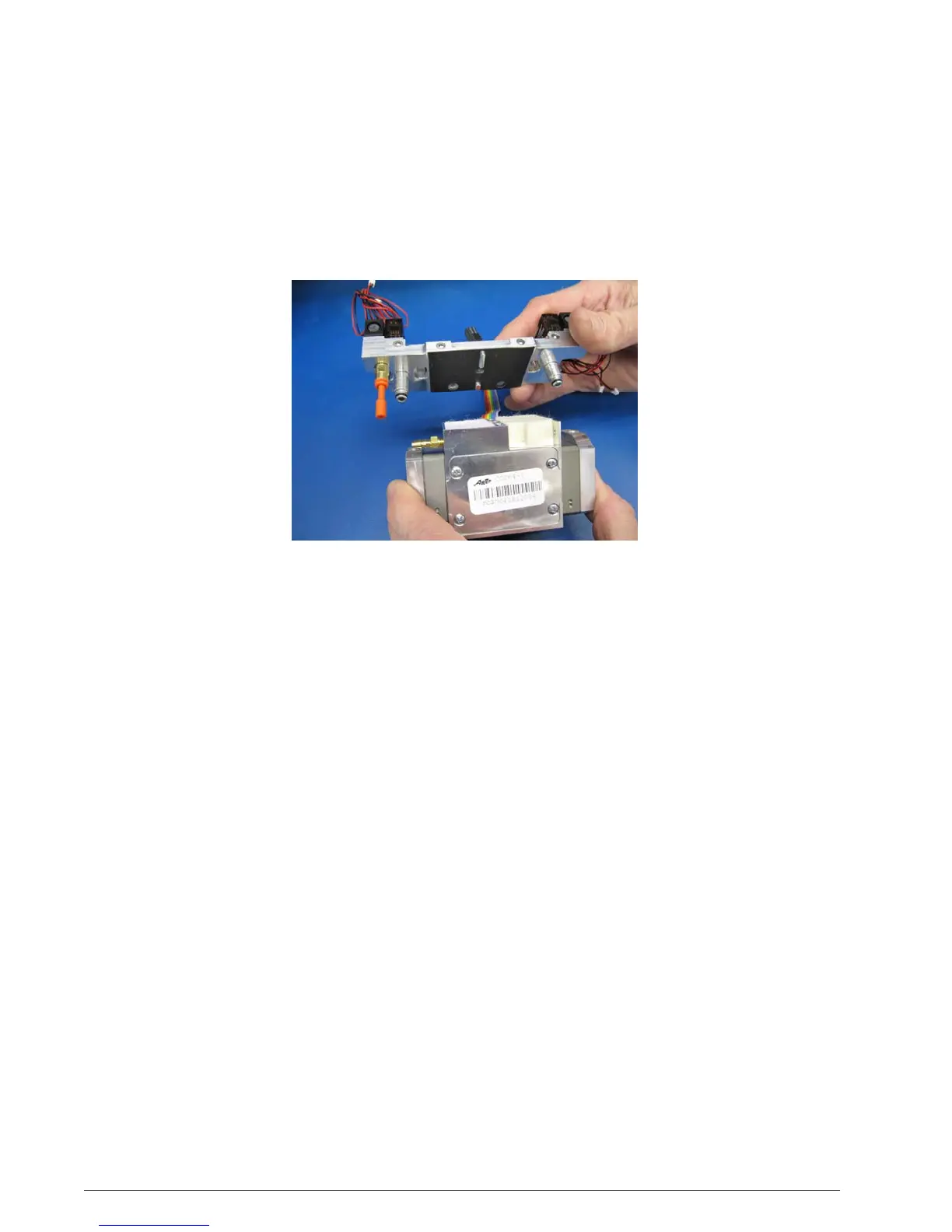
5. Remove feed/waste manifold by pulling upward on the manifold. Both fittings
from the manifold to the compressor should still be connected to the manifold. If
not, remove fitting(s) from the compressor. (Figure 5.27)
6. Place new feed/waste manifold onto compressor. Gently push manifold down
until compressor fittings are seated into compressor head.
Figure 5.27
5.10 Measuring System
P
r
essur
e
1. Remove the back cover.
2. Locate the brass fitting with the orange plug on the left side of the feed/waste
manifold.
3. Remove the plug.
4. Using the pressure gauge with 1/8” OD tubing, push tube into the fitting.
5. Turn the unit on in the [2] setting.
6. Make sure that the connection front the pressure gauge to the manifold is
leak-free. Part
No. K1036-1
Pressure
T
est
Kit
(gauge and
c
onnec
tor) and
KI340-1 Adaptor.
7. Put unit into test mode by pressing [1] and [3] simultaneously for five seconds.
After five seconds, the alarm will sound and the LEDs above each flow setting
will illuminate. The unit will then start to automatically pulse in flow setting
[3].
Reference Section 6.1 Pressure Profiles.


 To Next Page