19
6200 Digital Broadcast Delay
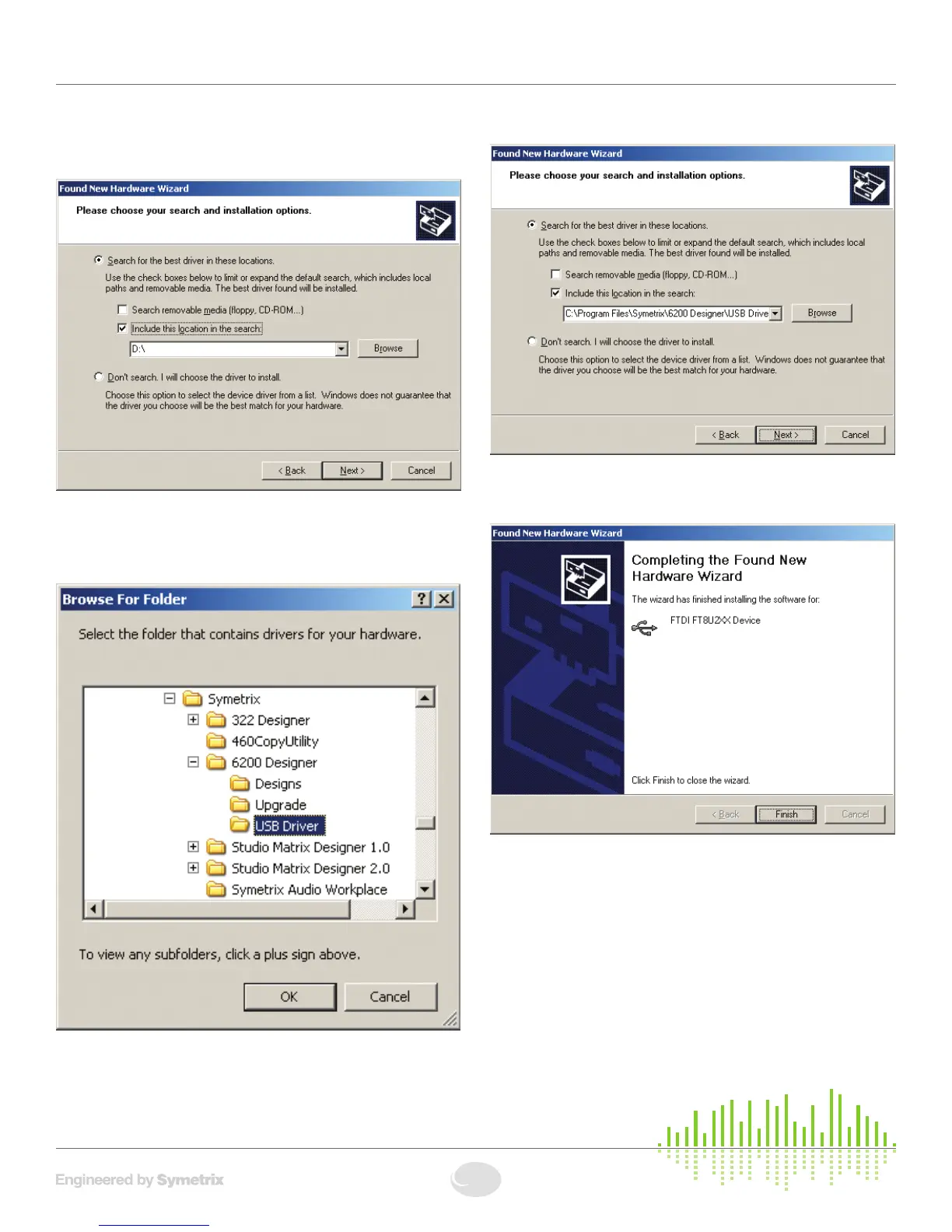
7. Inthenextdialog,choosetheoption“Searchforthebestdriverin
these locations” and check the sub-option “Include this location in the
search:”.
Then click the Browse button and navigate to the 6200 Designer USB
Driver directory (typically “C:\Program Files\Symetrix\6200 Designer\
USB Driver\”).
Select that directory and click the OK button.
Now,clicktheNext button.
8.Windowswillinstallandcongurethedriver.
Once the USB driver has been installed, you can open up the 6200
Designer application, select your unit and go online with it. Refer to the
help content within the 6200 Designer application for more information.
6200 Designer Installation


 To Next Page