9
Voice Processor 2x
Hardware Connections
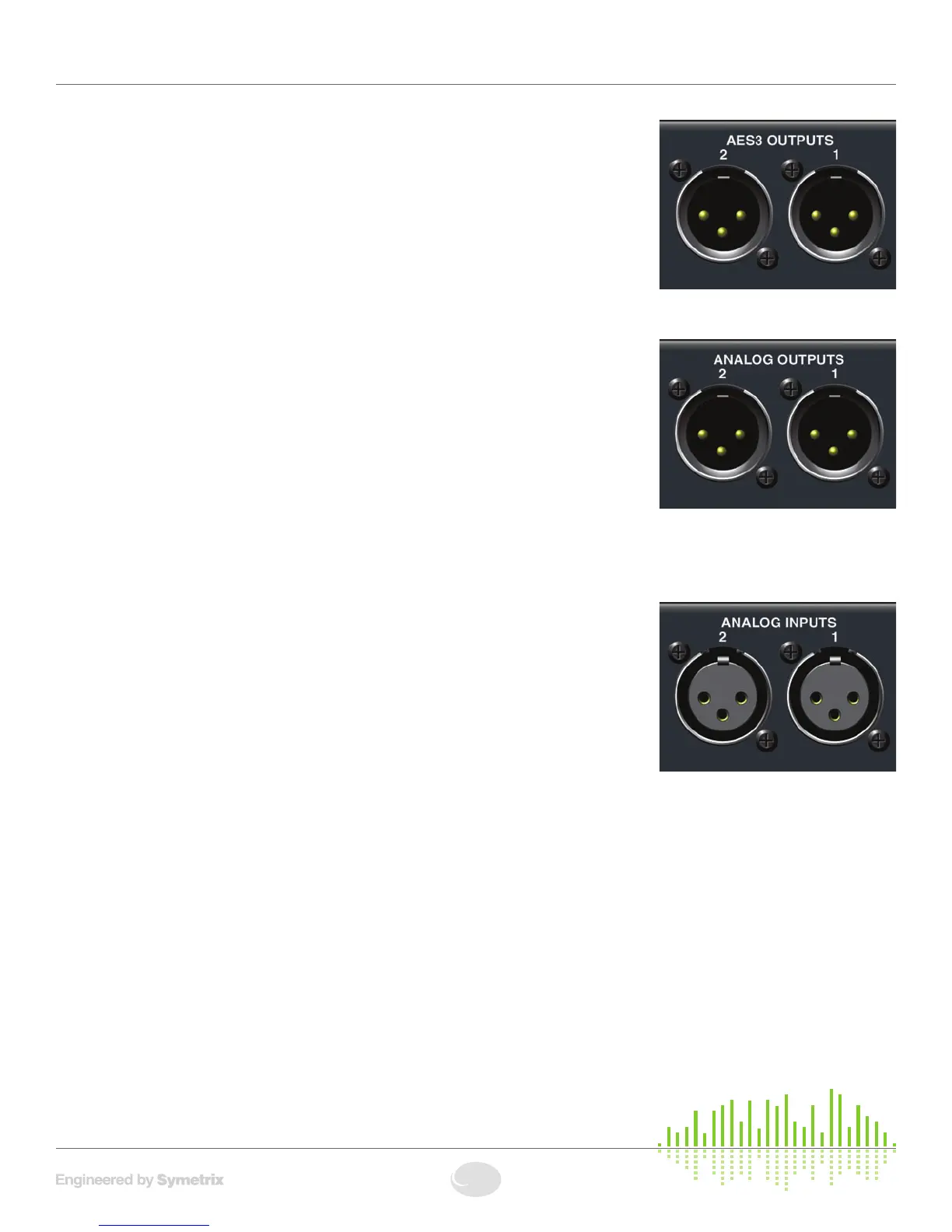
AES3 OUTPUTS
Connect the AES OUTjackofyourchoicetoyourdownstreamequipment’sAESIN
jackusingastandard110ΩAEScableterminatedwiththeappropriateXLRjacks.
Each AES output can transmit a combination of channel 1 or channel 2’s content or
each channel’s content exclusively. Configure the AES Outputs’ Sources in the System
area of the application.
ANALOG OUTPUTS
Usingstandardmic/linecablesterminatedononeendwithfemaleXLRconnectorsand
appropriate connectors for your mic/line destination devices on the other end, connect
thefemaleXLRendsintotheANGLOG OUTPUTS of the 2x and the opposite ends into
yourdestinationdevice’sinputs.Theseoutputsare+4dBubalancedlineleveloutputs
by default. If you need an unbalanced output, see the analog audio wiring diagrams in
theAudioWiringReference.TheseoutputsmayalsobeswitchedtoMicLeveloutput.
FormoreinformationseeMicLevelOutputConversion.
NOTE: Wiring the outputs to an unbalanced cable will typically result in an output level
thatis6dBlowerthantheoutputlevelachievedusingabalancedcable.Ifwiringtoanunbalanceddestination,youmay
needtochangethe2x’soutputlevel.RefertotheAnalogLevelsettingwithintheOutputmoduleofthe2xsoftware.
ANALOG INPUTS
Usingstandardmic/linecablesterminatedononeendwithmaleXLRconnectorsand
appropriate connectors for your mic/line sources on the other end, connect the male
XLRendsintotheANGLOG INPUTS of the 2x and the opposite ends into your source
devices’ outputs. Refer to the Audio Wiring Reference for more information.
NOTE: Wiring the inputs to an unbalanced cable will typically result in an input level
thatis6dBlowerthantheinputlevelachievedusingabalancedcable.Ifwiringtoan
unbalancedsource,youmayneedtoadjustthe2x’sinputlevel.ToswitchbetweenMic
andLinelevelinput,refertotheInputmoduleofthe2xsoftware.


 To Next Page