ColorBox In-Line Color and HDR/SDR Transform v1.0 7 www.aja.com
Block Diagram
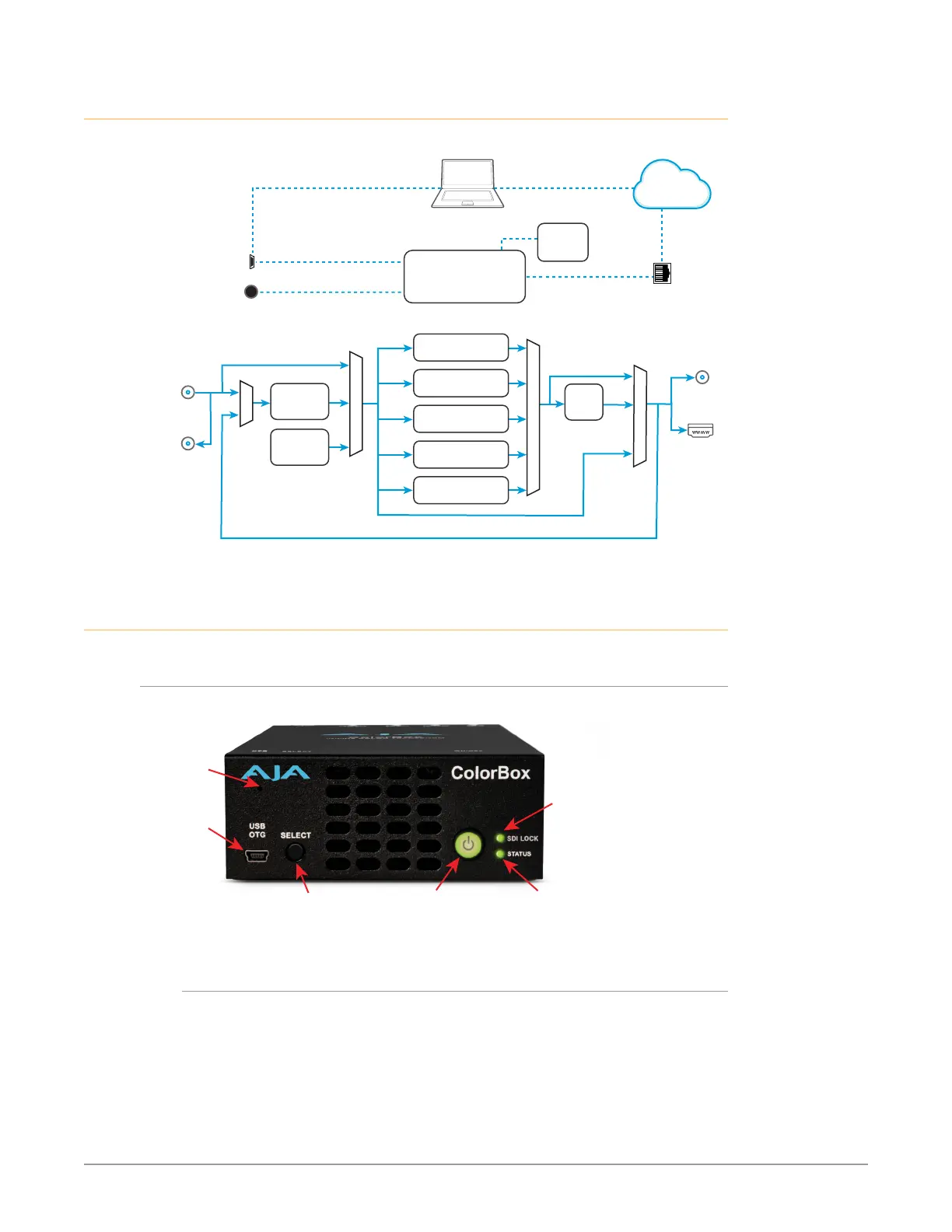
Figure 1. ColorBox Simplified Block Diagram
Conguration and/or
WiFi Control
SDI In
SDI Out
Overlay
USB
OTG
SELECT Button
Bypass On/O
HDMI v2.0b
Out
RJ-45 Ethernet
10/100/1000
LAN Connector
Color Processing Pipelines
NBCU LUTs
BBC HLG LUTs
(licensable option)
ORION-CONVERT
(licensable option)
Colorfront
AJA Color Pipeline
Test Pattern
Generator
Frame
Store
Overlay for
SDI input only
To Frame
Store
Bypass
LAN or WAN
Ethernet
Web Browser
Control
ColorBox CPU
w/Embedded Web Server
SDI Loop
Out
Library
USB Cong
(eMini-Setup)
Computer
Hardware Description
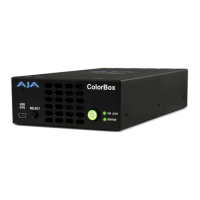
Front Panel
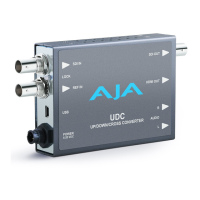
Figure 2. ColorBox Front View
SELECT
Button
Power
On/O
SDI LOCK
LED
Status
LED
USB OTG
Port
Factory
Reset
Button
Mini USB OTG Port
The USB On-The-Go (OTG) port supports both host and client connections.
Use the supplied USB adapter cable and the AJA eMini-Setup configuration
application for initial network configuration (see"eMini-Setup" on page 42).
ColorBox also supports the use of 3rd party USB WiFi adapters through this port.
See "Appendix A Specifications" on page 48 for a list of supported WiFi adapters.


 To Next Page