HA5-Plus Mini-Converter v1.8 15 www.aja.com
• Fractional - If the input frame rate is an integer frame rate, the output frame
rate will be converted to the matching fractional frame rate. Fractional frame
rate input signals are unaffected.
• Integer - If the input frame rate is a fractional frame rate, the output frame rate
will be converted to the matching integer frame rate. Integer frame rate input
signals are unaffected.
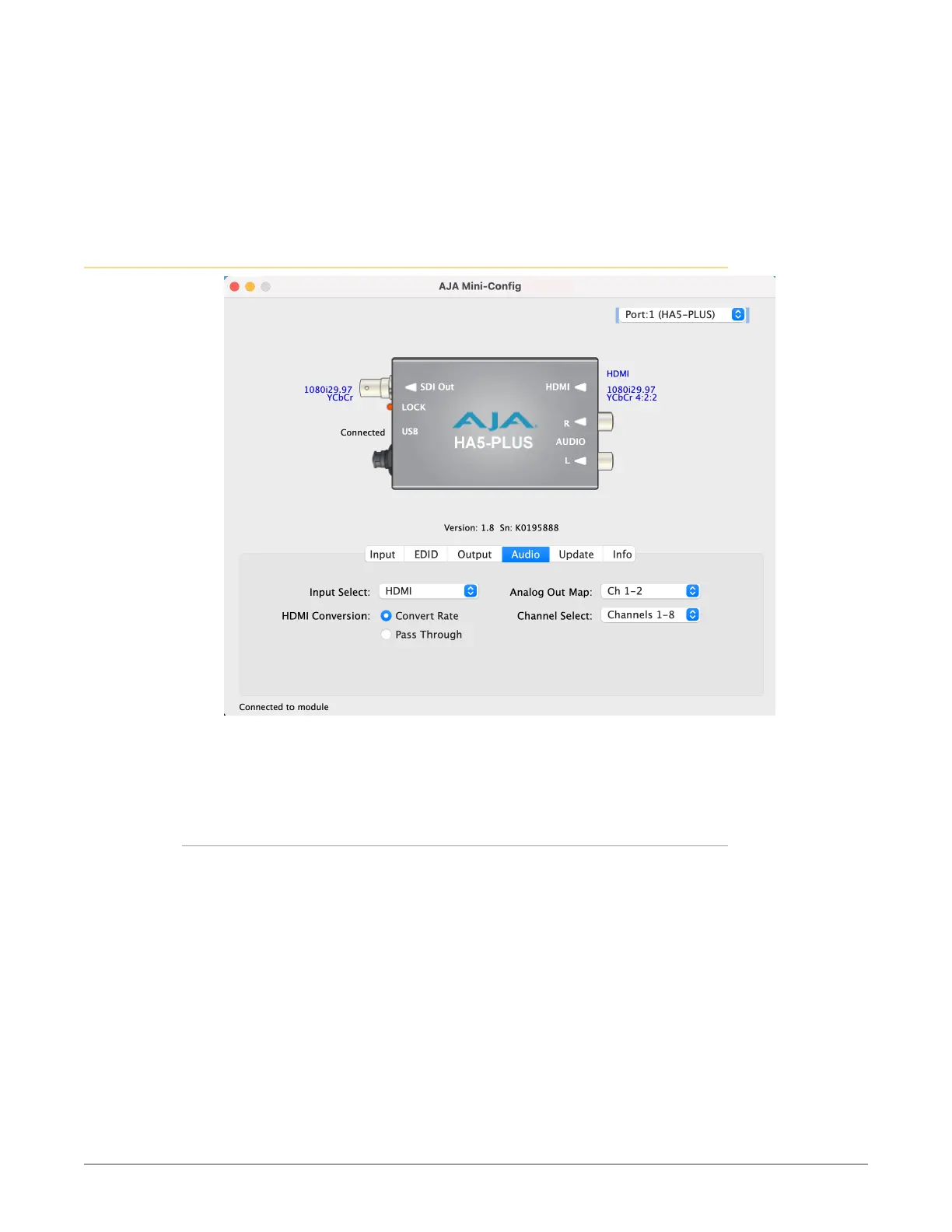
Audio Tab Screen
Click on the Audio tab to view and make changes to the HA5-Plus audio settings.
NOTE: When using the DVI video protocol no audio is output, since that protocol is video
only.
Input Select
Choose what audio channels are routed to the SDI output.
• HDMI - Only the audio channels from the HDMI input are embedded.
• Analog - Only the two analog input channels are embedded. You can choose
which of the embedded SDI channels will receive the analog audio, using
the Analog Out Map and Channel Select settings. The other channels will be
muted.
• Analog + HDMI - Both the analog inputs and HDMI audio are embedded. You
can choose which of the HDMI channels will be replaced by the two analog
audio inputs, using the Analog Out Map and Channel Select settings.
• None - No audio will be embedded. All channels are muted.



 To Next Page