HA5-Plus Mini-Converter v1.8 9 www.aja.com
4. Answer the prompt and a utility program will be launched.
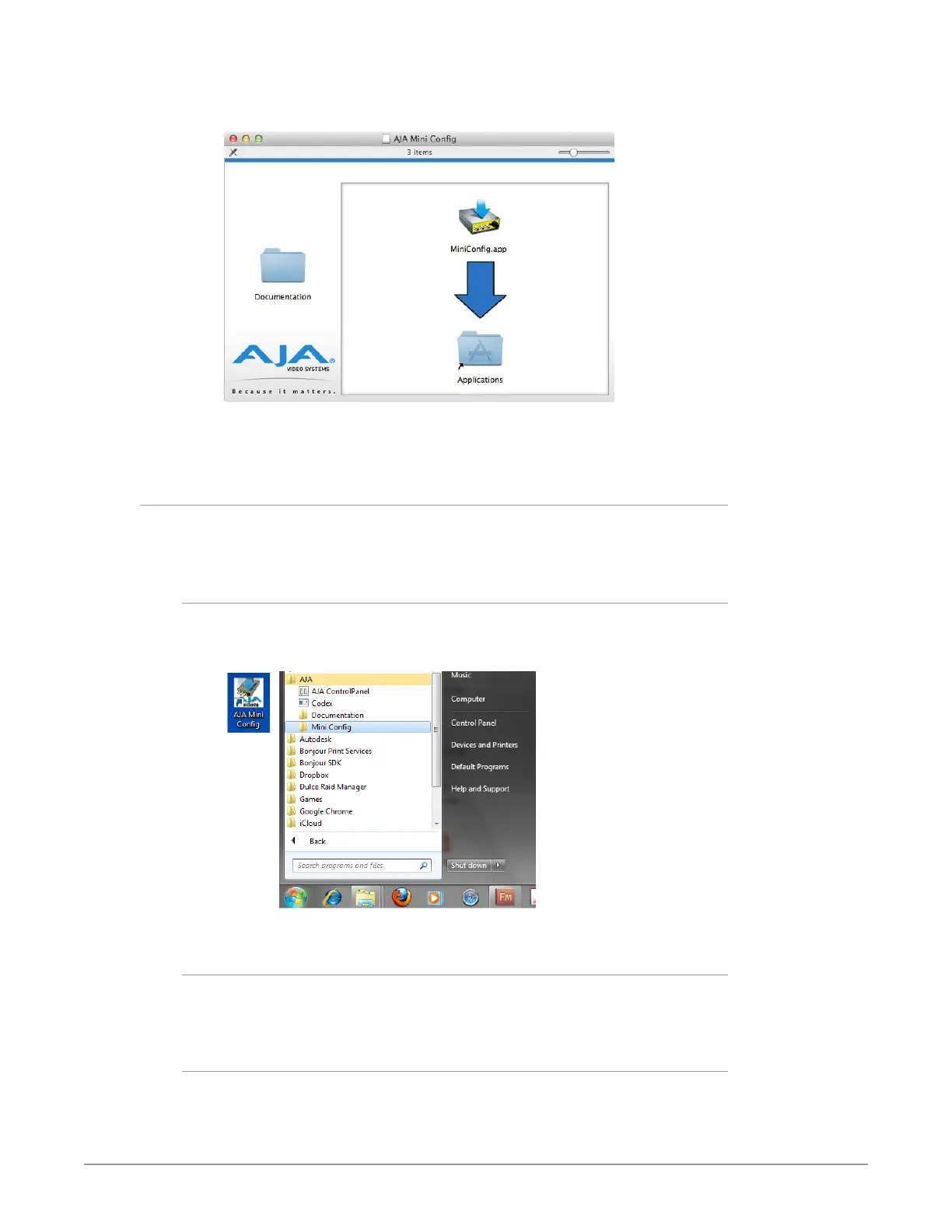
Figure 5. Mini-Config Mac Installer
5. To complete the installation drag the MiniCong.app icon to the
Applications folder.
Running Mini-Config
Connect the Mini-Converter to the PC or Mac via the supplied USB cable. Connect
the external power supply (supplied) to the Mini-Converter.
PC Startup
To run Mini-Config on a PC, double-click on the AJA Mini-Config icon on your
desktop, or open the AJA folder in the program list and click on the AJA Mini-
Config application located inside the Mini-Config folder.
Mac Startup
To run Mini-Config on a Mac, open the Applications folder and locate the AJA
Mini-Config application. Double-click the application to launch it.
Saving Setups
A File drop down menu on the Mini-Config application bar allows you to save the
current state of the Mini-Converter to a preset file for later recall.



 To Next Page