HA5-Plus Mini-Converter v1.8 8 www.aja.com
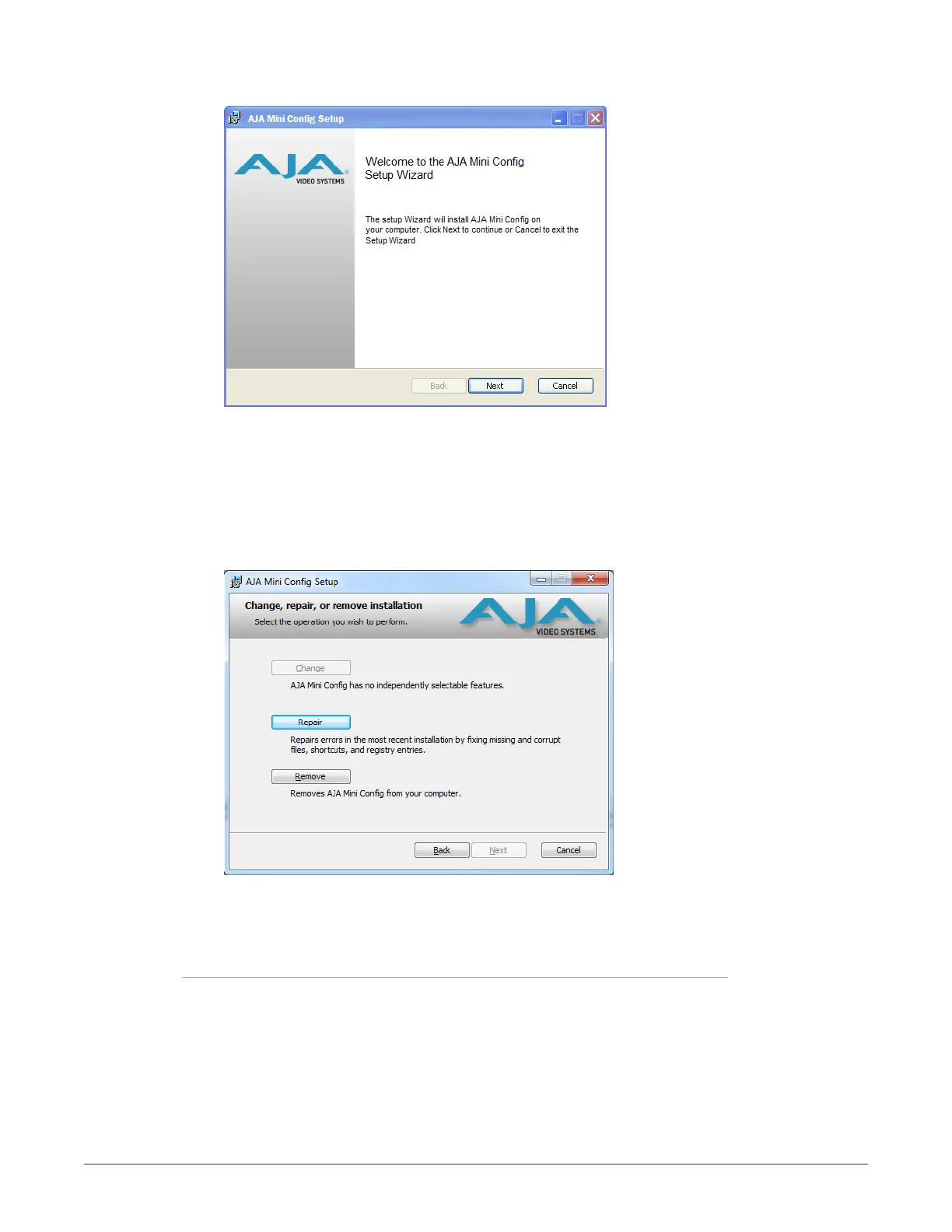
Figure 3. Mini-Config PC Setup Wizard
5. Click Next to begin. Answer the questions in the subsequent dialogues.
When nished, an AJA Mini-Cong shortcut will be installed on the desktop,
and you will be able to locate the Mini-Cong application in the AJA folder
in the Programs listing.
NOTE: If the Mini-Config application already exists on the PC, a different Setup Wizard
appears.
Figure 4. Mini-Config Setup Wizard, Reinstallation
With this screen you can Repair (reinstall) or Remove (uninstall) Mini-Config on
the PC.
Mac Installation
To install the application on a Mac:
NOTE: Mac computers must be Apple Silicon or Intel-based (G5, G4 and earlier models
will not work with Mini-Config).
1. Download the application from the AJA website (select the Apple icon on
the Mini-Config Support web page).
2. Open the AJA_MiniCong folder.
3. Double-click on the AJAMiniCong.dmg le.



 To Next Page